Project Type
End-to-end product design, brand design, and design leadership
Team
Me (Lead Product Designer), a Senior Designer, one lead, and two mid-level developers on product, and two developers on web.
My Role
Lead Product Designer
Duration
12 months
Client
SolidWP
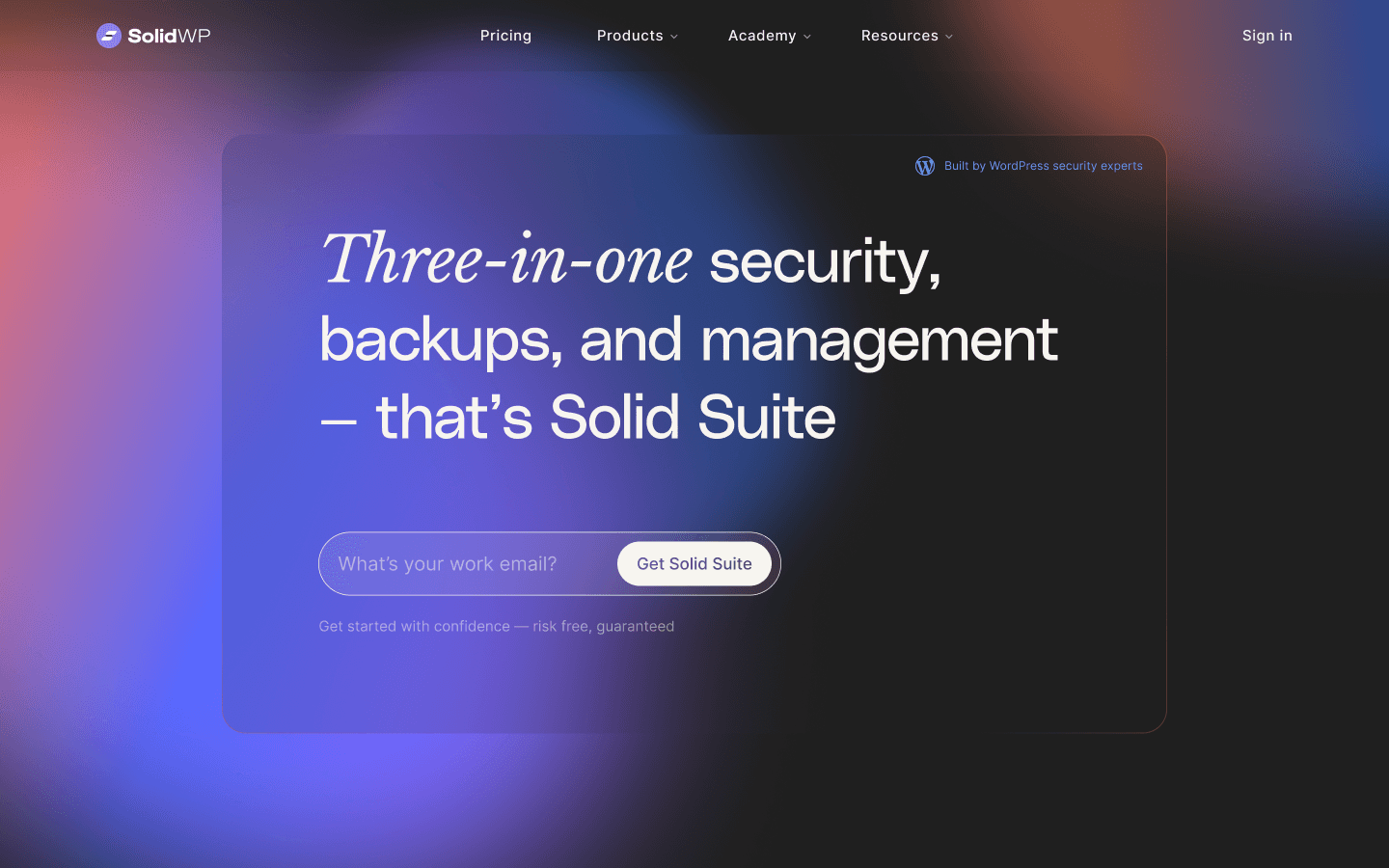
Designed a new brand, site, and relaunched an IT infrastructure product ecosystem with new features and products.
Results
New Revenue, Features, and Products
Vulnerabilities and Solid Suite revenue. 5 New features, 1 Product launch. New branding + site.
Reduced homepage churn by 23%
Compared to our pre-redesign conversion review.
Conversion boost from 3.7% to 7.1%
Website conversion boost in Dec. of 2023
3.5 stars to 4.4 stars
Change in star rating on wp.org
Project Overview
Following Liquid Web's acquisition of iThemes in 2018, the company formed the StellarWP Family of Brands (a collective of over five companies). iThemes' products eventually outgrew the iThemes name, so new stakeholders wanted to update the brand and website to meet new design trends, modernize the website build, and improve UX across products. They also wanted to launch new products and features that would round out our product offerings to compete with competitors. I seized the opportunity, and my proposed design concepts were selected from those submitted by designers across the Family of Brands. This led me to spearhead the design efforts for the massive, multi-product, and multi-brand rebrand while managing a senior designer and leading a small cross functional team.

Project Strategy
The Problem:
The existing ithemes brand was aged and outdated, evoking the company’s humble beginnings when it solely sold WordPress themes. The brand no longer accurately communicated its current standing or its future aspirations within the market. The primary challenge was initiating a strategic rebrand to position the company as a leader in WordPress security and site management, while simultaneously delivering tangible, marketable improvements to its product suite to boost the bottom line.
The Goals:
Successfully launch the new SolidWP brand within a year.
Claim supremacy in WordPress security by offering the best feature list for Solid Security.
Boost the bottom line by offering marketable improvements to existing products and launching new ones (such as Solid Backups - NextGen), and successfully bundling them into the Solid Suite. This would help us compete more closely with our direct competitors like JetPack.
Launch a new website that will perform better than our legacy site.
What I Owned?
I owned the majority of the year-long design process, all product redesigns, feature releases, and product releases, the website design, handoff and launch. I also managed a senior designer across the brand, website design, and the design library. I oversaw and contributed to the creation of our new design system while managing a Senior Designer throughout the process.
What Principles Did I Lean On?
I leaned on both Design Thinking and Lean UX practices. Often blending the approach with rapid user testing or upfront user research. This project helped me understand when to employ either approach and the benefits and struggles of each. I implemented new UX best practices to reduce cross-functional friction, like twice-weekly dev workshops, Monday support check-ins, and occasional UX education workshops.
How Did I Work With Developers and Stakeholders?
I worked day in and day out with developers and stakeholders. Our lead developer was a contributing stakeholder himself, and the GM and Marketing Manager at SolidWP were heavily involved in the massive redesign. This meant one weekly meeting with stakeholders (with several quick huddles), and several weekly meetings with devs. Additionally, we created and implemented a design system to reduce hand-off friction.
How Did I Manage My Senior Designer?
I set up daily standup check-ins in Slack, and we met 3 times a week, including 2 huddles and a Monday morning debrief. We also met regularly with our GM or Creative Director to hone in direction, strategy, and execution.
Tools I Used:
Recognizing the immense scope of the project and the tight deadline, our team made a crucial strategic decision early on: to prioritize speed-to-market over launching a new, in-depth user research effort for the initial brand identity.
How Could We Justify Skipping a New Research Round?
We leveraged existing assets: We capitalized on already established user personas and a strong relationship with our iThemes Training community. We had a robust training community that we met with many times on earlier design initiatives.
We dove into previous contextual Interviews: My Product Manager and I previously embedded general discovery questions within ongoing user interviews and usability testing sessions conducted for our Passkeys release and initial User Personas creation.
Our target personas were Small Business Owners and Agency Developers, a dual persona focus. This dual focus meant we needed to balance the needs of a less tach savvy business owner that juggles many hats and values hand-off ease of use with the technical focus of an agency developer that values deep system control.
Final Decision: Strategic Tradeoff
Given the stakeholder mandate to "hit the ground running," we deliberately traded new-user interview sessions for speed-to-market in the early stages of the rebrand.
Our confidence in bypassing extensive new research was further reinforced by internal expertise. Our Lead Developer regularly contributed to WP Core, providing deep market insight. We also leaned on the experience of our key stakeholders, including a development-oriented GM who clearly understood WP's future direction (e.g., the rise of Elementor and the restructuring of Jetpack) and used internal support tickets as guidance on product decisions and conversion issues on our site.
Competitor Landscape
Users relied on a suite of competitor products for day-to-day operations, including All-In-One Migration, UpdraftPlus, WP Engine, Jetpack, and KadenceWP.
Visual Cues & Aesthetics:
Observing cutting-edge WP tools like KadenceWP, which was rapidly innovating in the WP space, informed a key discovery: users strongly preferred a fresh, cutting-edge approach to the often outdated, 2000s-style WP branding.
Directional Insight:
Stakeholders clearly preferred a sleeker design over WordFence's basic WP layout, aiming to move entirely away from that outdated look.
We immediately began refining the original branding concepts, iterating three times over two weekly meetings with the company's GM, Devin, the primary stakeholder.
Initial Concepts:
I worked hand-in-hand with our GM and a Creative Director to flesh out the early concepts of our new SolidWP brand. We wanted a modern feel, but the brand flexibility of a large product ecosystem. A key directive was to move away from the current, staggered, separate branding across products.
Refinement:
I rapidly created a few versions of each page, often in mid-fidelity, within a week or sometimes within a few days.
Finalize:
Designs were posted to Slack or reviewed in quick huddles with stakeholders. Each screen generally required no more than three iterations before sign-off.
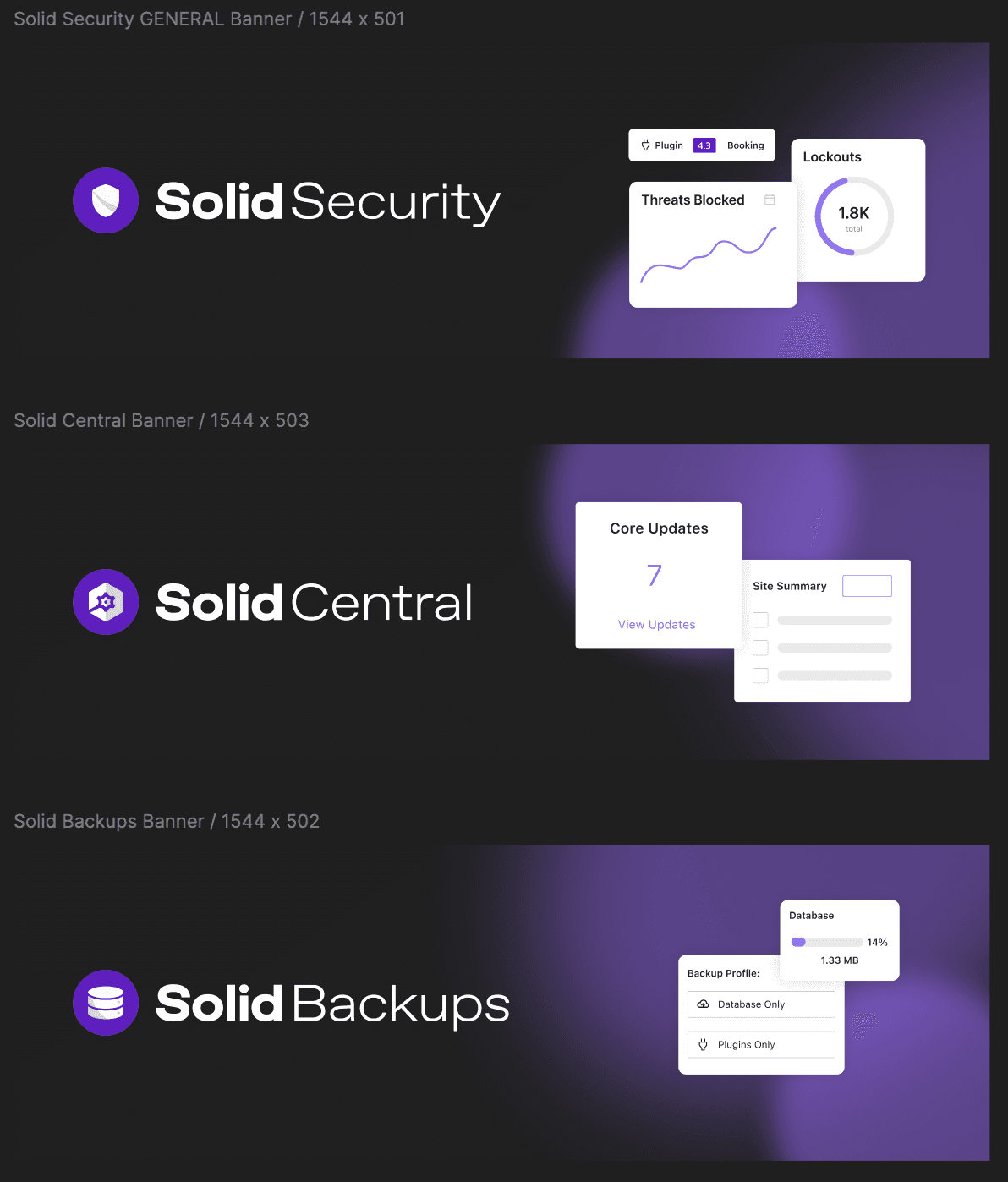
When designing the product logos I focused on creating a logo system that would be easily repeatable and recognizable across the product suite, no matter what product a user interacted with. This meant repeated colors, icon and wordmark styles.
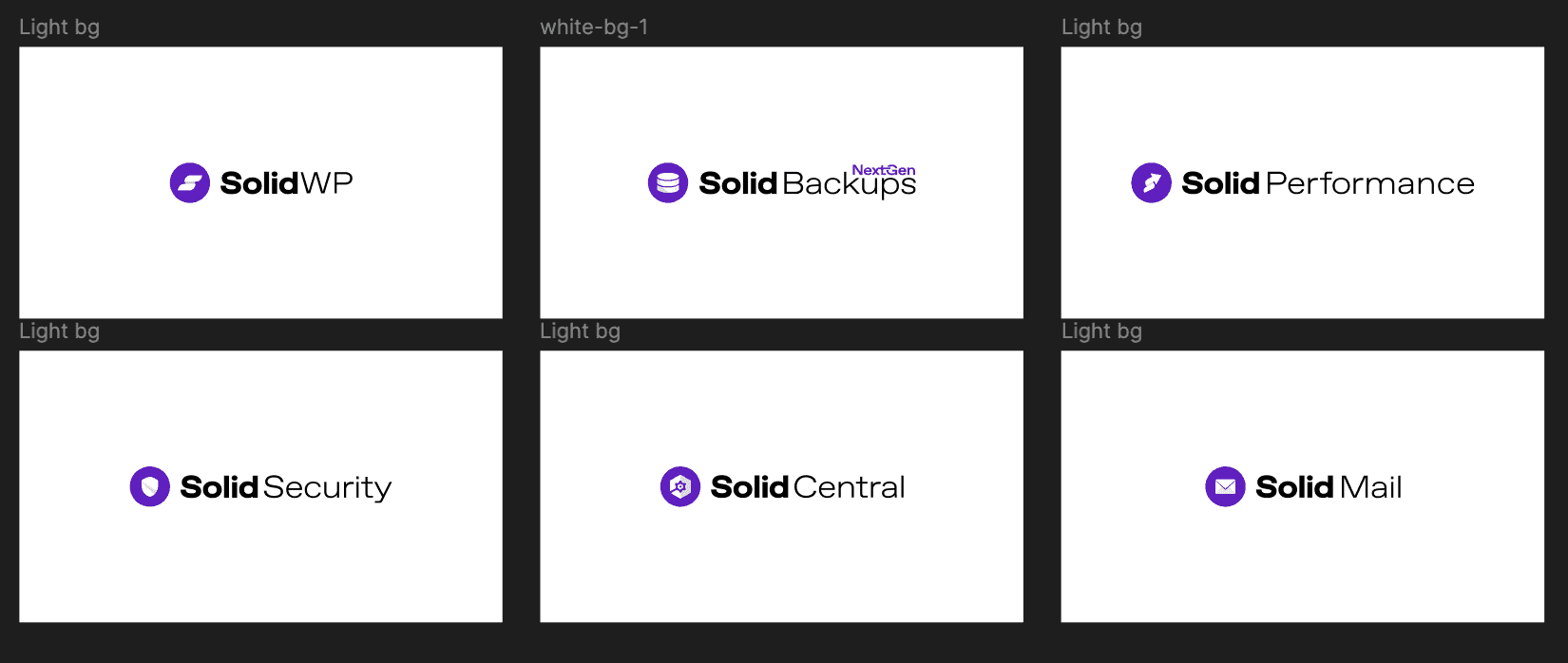
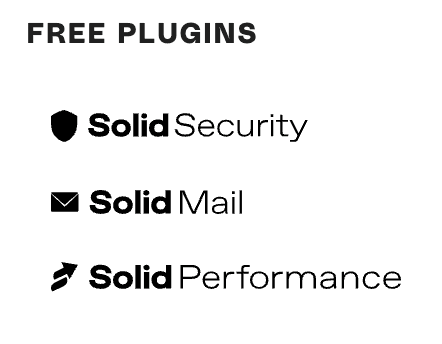
When designing the new SolidWP brand, specifically the brand logos, my senior designer and I had conflicting opinions on using simplified icons that presented a more flat design versus more graphic focused brand icons. Instead of completely shooting down the idea, I met with my GM to better understand his goals surrounding the rebrand.
GM Goals For The Rebrand
A central goal that the GM expressed was to reduce confusion or potential blow back from a major rebrand from long-time users.
Although the simplified icons were clear and represented the new permanent logos well, they would lead to unnecessary confusion and I felt that the simplified logos weren’t unique enough to use them for the permanent logos. In addition, the entire rebrand was already far from our previous brand aesthetic, the simplified logos would push us even further in this direction rather than using the more graphic icons that offered a minor bridge from our old brand to our new brand that our users would appreciate.
BUT I didn’t want to completely do away with the simplified logos. So, I chose to incorporate the simplified logos for visually minor instances or quick references to the products. For example, we ended up employing them for the navigation items in the SolidWP website.
In hindsight, I would now push for a quick A/B testing round either internally and with a few long-time users to better inform my decision on whether to use the simplified icons vs the graphic icons.
SolidWP Branding
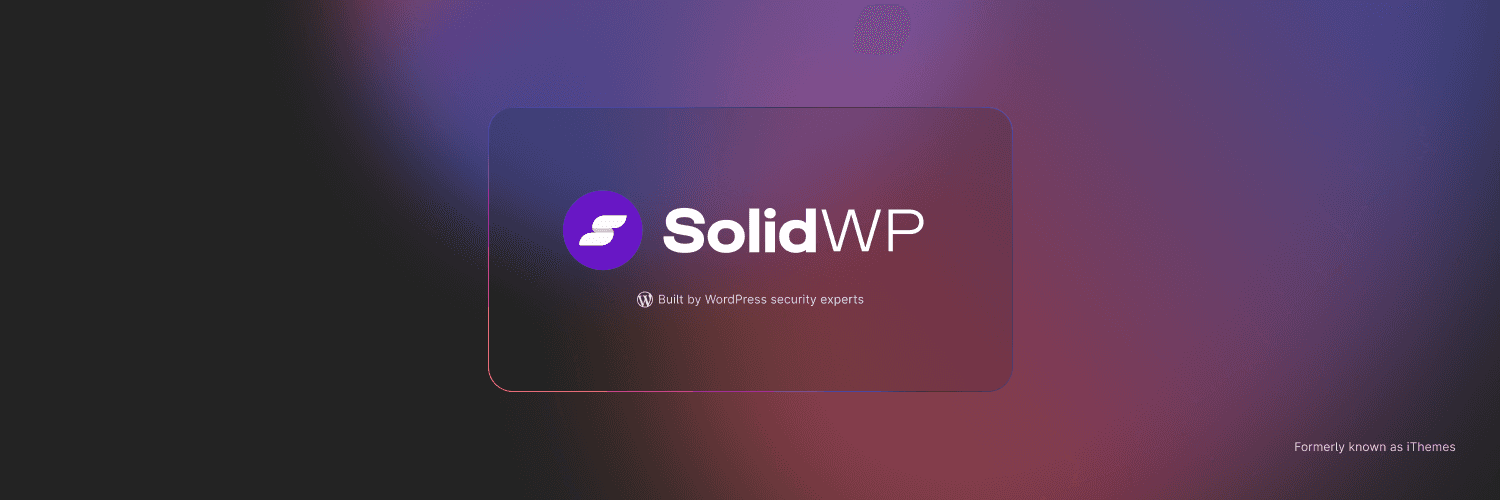
Designed marketing material for launch.
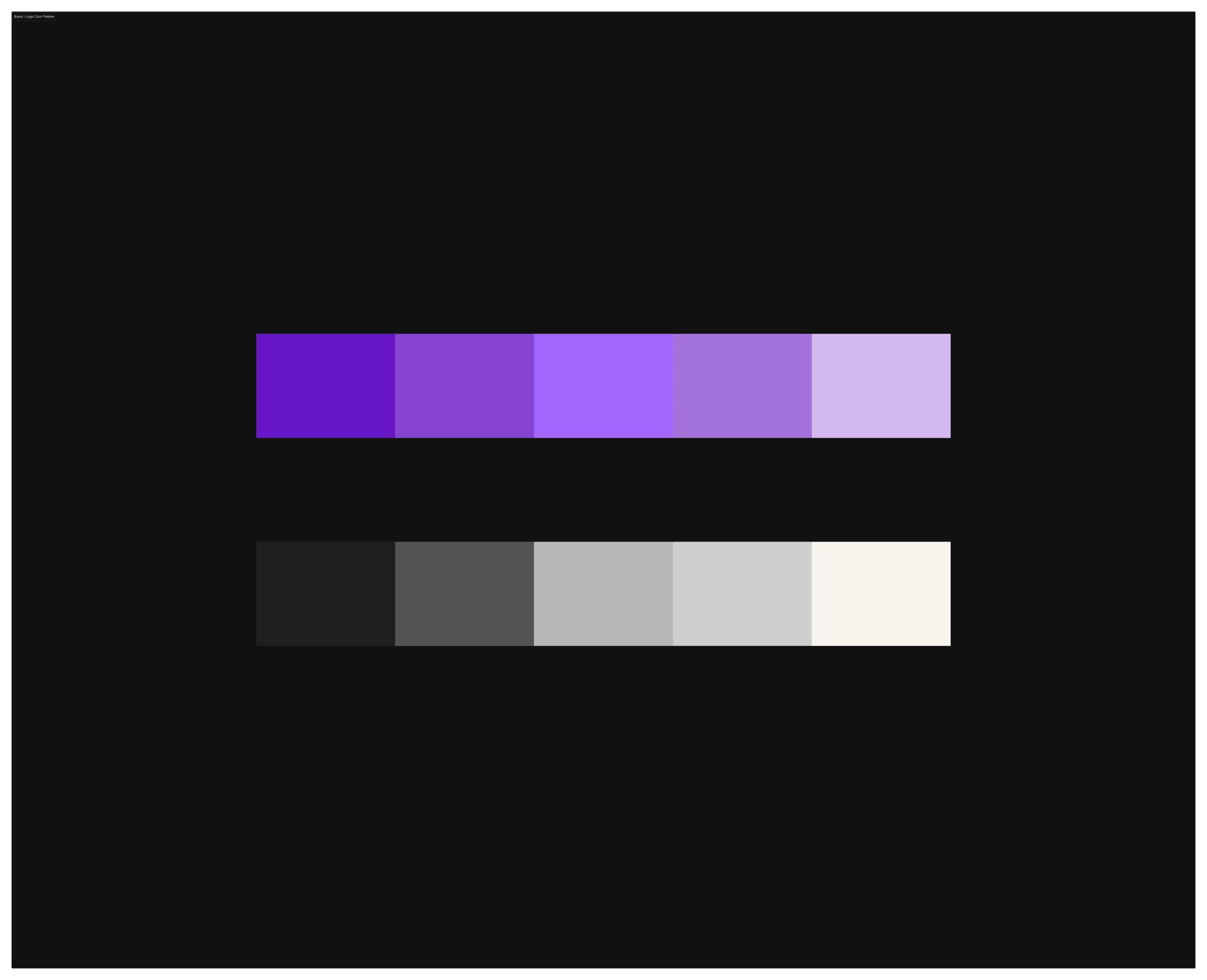
SolidWP Brand Colors
Website Design
Kickoff and Strategic Scope
We used the same core user research insights collected during the brand redesign kickoff to set the website's visual standards, I led a focused competitive review session with a Director of Design, analyzing both immediate competitors and leaders in the broader SaaS field, including Webflow, Elementor, and Jetpack.
This analysis helped us identify key design elements, standout interactions, and effective overall layouts, leading to the creation of four essential Design Pillars to steer the entire process.
Design Pillars:
Forward thinking
Modern
Robust graphics (our differentiator)
Engaging interactions
The site must sell individual products (Solid Central, Solid Security, Solid Backups) while prominently featuring the newly formed Solid Suite bundle throughout the user journey.
The new site required dedicated sections for product comparisons against competitors.
Content Migration:
The infrastructure needed to host and migrate all existing blog content and resource pages, including the Support section and the rebranded Solid Academy (formerly iThemes Training).
After establishing the brand identity and the approach to our web design, we then needed to standardize our approach so that our team, from senior management to a future web design team, would be able to handle landing page design, article writing and more on their own.
I urged our senior designer to approach this next stage with a systems thinking mindset. I tasked her with creating standards around our brand voice, brand colors, logo use, and even a basic web design library.
This process included weekly check-ins with me, and Elle meeting with our marketing manager on voice standards like tone, messaging, and dos and don'ts. We then built standards for website buttons, layout spacing, design tokens, a clamping system for text use. We hosted our design standards in Figma and our brand voice standards, along with team resources like logo assets and more in a public Notion page.

During a website strategy session where the stakeholders, myself and my senior designer were fleshing out content strategy for our website homepage there was an internal push from stakeholders to keep certain legacy home page elements to avoid 'confusing' old users, specifically, the section just below the hero section showcased our products rather than building trust and credibility, which I saw as the better content direction.
So, I conducted a quick forensic audit using HotJar and proved that this section was actually causing a significant drop-off in our primary conversion funnel (we saw that by users dropping off the site in the first 3 VH sections of the site). By presenting a data-backed solution of focusing on credibility rather than just a showing design preference of mine, I aligned stakeholders on new Information Architecture and content strategy that prioritized credibility and conversions.
So, I conducted a quick forensic audit using HotJar and proved that this section was actually causing a significant drop-off in our primary conversion funnel (we saw that by users dropping off the site in the first 3 VH sections of the site). By presenting a data-backed solution of focusing on credibility rather than just a showing design preference of mine, I aligned stakeholders on new Information Architecture and content strategy that prioritized credibility and conversions.
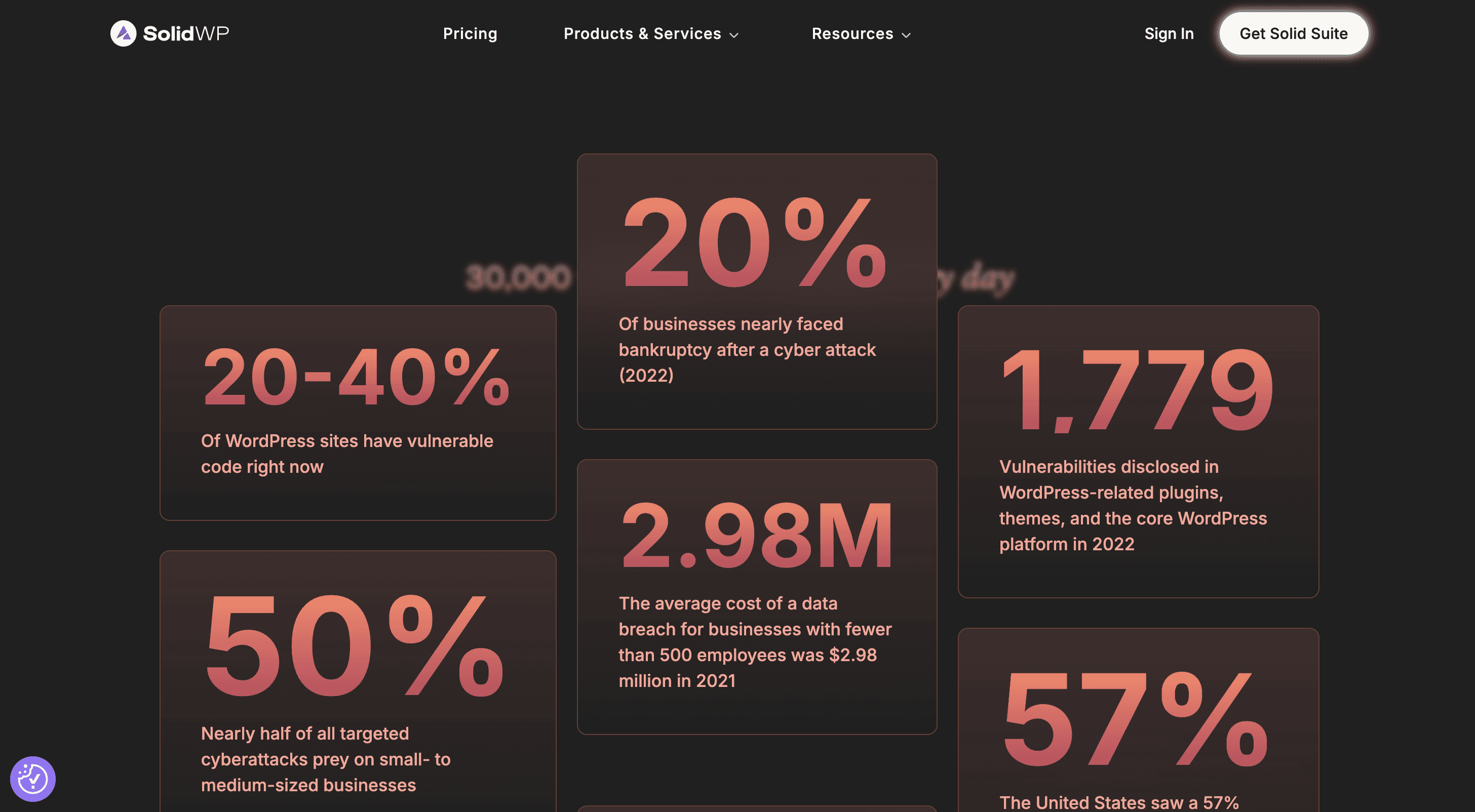
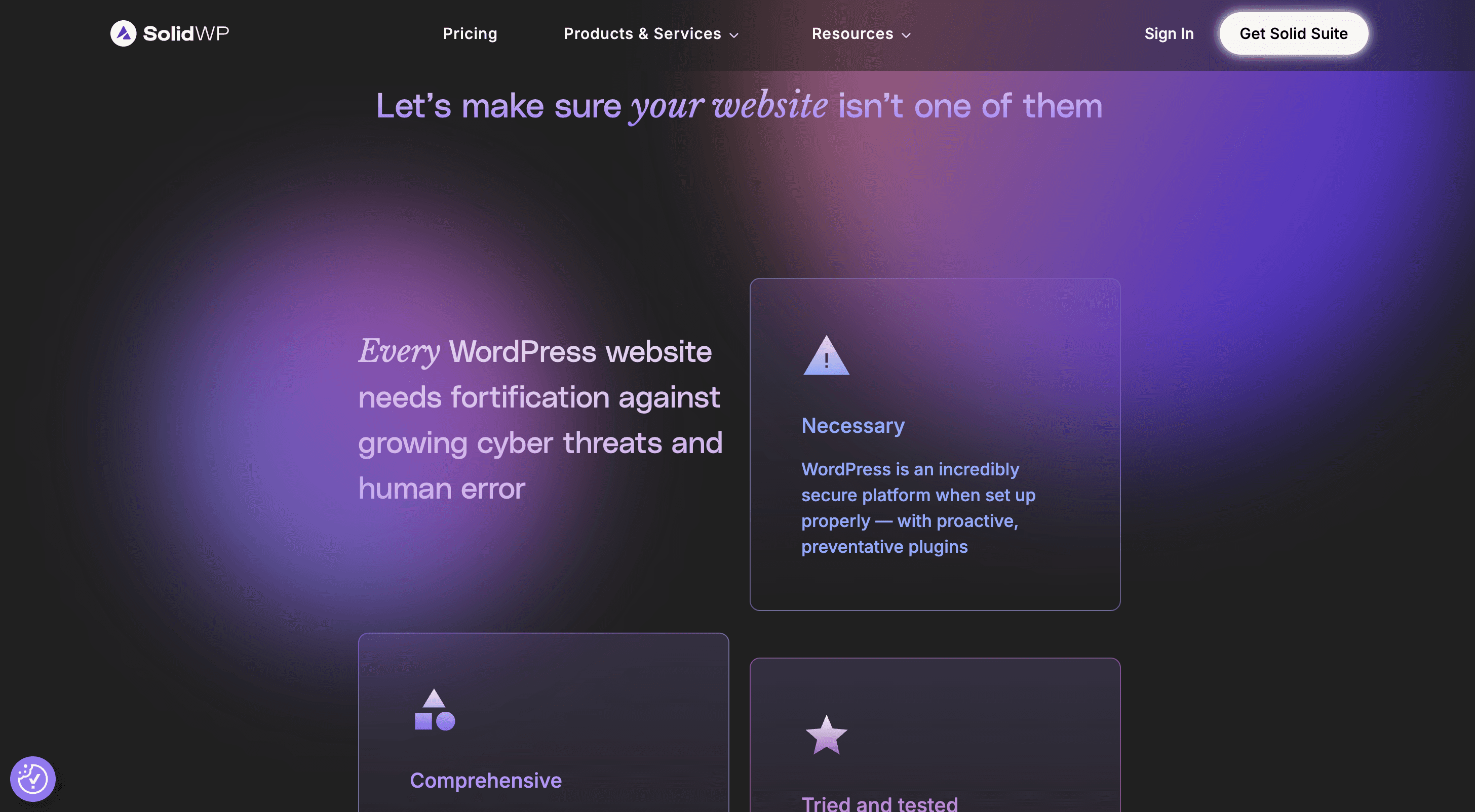
Early Concepts & Abstraction: Elle and I held multiple intensive meetings. We agreed to abstract the core idea of each product and communicate it through engaging animation. This was a deliberate choice, as our core products (security and backups) do not inherently "scream exciting" like other sister companies' products (e.g., The Events Calendar or Kadence’s Site Builder).
Mid-Fidelity & Motion: While I transitioned to product work, we held occasional review sessions (including the GM). We established core animation designs, graphic elements, fonts, and robust mid-fidelity layouts for the homepage.
Defining the Edge: We moved into high-fidelity designs, reviewing progress weekly. Motion was reinforced as the key differentiator to boost engagement. Our edge relied on motion, a strong value proposition, highly relevant copy, robust product comparisons, and customer testimonials.
High-Fidelity Delivery: Under my high-level supervision and occasional GM reviews, Elle completed the high-fidelity design for the entire Homepage, the Pricing page, and the hero sections of all product pages before organizational needs required her to turn to other duties.
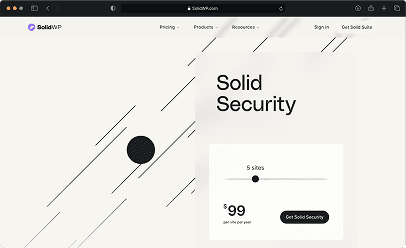
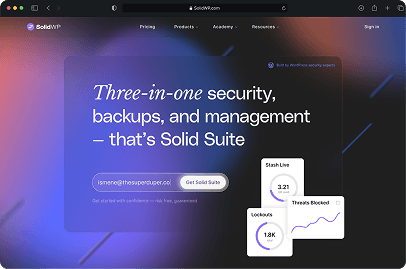
Following Elle's departure due to resource constraints at our sister company, I met with the GM, who confirmed the pivot: I would now have to continue managing product improvements and complete the remaining website redesign entirely on my own. I accepted the challenge and took over full responsibility for the remainder of the web project. We will revisit this pivot once we’ve discussed the product improvements and new feature design I conducted while supervising Elle on the website.
Having shifted to full product ownership and completed the core feature designs, I quickly took back responsibility for the rest of the website build, overseeing the final high-pressure phase with only three months left until launch.
I held a key kickoff meeting with Elle, the GM, and the Marketing Director to gain access to all existing assets and finalize the remaining scope. Elle provided two weeks of hand-off support. I quickly identified that the remaining project scope was substantial, comprising new marketing initiatives and the redesign of existing iThemes resource pages, all of which required adherence to the new aesthetic.
I also learned of a new development constraint that would affect design:
The GM identified a major limitation: the platform couldn't let users select the site count during checkout. To ensure a smooth user experience despite this technical issue, I designed a selection slider to be added on every purchase CTA within the current designs as a simple workaround.
Design Pivot:
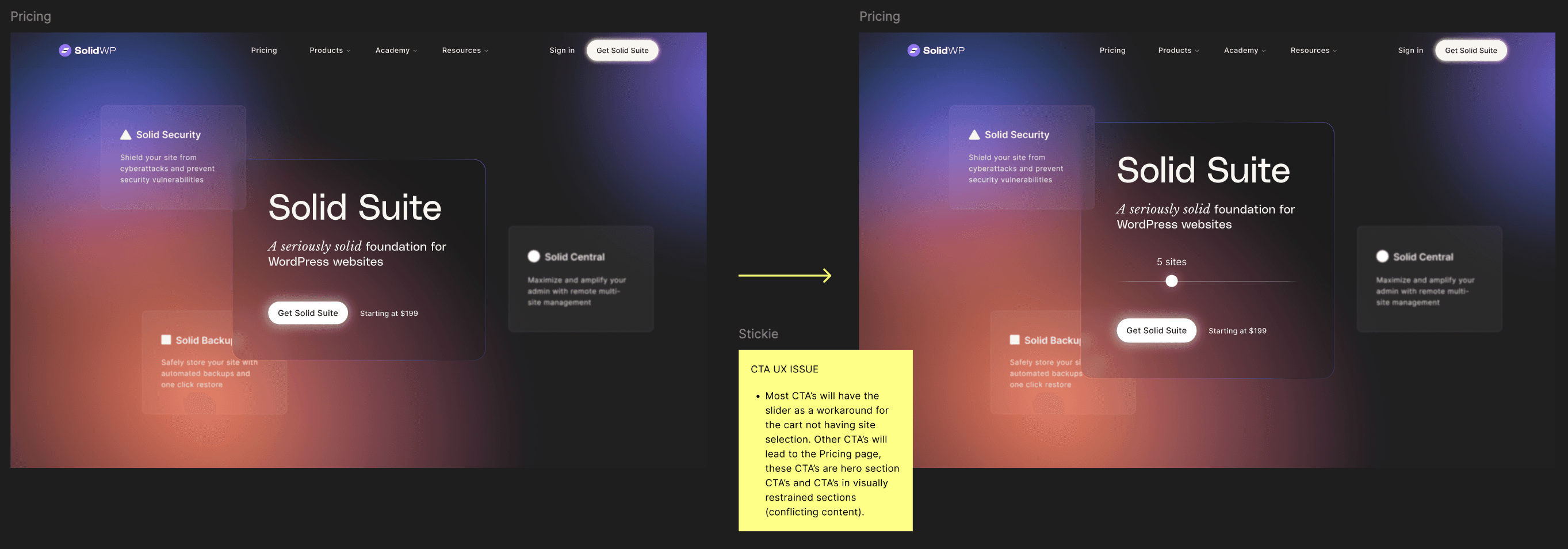
My process for delivering the remaining screens was rapid, high-velocity, and consistent:
I met with the GM and Marketing Manager to review the specifics of each page. For existing pages, we collaboratively reviewed the current content to determine what to retain or discard.
Rapid Design: I rapidly created a few versions of each page, often in mid-fidelity, within a week or sometimes within a few days.
Review and Finalization: Designs were posted to Slack or reviewed in quick huddles with stakeholders. Each screen generally required no more than three iterations before sign-off.
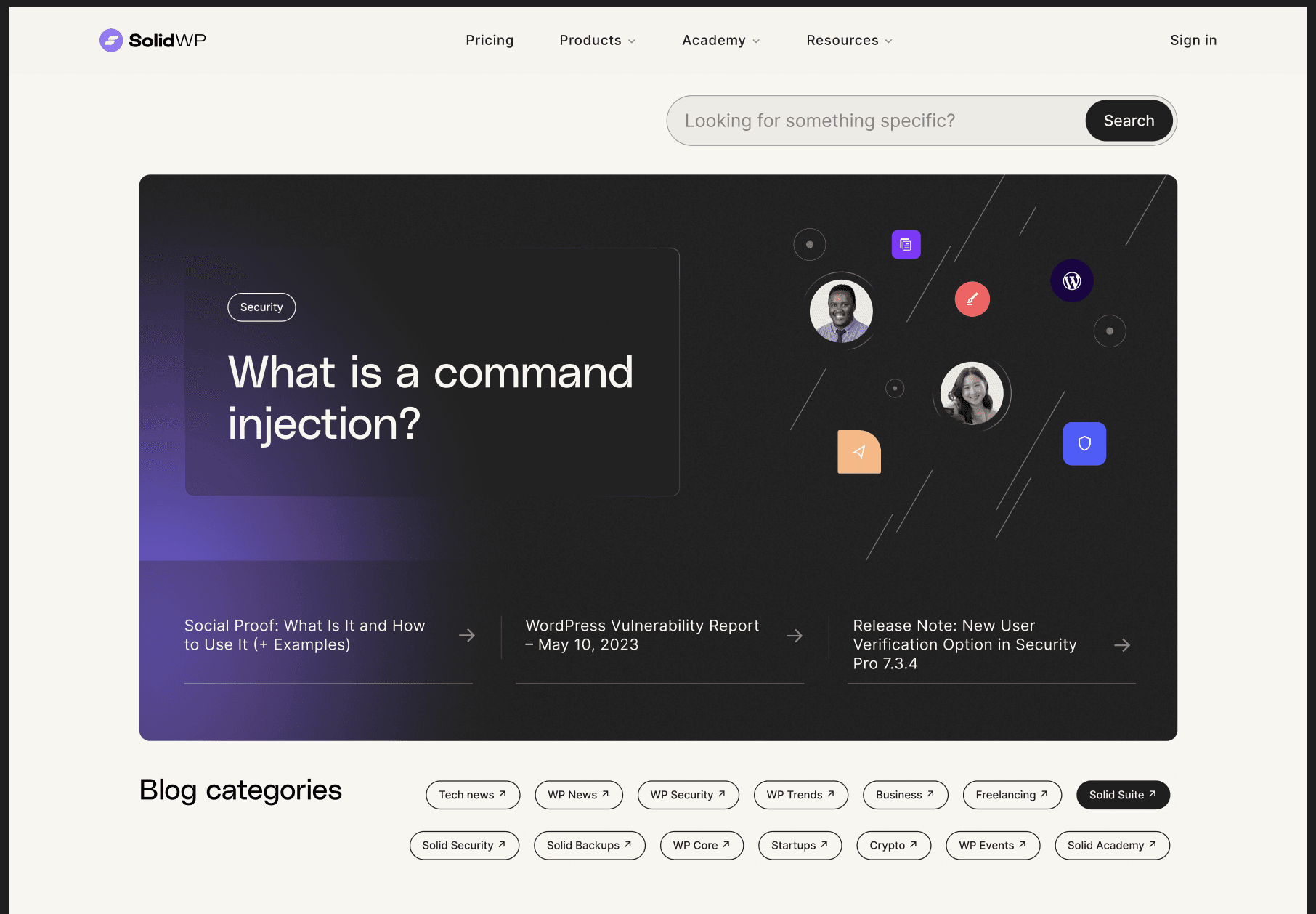
The Blog and All It's Associated Pages:
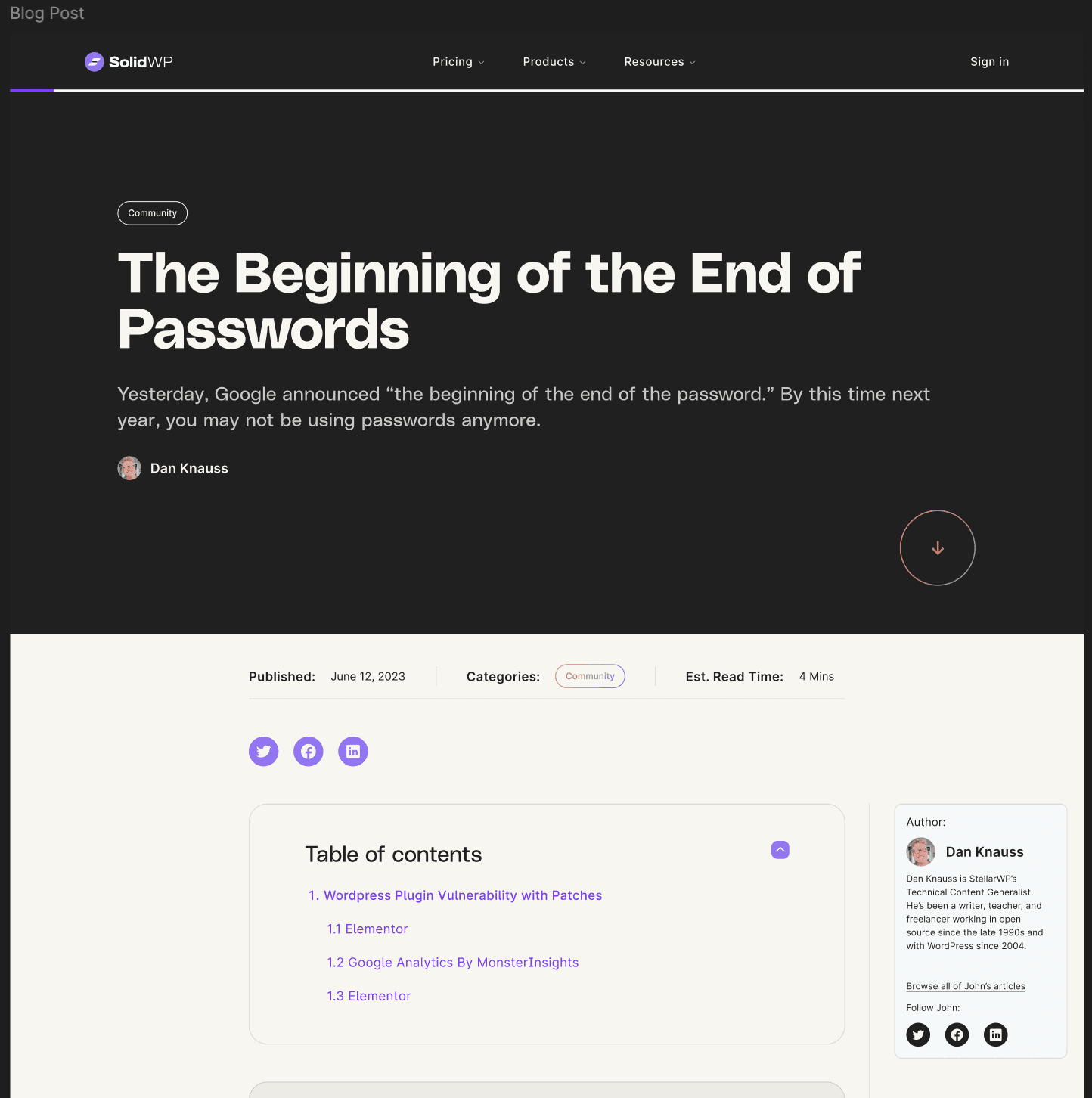
Blog Article
Blog Overview
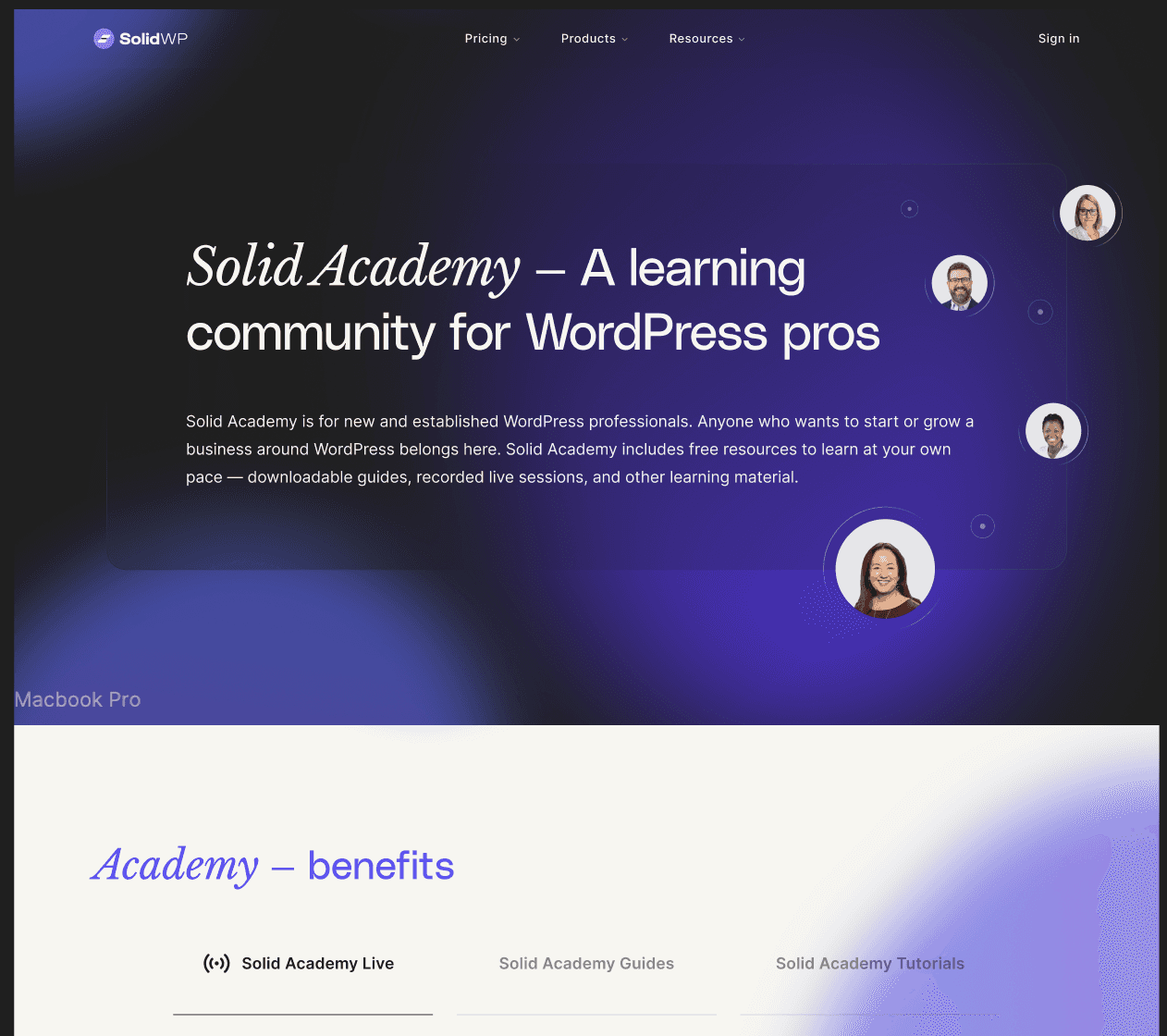
The New Page for Solid Academy, Previously iThemes Training:
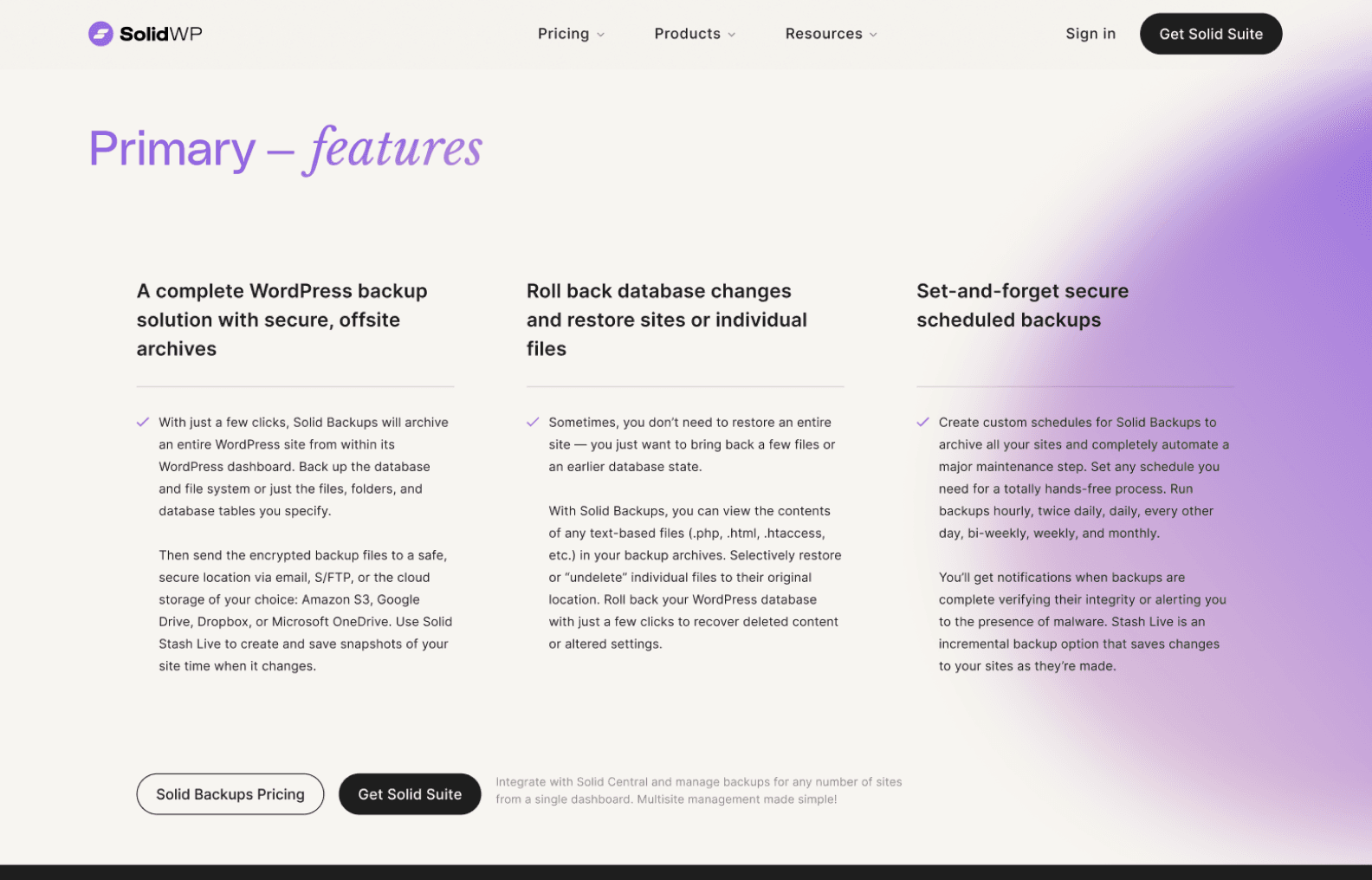
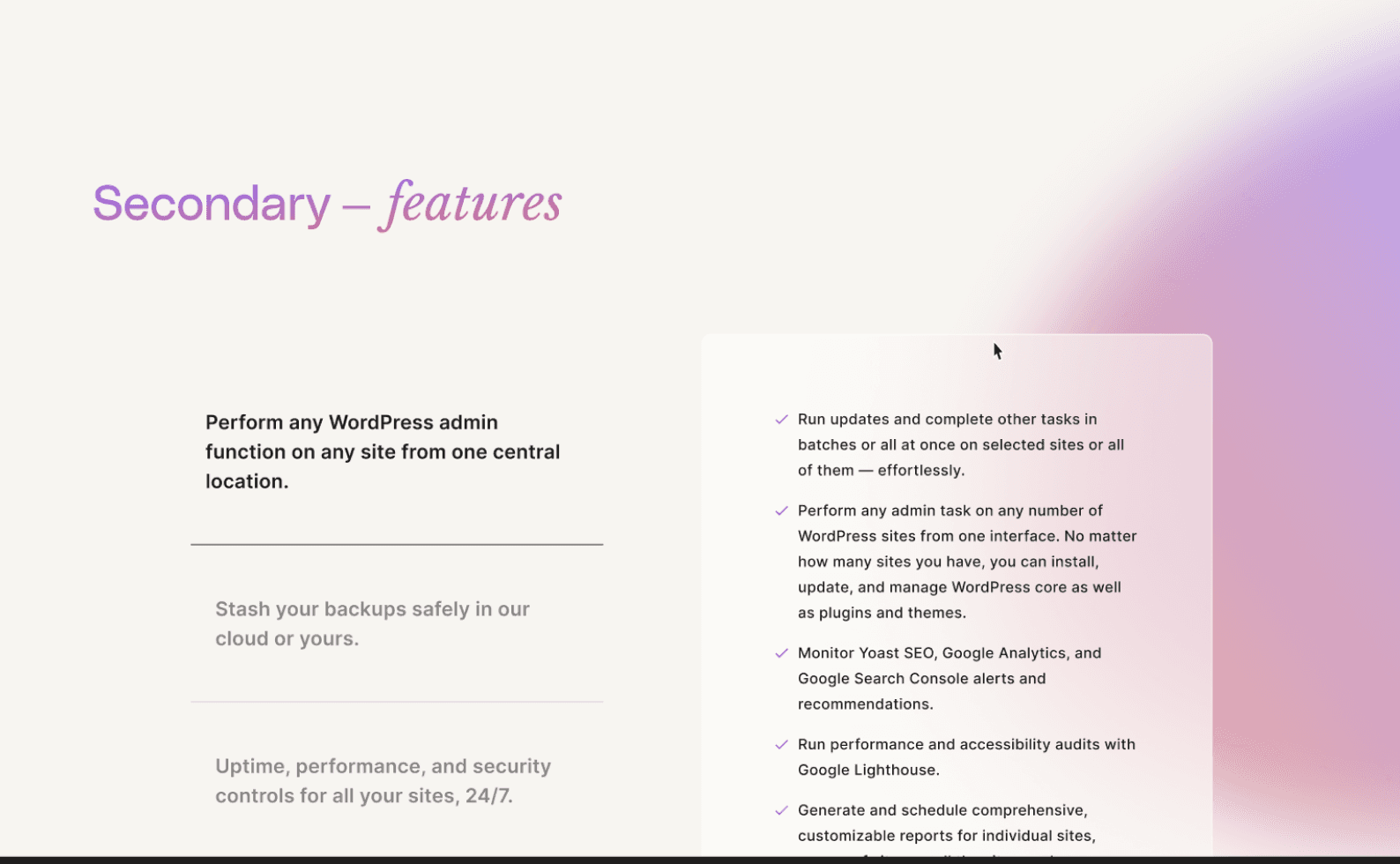
The Additional Sections Needed for The Product Pages:
Features - Primary
Features - Secondary
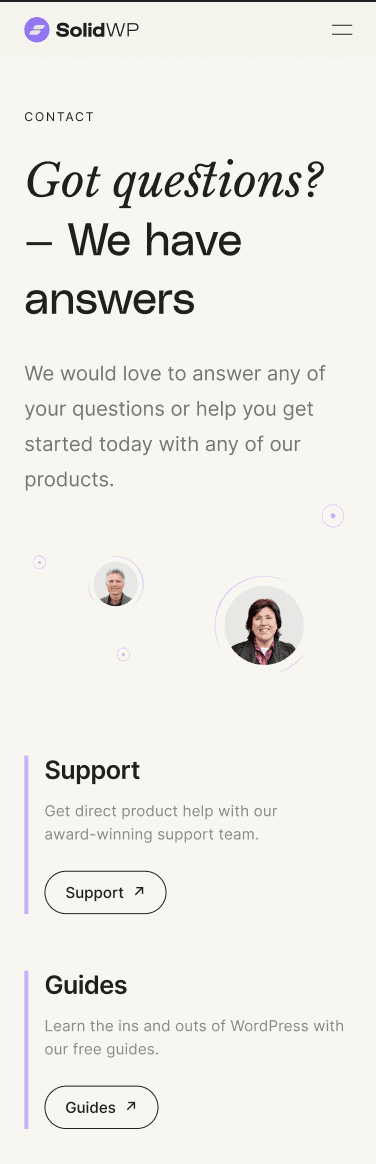
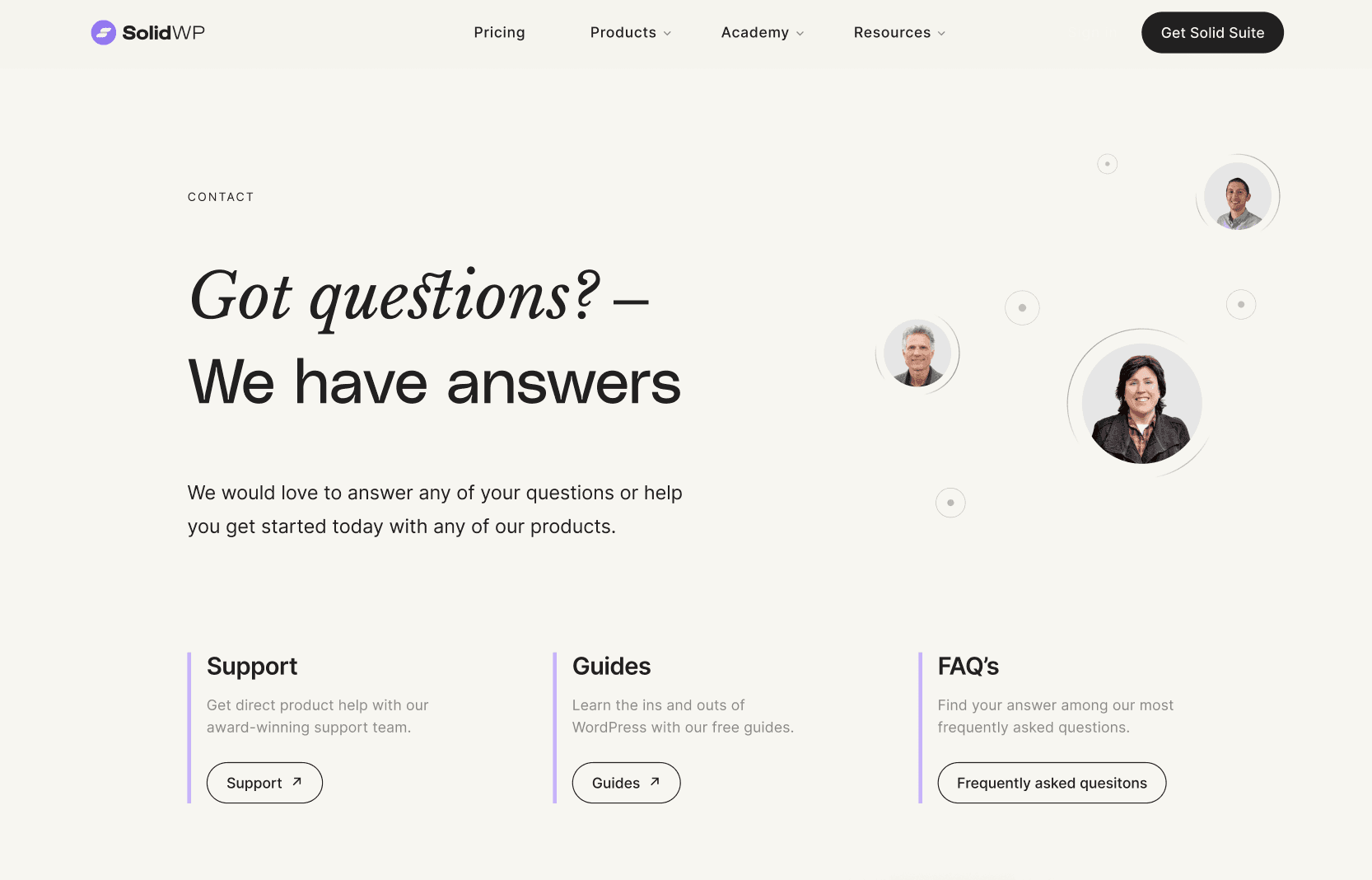
The Contact page
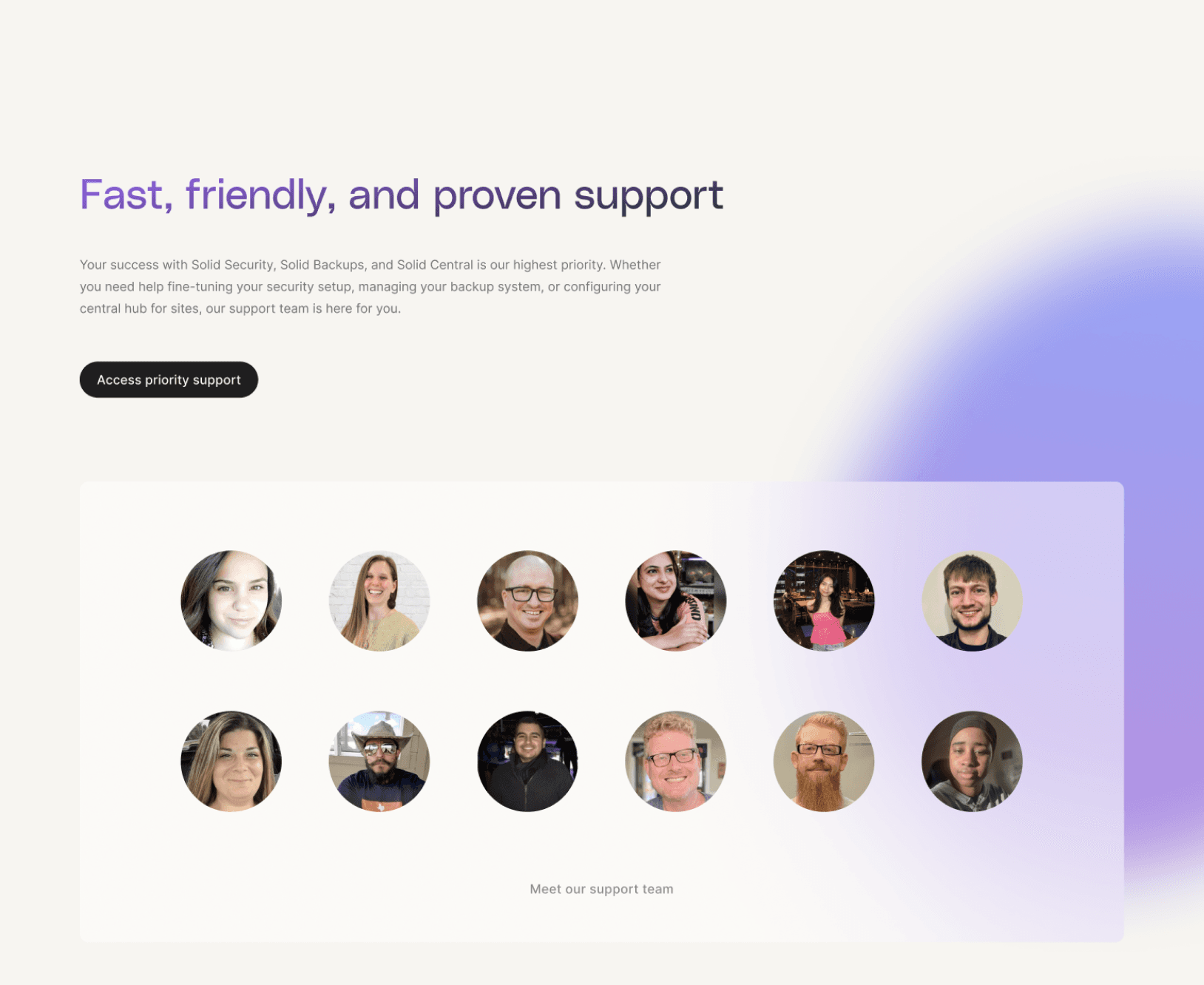
The Support page
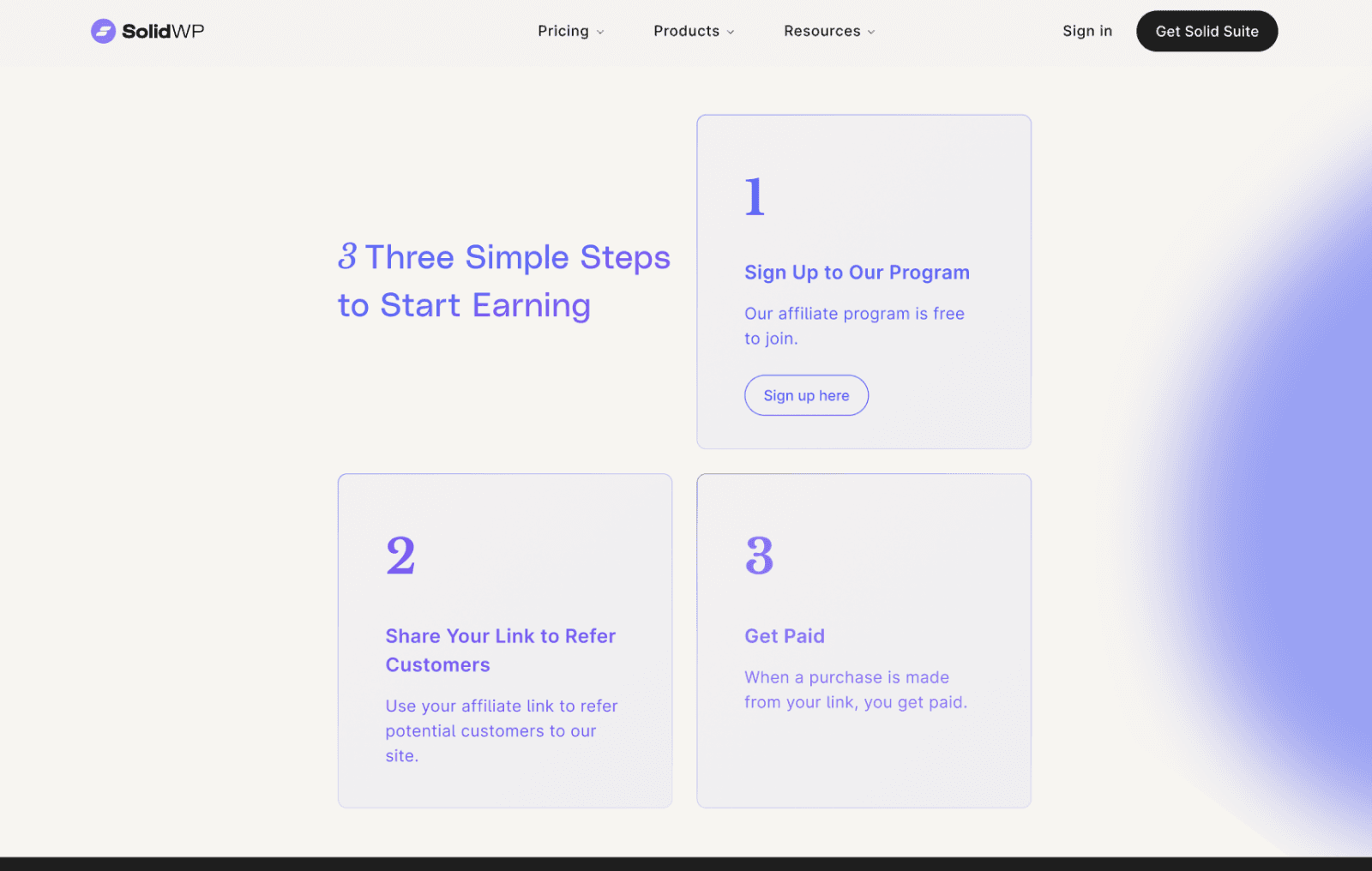
Affiliates Page:
The Constraint:
With only three months remaining before the deadline, the senior web developer became distressed over the aggressive schedule and was subsequently let go.
The Pivot:
I had to pivot to a new developer immediately. Since the previous developer had completed the product pages, homepage, and pricing page, the remaining screens fell to the new hire.
Design Shift:
The new developer had less experience with advanced interactions and animation, so I lowered my expectations and adapted my design approach for the remaining pages. This explains the visible difference in interaction complexity between the animated product pages and the following static screens.
Product Redesign and Feature Launch
Once the initial website direction was set, I quickly shifted to the product work, which formed the core of the rebrand's value proposition. The timeline was tight: we aimed to complete the product redesign and feature launch within six months.
Initial Week
Product Kickoff Meeting: A formal meeting took place with the GM, all stakeholders, the Marketing Director, the Lead Developer, and the Project Manager to finalize new features, define redesign boundaries, assess marketing implications, set priorities, and establish the aggressive 6-month timeline.
The product focus was clear: Solid Security, our premier product with the most active installs, needed new features to fill market gaps, including Firewalls, Site Scans, and robust User Security Management. Additionally, the GM mandated that our lesser-known Backups solution be enhanced and marketed as a strong offering and an add-on to Solid Security and Solid Central.
Business and Technical Alignment
Before starting the design, I met with the Lead Developer to define clear technical and visual constraints.
We Lacked a Design System
We discussed that the absence of a formal internal design system was slowing down the design process and causing confusion. At the same time, we wanted to avoid starting from scratch.
The Solution
We adopted the newly created WP design system (from the WP core team). This was a critical decision that allowed design and development to align quickly using base components, ensuring our process was as straightforward as possible given the tight 6-month deadline.
Beyond adding new features, I felt we needed to address existing product shortcomings in our most profitable product, iThemes Security. Since our v7 release, we have been receiving poor reviews for a layout redesign that launched before my time at iThemes.
I suggested that we conduct a research round to explore how we can enhance iThemes Security for the rebranding to Solid Security. My GM agreed and gave me the green light to proceed with the research.
Support Ticket Analysis:
This provided clear quantitative evidence of problematic user flows, specifically noting issues with the initial Site Connection flow for Solid Central, and the Onboarding and Edit Settings flows for Solid Security.
Secondary Data: WP.org reviews
This offered another opportunity to understand how our users perceived our value add, and the usability of iThemes Security.
3.5
Avg star rating for 2023 at the time. Down from a strong 4.6 star rating.
To thoroughly analyze the essential Security Onboarding experience, I secured stakeholder approval to conduct targeted user interviews. I then facilitated the user interviews which something like this:
Source via email list
Segment users (Power, Mid-tier, Casual)
Qualify via Google Form
Invite to a 1-hour session focused on onboarding and day-to-day usage.
Core Research Questions
Focused on time-on-task, feature understanding, post-onboarding confidence, and resolving feature confusion.
Low Confidence: 5 users rated their security confidence at 5/10 or lower immediately after onboarding (a significant number).
Feature Confusion: 7 users found the User Groups concept confusing and lacked understanding of its value.
Usage Behavior: Most were "set-it-and-forget-it" users who relied on weekly emails. They had lower-than-expected dashboard usage and only visited settings when directed by our support team.
Missing Features: All four power users cited the lack of a firewall as a key product failure. Two power users specifically requested a more granular understanding of vulnerable software.
The main takeaways were clear: onboarding was lackluster, settings navigation was problematic, and dashboard usage was insufficient to maintain consistent site security. Users wanted granular user management.
After presenting the findings to the GM and Lead Developer, we promptly finalized the roadmap based on user data validating our assumptions and strategic business opportunities.
Existing Feature Fixes
Improve Onboarding (increase confidence/value), Improve Dashboard (new cards, UX), Simplify Settings Navigation, and create a New Security Management Screen.
Strategic New Features
Vulnerability Management: The GM plans to explore integration with Patchstack, an expanding vulnerability management tool, as a major market differentiator despite limited initial user mentions.
Site Scan: A standalone site scan feature would be developed to supplement or replace the Patchstack integration, demonstrating our team's expertise in the WP space.
To create practical solutions, I reviewed UX best practices (uxlaws.com) and drew inspiration from competitors (Defender, WP Engine). I spent several weeks progressing from mid-fidelity to high-fidelity designs, iterating across all core flows.
Focused on time-on-task, feature understanding, post-onboarding confidence, and resolving feature confusion.
Problem Solved
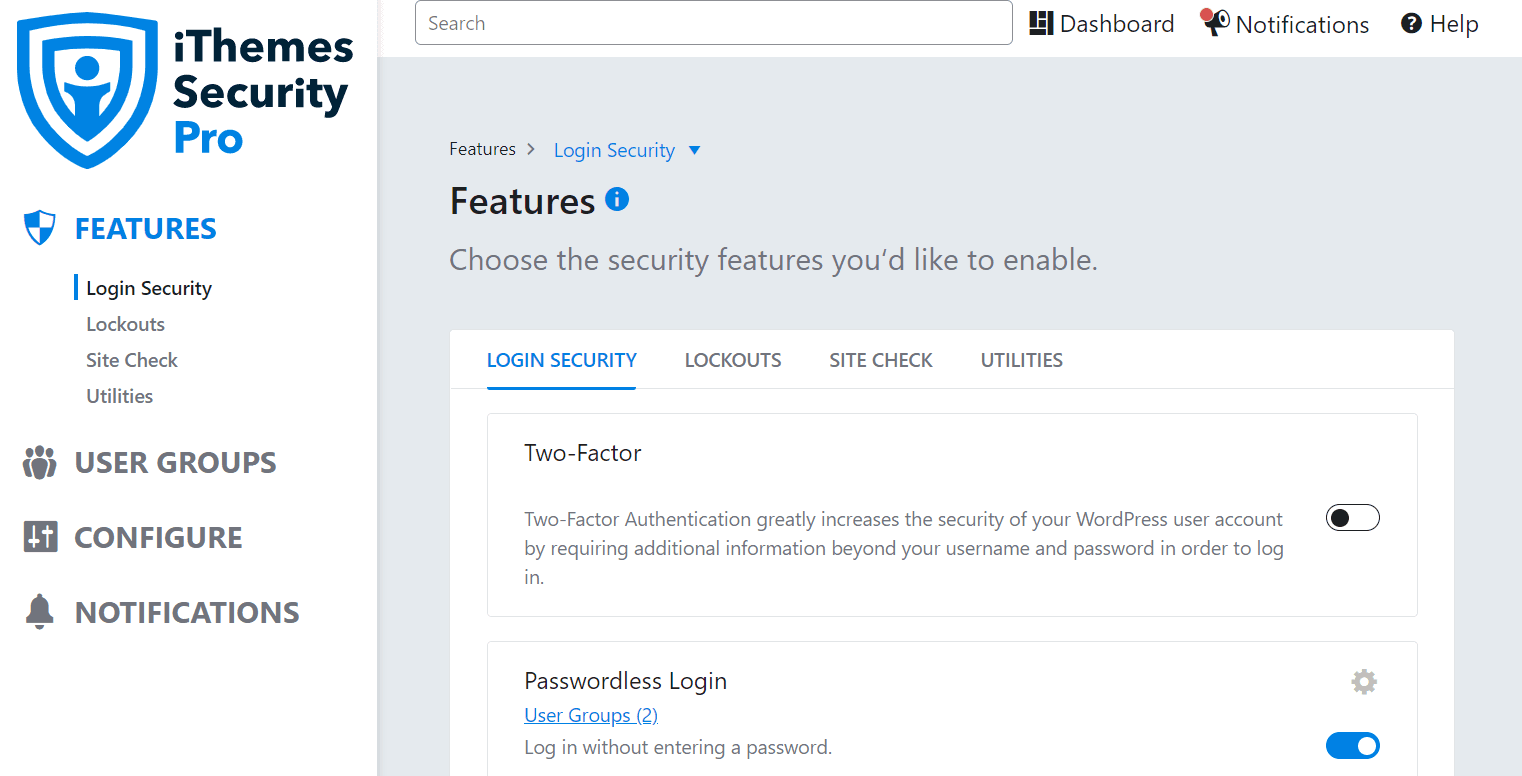
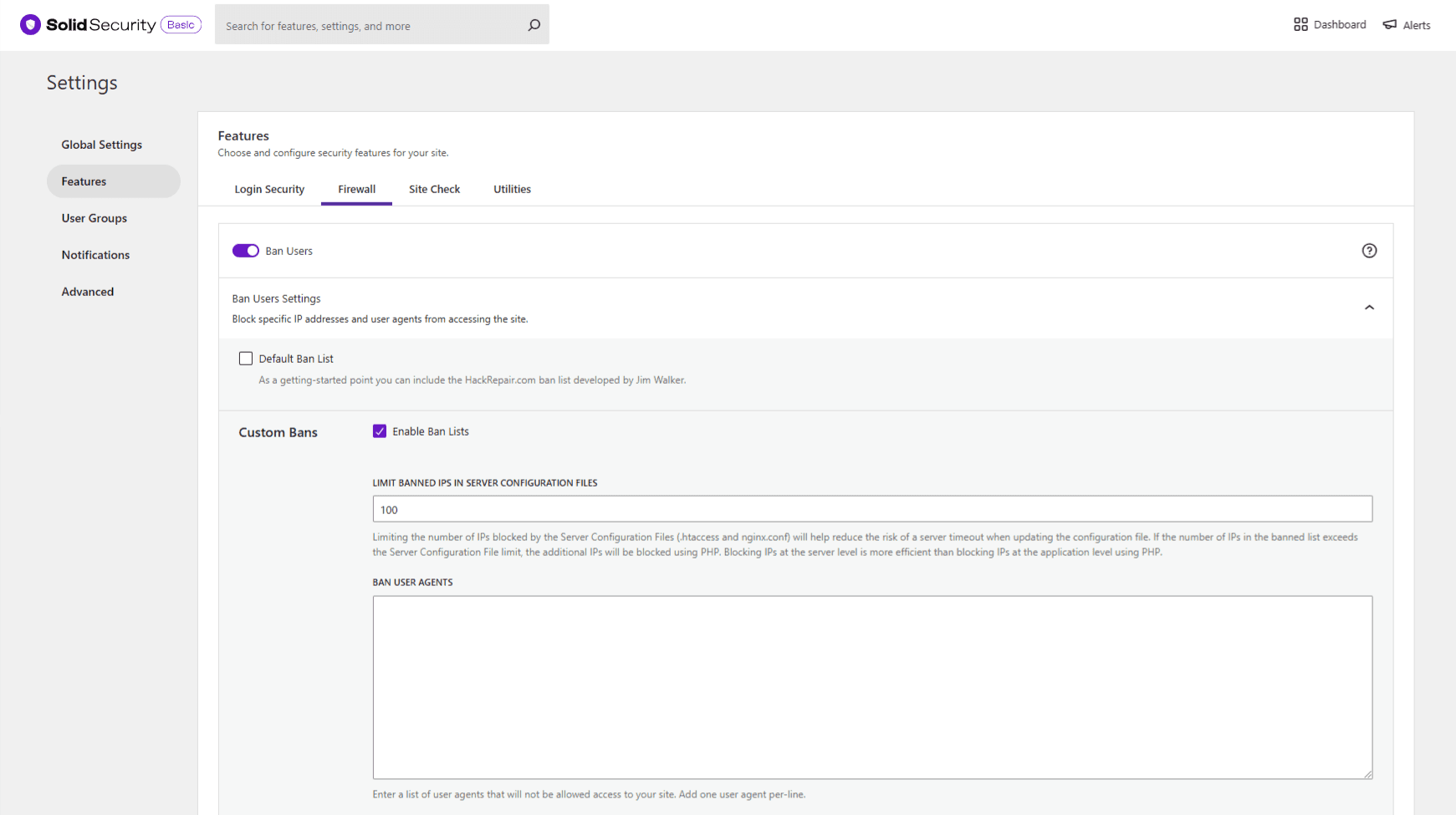
The architecture had two menus—a tab menu and a side nav—along with an unnecessary duplicate tab menu, which immediately increased mental load.
The Solution
I removed the duplicate tab menu and turned the side nav into a detached side nav. This reduced mental load and freed up space to add a new option to the side navigation.
Impact
Reorganized the layout to move the feature edit interaction from a modal (gear icon) to an in-page element (dropdown chevron), while highlighting the on/off toggle. I also added a direct link to the help document in each feature module.
Before
After
Goal
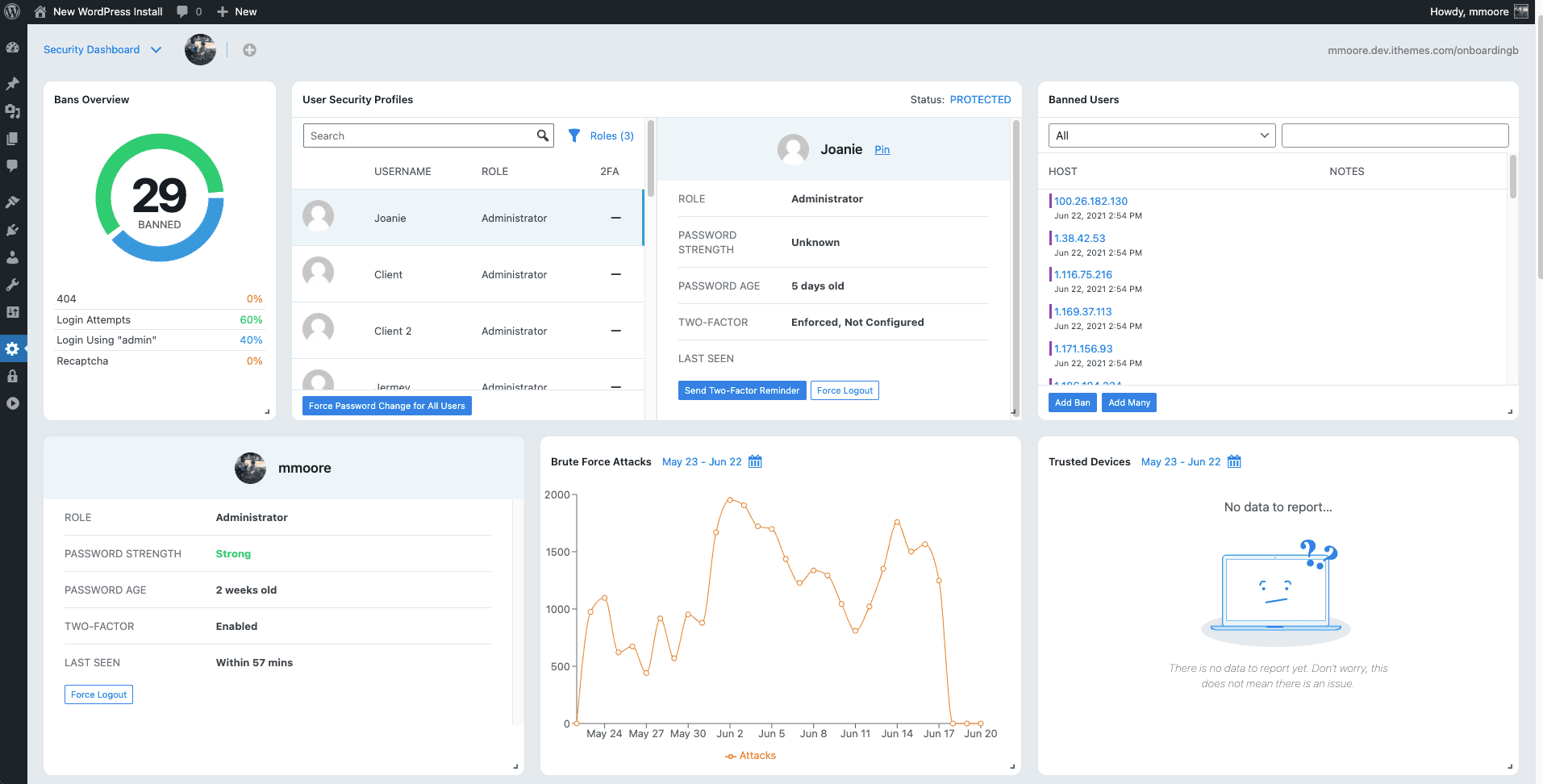
Increase users' perceived value and make dashboard usage—no matter how small—a reality through enhanced visuals and easy-to-understand information.
The Solution
Before
After
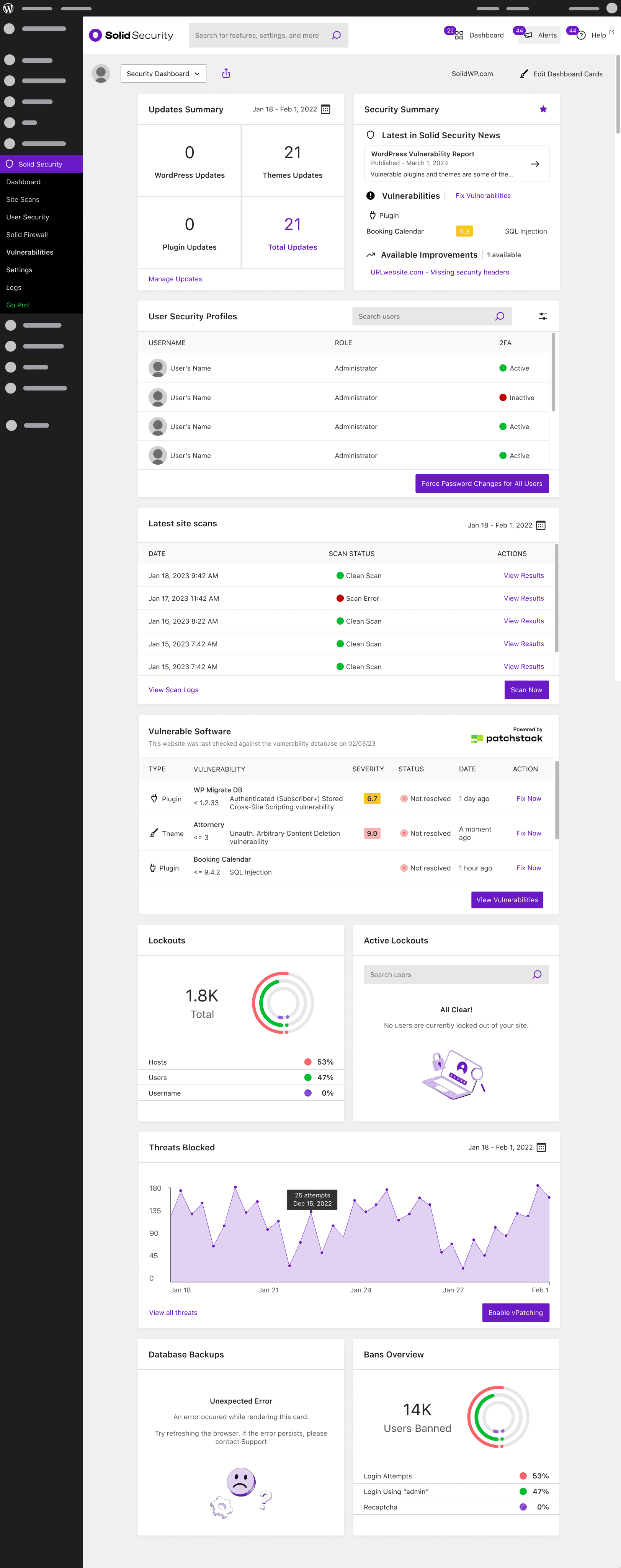
Vulnerabilities Card: Added a summary card highlighting the most urgent vulnerabilities, providing the most actionable and relevant information for users.
Problem Solved
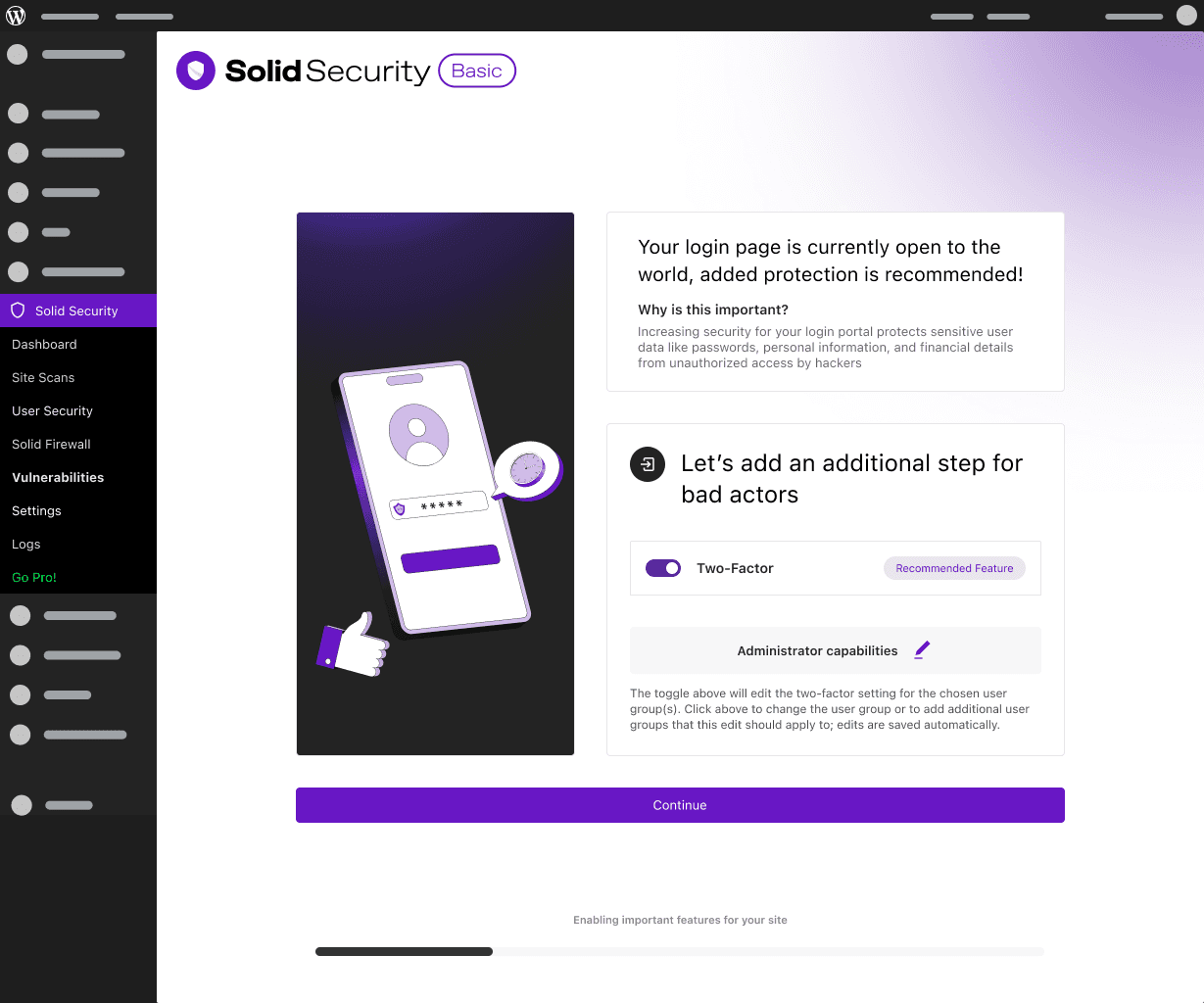
Problem Solved: Onboarding was an ambiguous, nebulous set of questions that left users with low confidence.
The Solution
Added a straightforward Progress Indicator and redesigned the step indicator by removing unnecessary sub-tabs and adding numbers to reduce mental load and increase confidence.
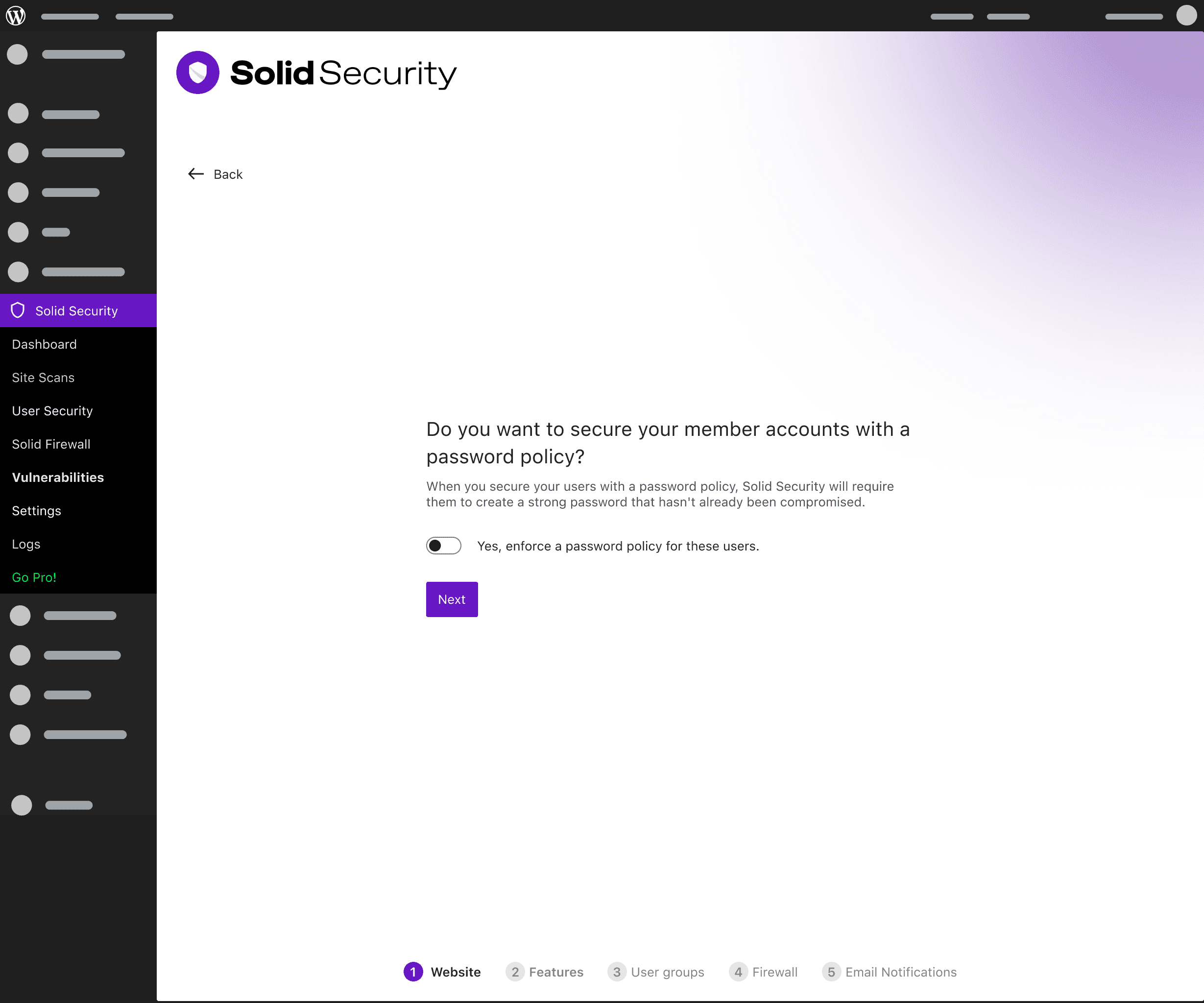
Password policy question
User Groups creation
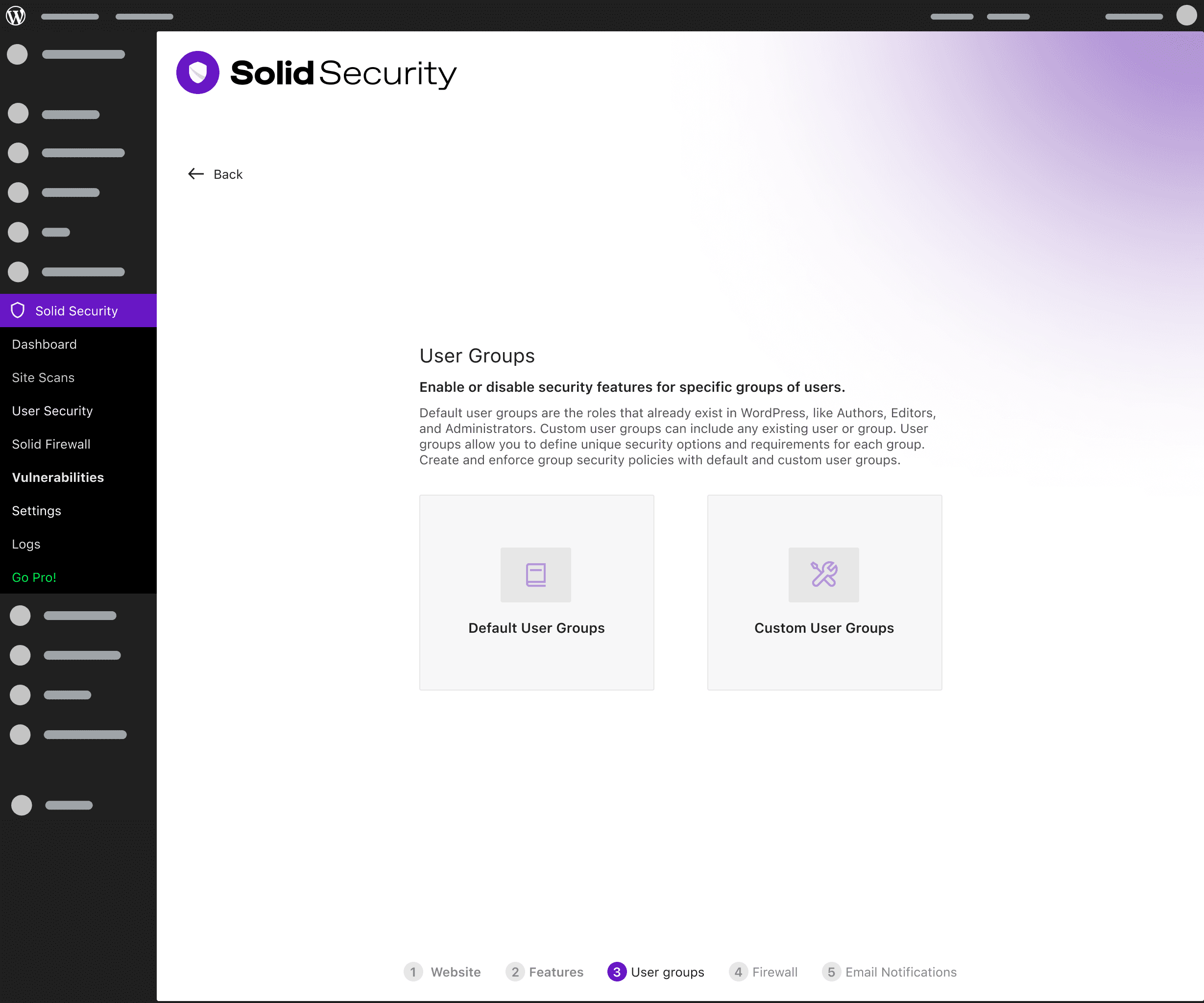
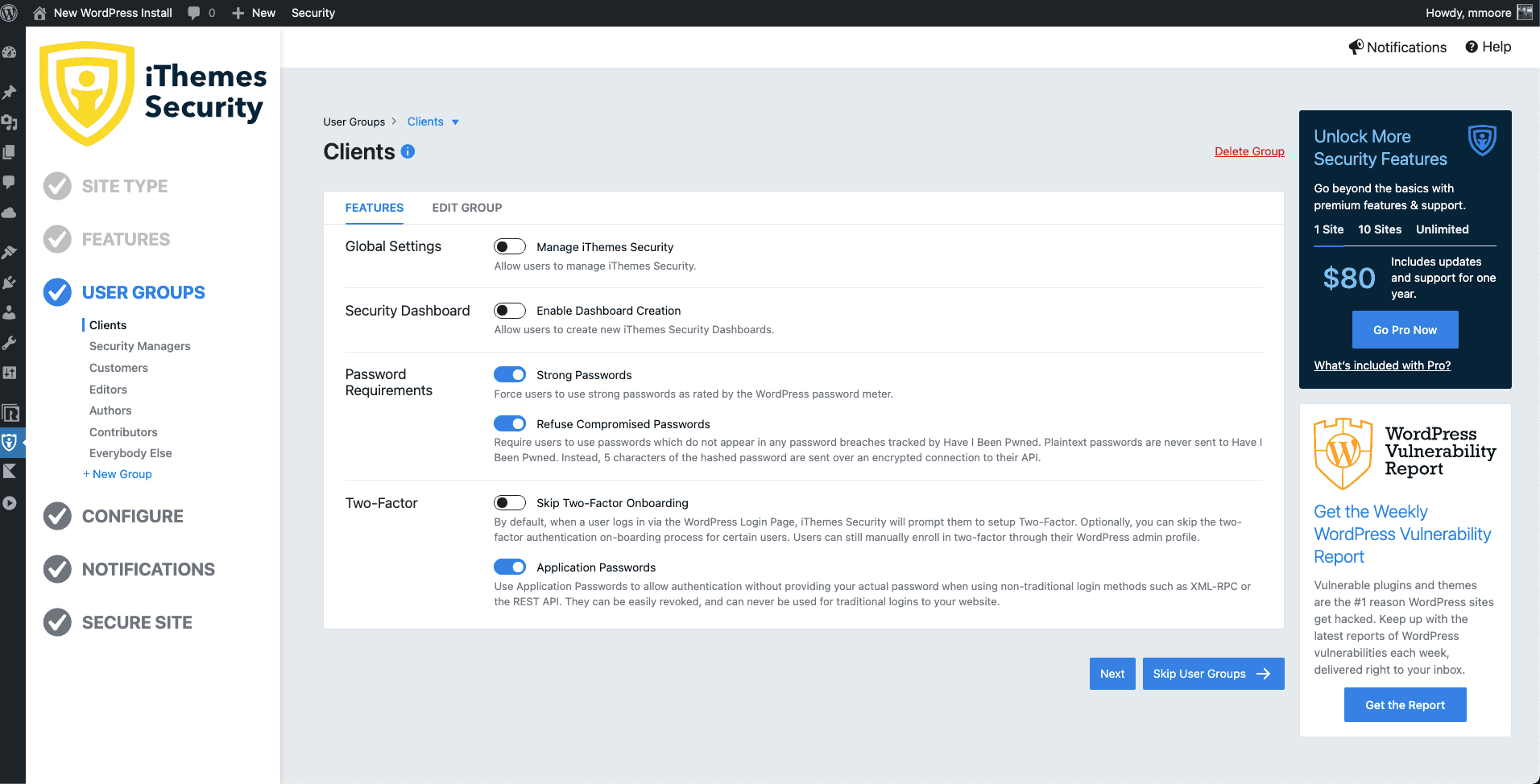
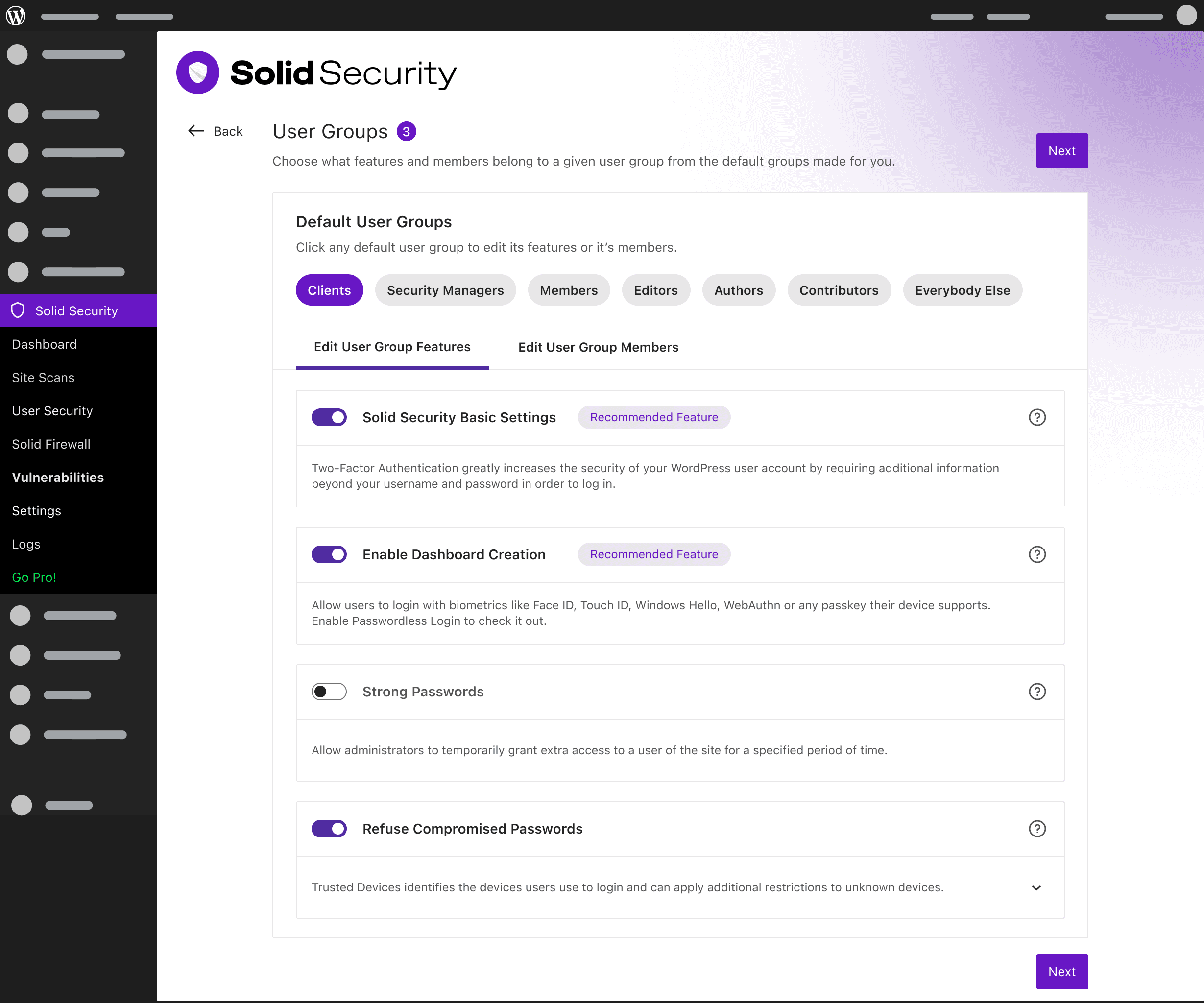
I simplified the User Group onboarding flow by replacing the step-by-step, one-by-one process with a more flexible tab navigation for user groups. This allows users to freely navigate and access the same cleaner settings modules from the main settings screen.
Before
After
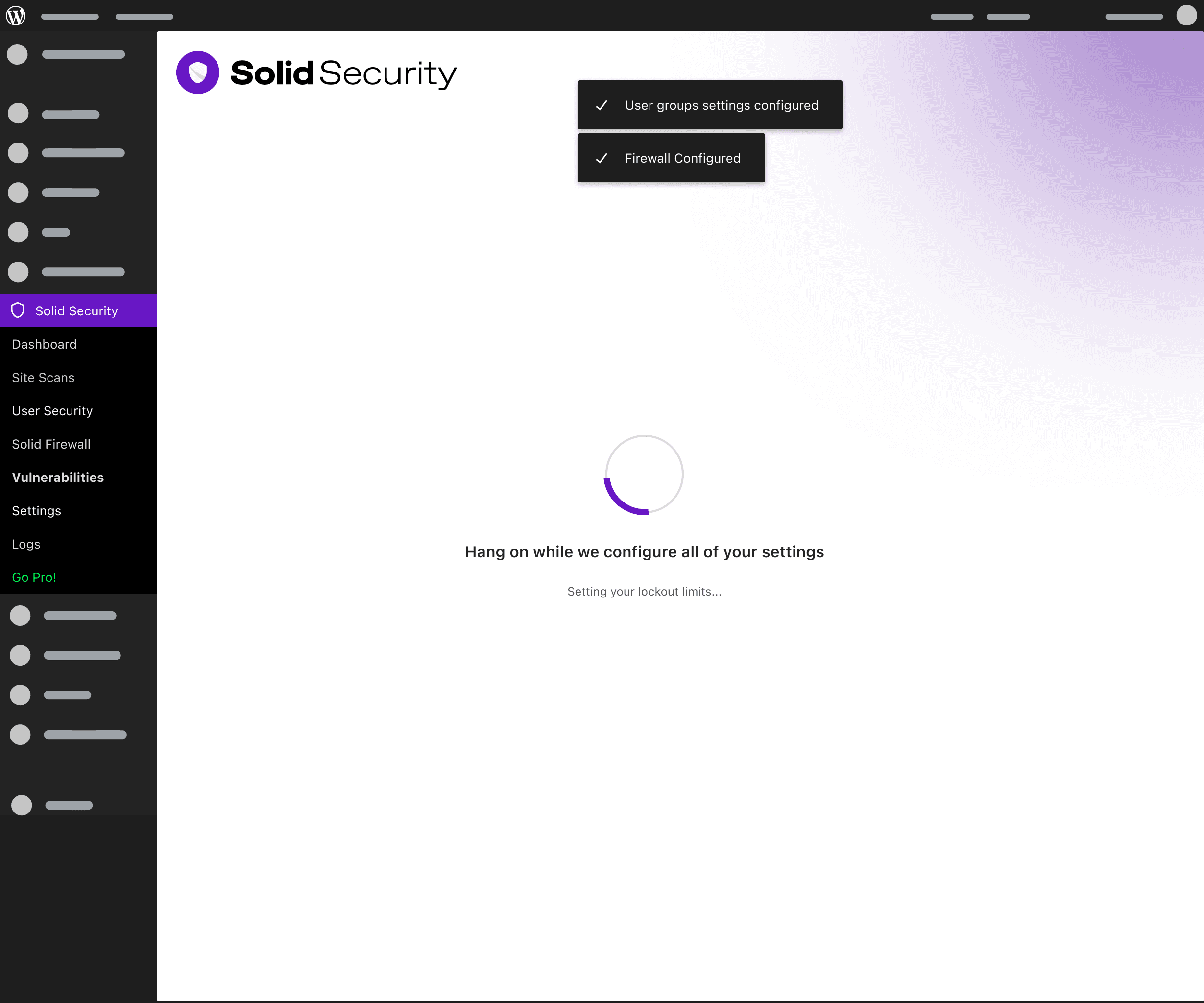
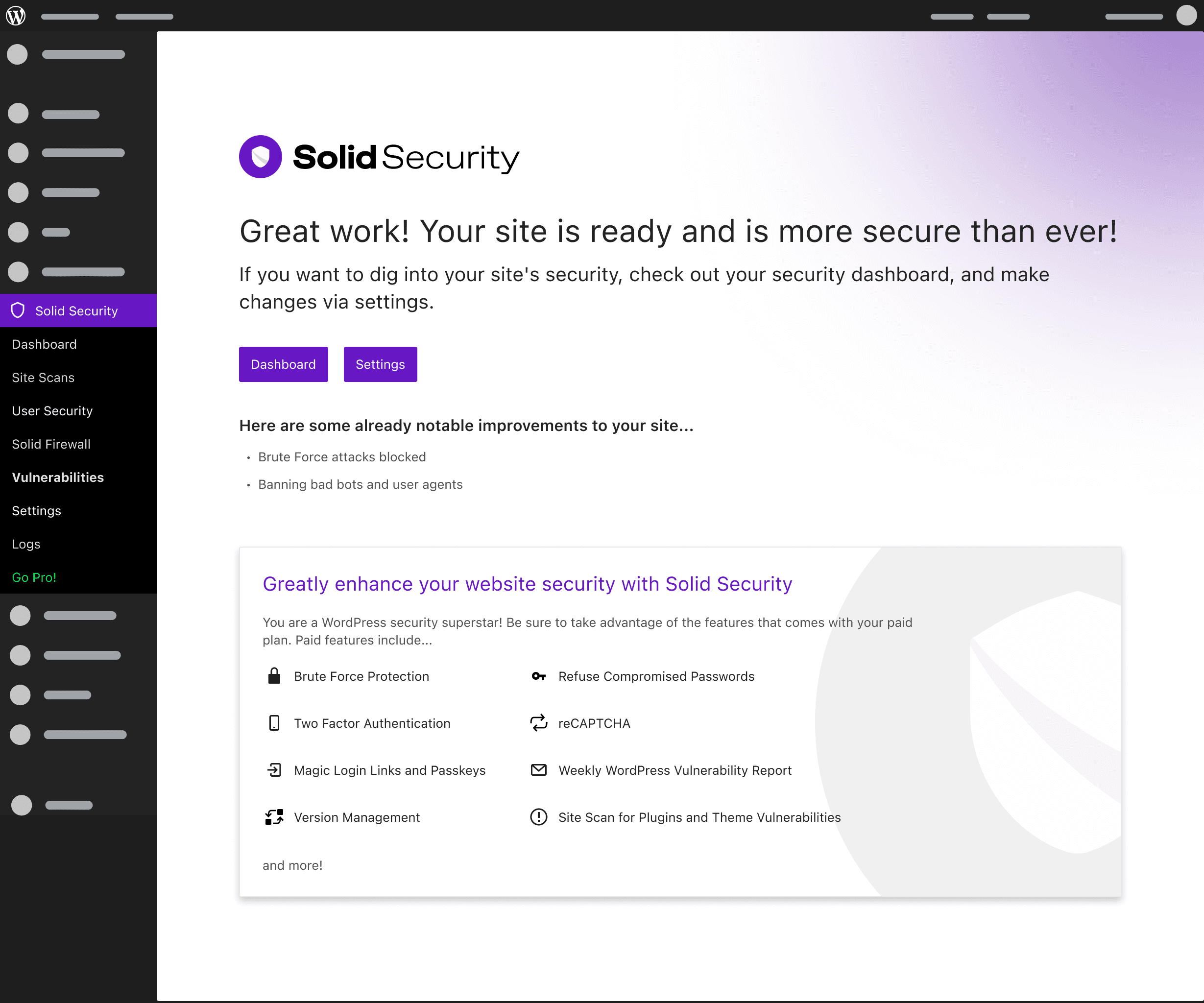
Added a feature review on the end screen, complemented by snackbar notices to confirm actions and remind users of security updates. After several iterations, an upsell for basic users was included on the end screen, taking advantage of the high conversion rate linked to new installs.
Loading with snackbar notices
Onboarding complete screen
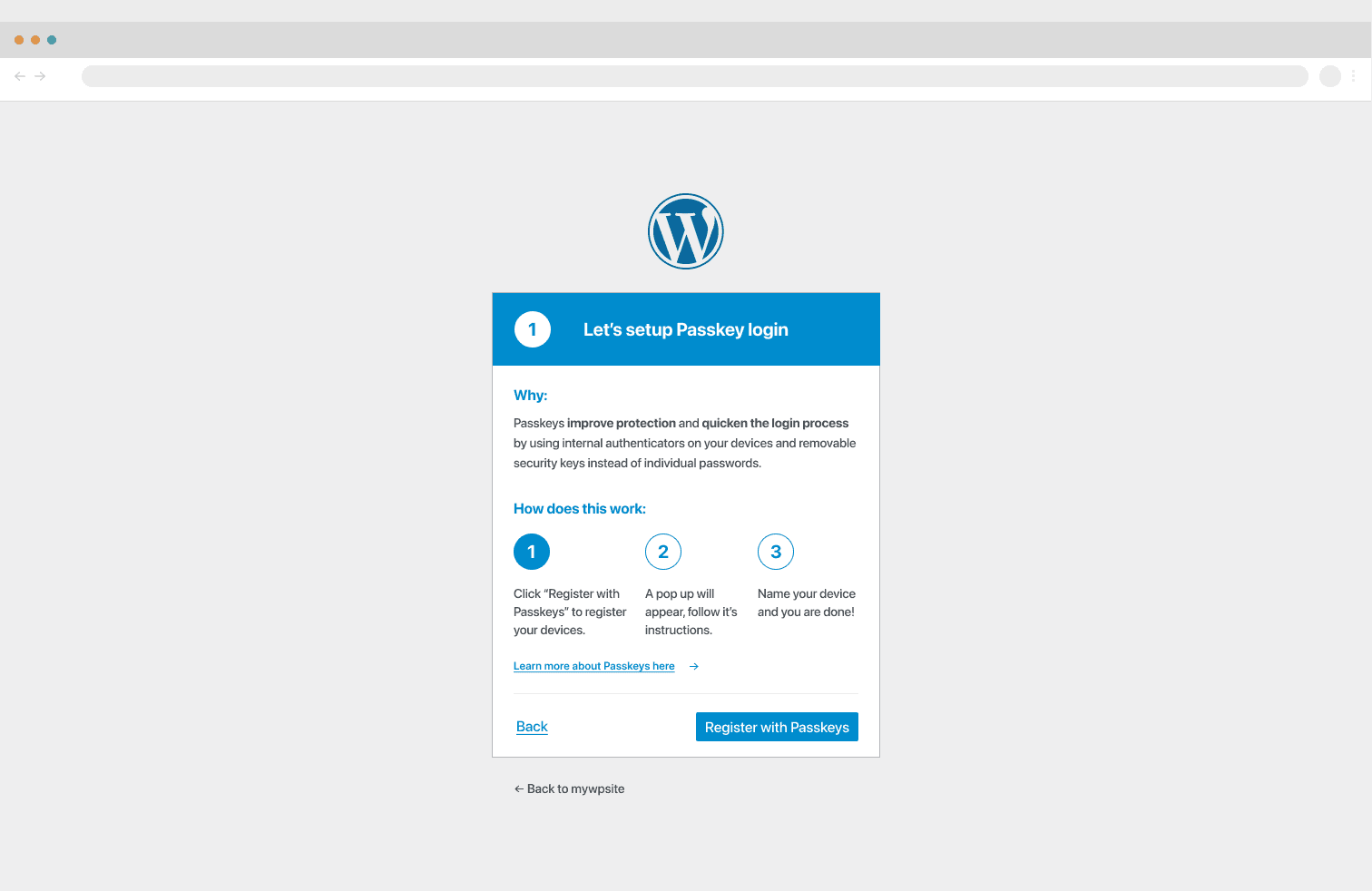
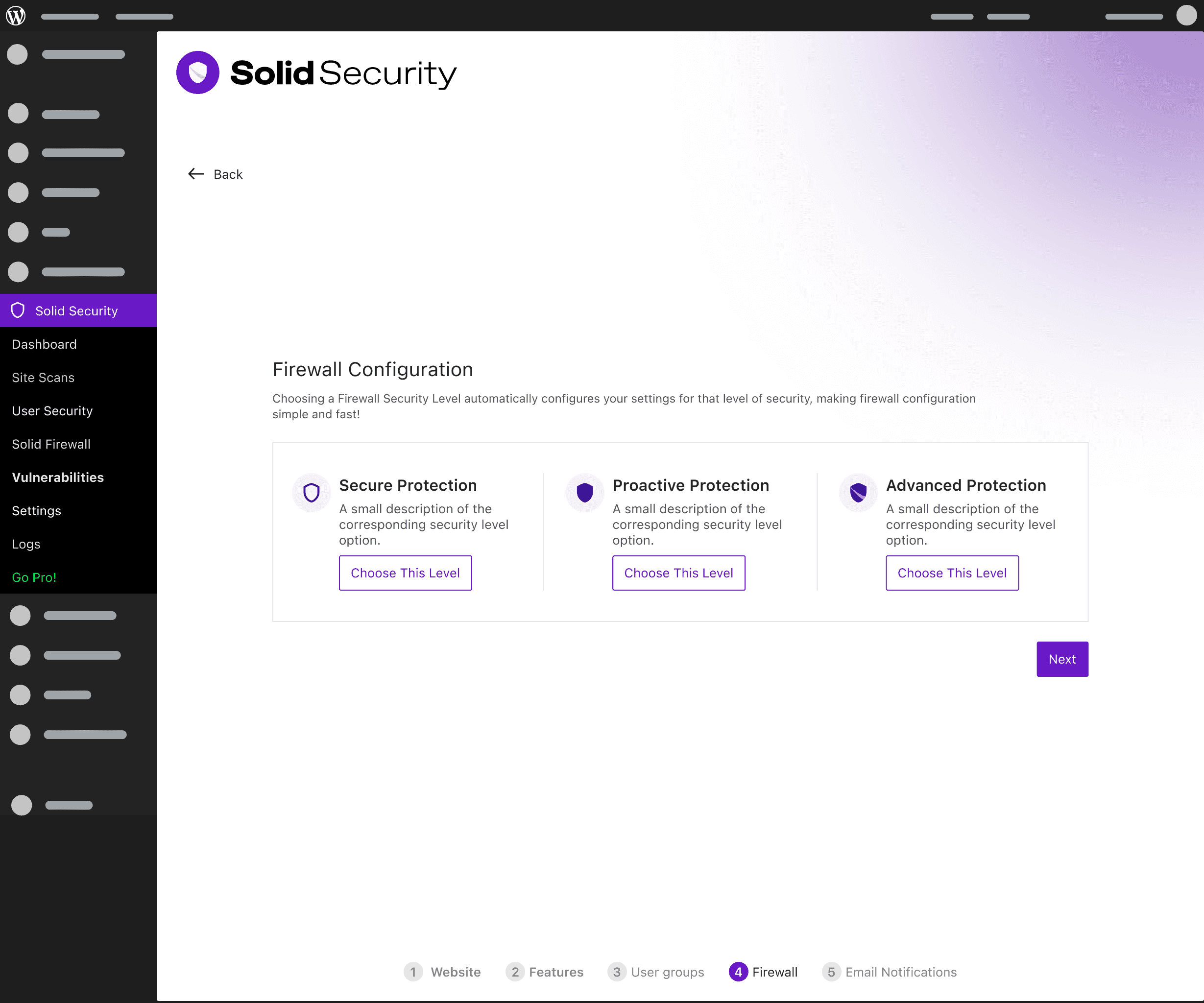
I proposed a simple, one-click Firewall settings section for onboarding, but the Lead Developer and GM rejected it. They felt it would increase support tickets due to automatic enabling and was unnecessary, as the firewall was primarily for power users who already had the know-how to configure it.
Firewall Security Levels
Deferred Improvements:
I proposed a more robust, permanent Onboarding Overview screen with additional setup modules to promote ongoing security monitoring. While appreciated, the GM and Lead Developer postponed this due to a tight deadline, opting to keep it as a single onboarding event. This was a known gap that would be addressed later (Solid Security Onboarding Phase 2). However, all other suggestions were approved.
We were pleased to see our assumptions confirmed (expert advice is dependable but must always be validated if budget and time allow). Once we moved on to new features, we used regular workshop hours with developers and conducted rapid iteration from low to high-fidelity designs.
Focused on time-on-task, feature understanding, post-onboarding confidence, and resolving feature confusion.
Technical Mandate
The Lead Developer confirmed we needed a background site scan (running twice daily) to populate the screen and suggested an email notification for high-impact vulnerabilities.
Bringing in Elle on Product Design side of the Rebrand
I decided to bring in Elle for the Vulnerability feature design given that this would be a central feature for the relaunch and that this feature was a key integration that would need to blend an existing design (Patchstack's UI) and our new Security UI.
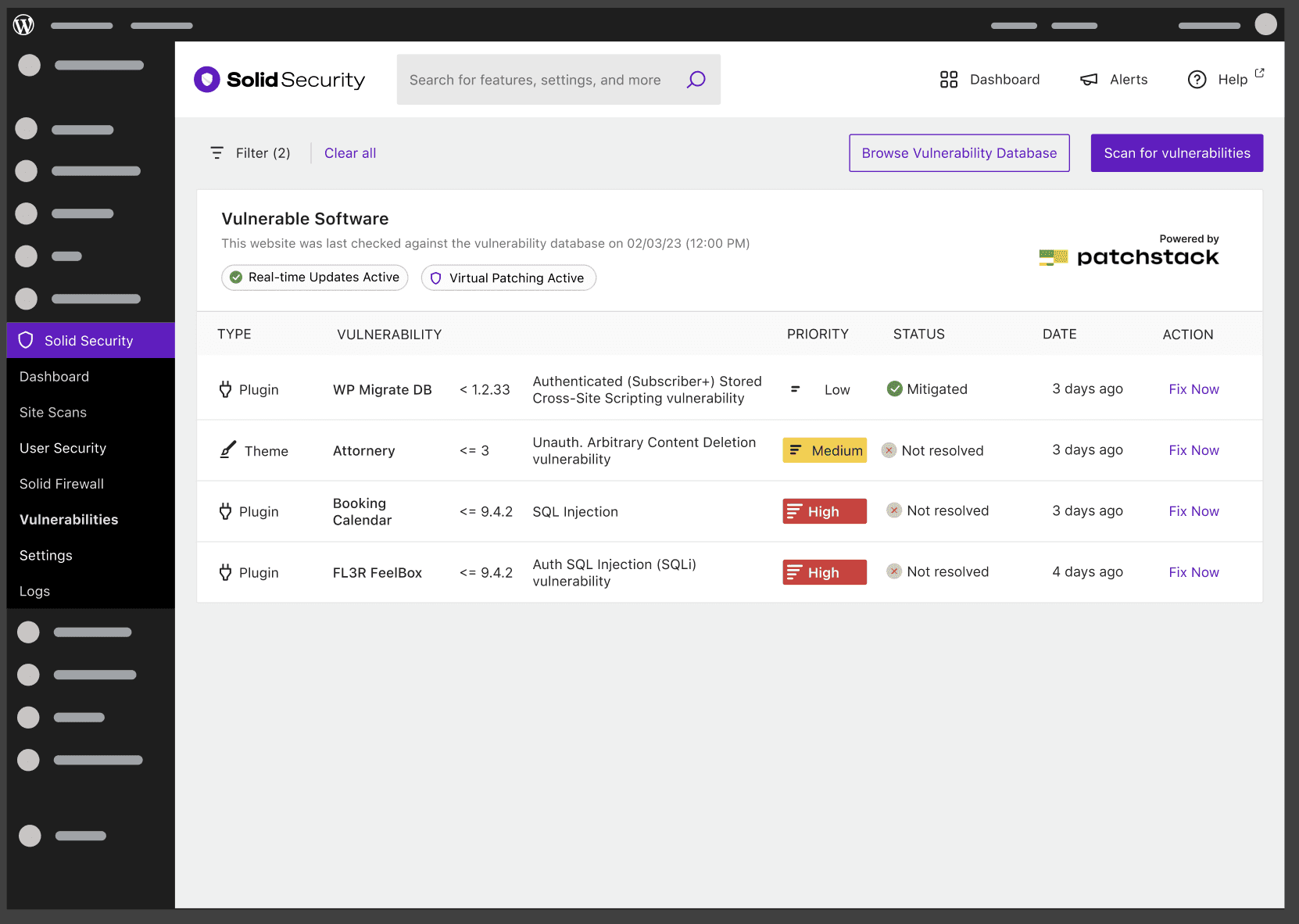
We had conflicting views on how much data we wanted to show on the Vulnerabilities Overview Table (shown below). Elle wanted to reduce the amount of information and incase the vulnerability details within the details screen and I wanted to include the vulnerabilities details in the high level view. To help solve our conflict we created low-fidelity designs and tested them with our support staff and with our Lead Developer.
Our internal research showed that our Agency Developer users would prefer some vulnerability detail at a high level because it would help them judge the severity of the vulnerability on their own (even with our existing severity badge). Our business owner users preferred taking our severity recommendation. This quick research made us comfortable with including additional details while keeping a strong focus on our severity badges. We felt confident moving forward with a good balance of design solutions for both our main personas.
High-Level Management UI
I reviewed the partner UI (Patchstack) but designed a completely new high-level management UI. I used the experimental Dataviews table in the WordPress storybook, a "development magic" idea suggested to and approved by the Lead Developer for quickly building the complex, data-heavy screen.
Vulnerabilities Screens
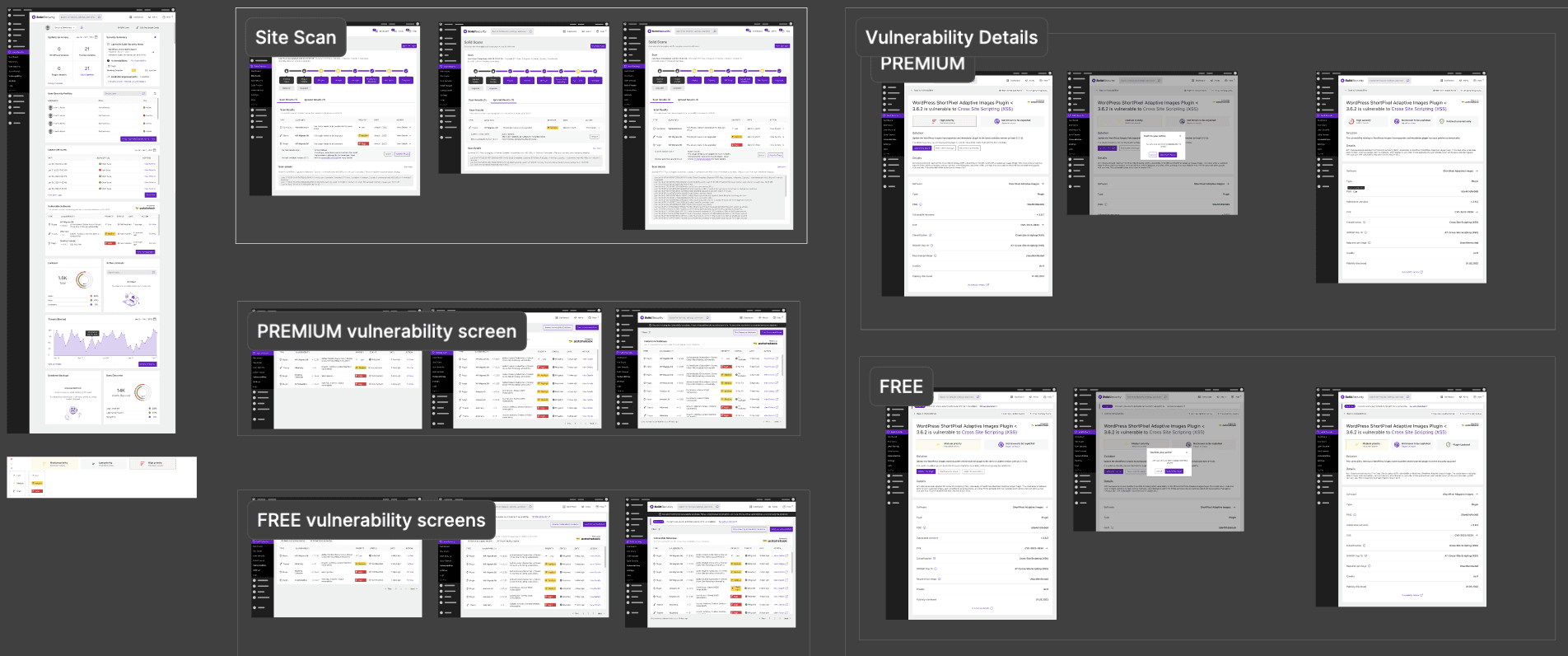
Vulnerabilities Overview Table
Monetization Design
The Lead Developer and I followed the existing patterns used in our partner's UI. We created a single vulnerability screen to give users the ability to review each vulnerability in full detail. The UI was designed to highlight the value of the Pro plan by emphasizing how long a vulnerability has existed on the site, contrasting automatic patching with the manual correction required for free users. An additional upsell card was added below the table to support marketing efforts, serving as a key differentiator from both our partner's UI and our own.
Information Architecture
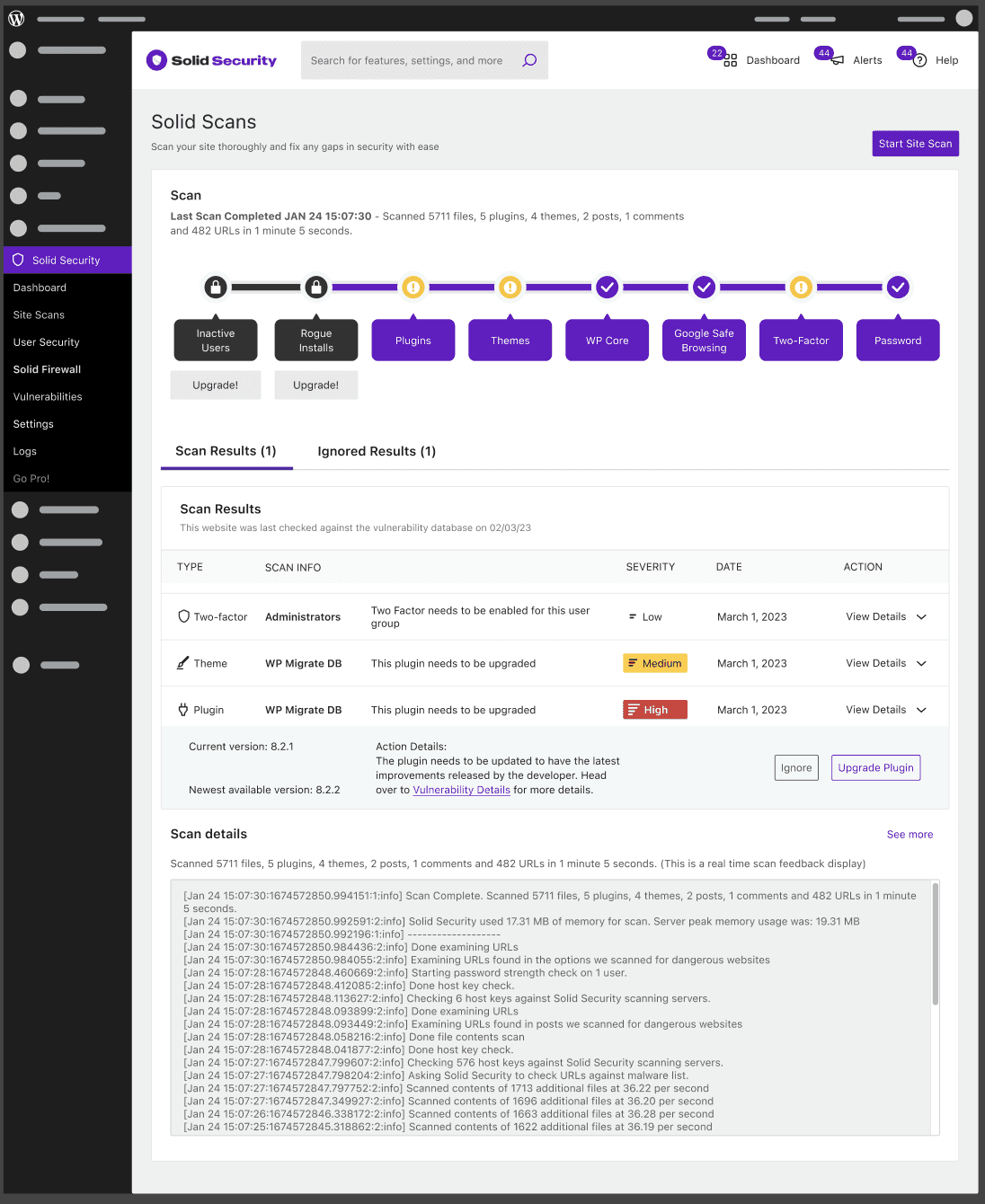
Followed the general structure of competitors (central scan modules with detailed results below), while emphasizing UI simplification.
User Flow
The flow was straightforward and fast: CTA click → minor visual animation during module review → results shown in the table. The simple visual animations were a deliberate and enjoyable addition.
Monetization
To promote upsells, the Pro modules were shown even in the free version. I made a simple prototype to help a junior developer create basic animations.
Need
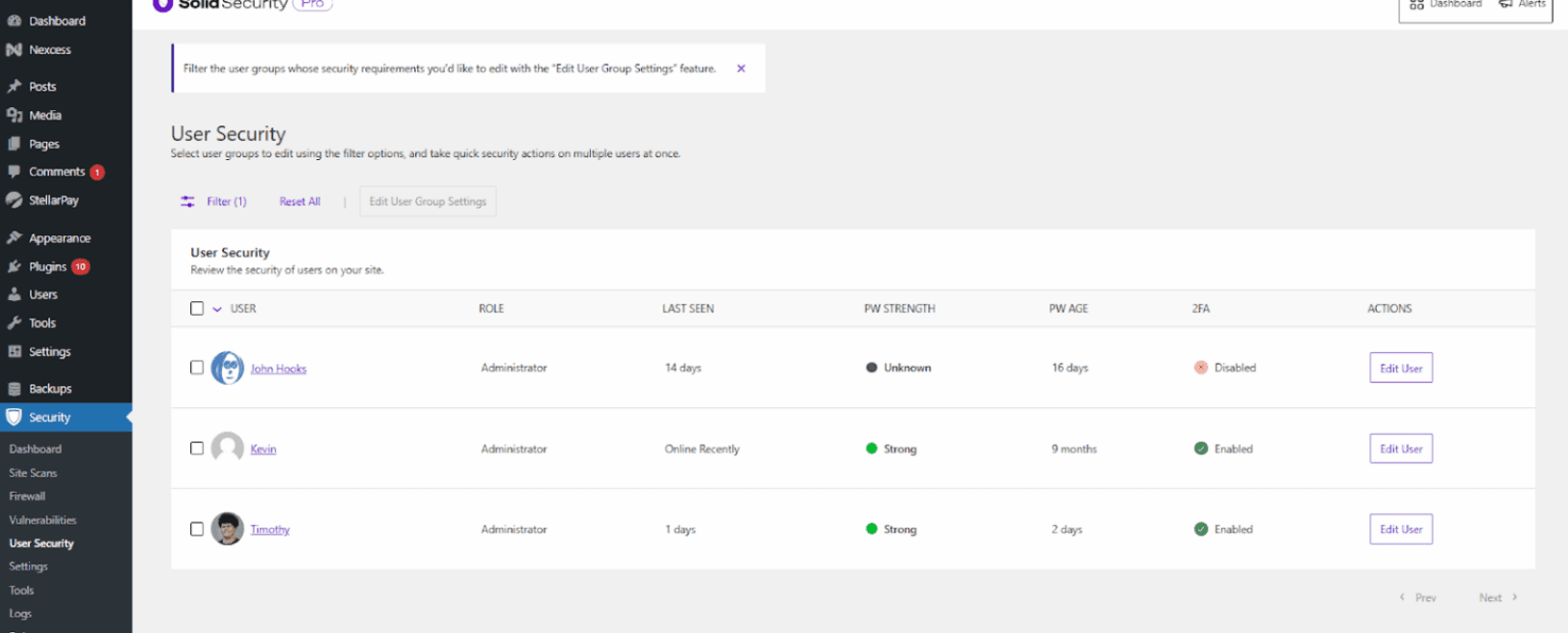
Granular management for individual users on key features like login security, bad-agent attacks, and more.
The Solution
I jumped straight into high-fidelity design by implementing an edit CTA on a high-level table. To keep the management context clear, a modal was used for the edit CTA, which was agreed upon by the Lead Developer.
Key Decision That Made All This Possible:
Design System: Choosing the WP design system was crucial, as it established clear design standards (such as button states, modal designs, loading animations, etc.) that allowed me and the development team to work quickly and consistently on creating new features and editing existing screens, ensuring we met the tight deadline.
Final Testing and Iteration During Phase
Constraint: Due to the very tight schedule, there was no chance to test the final designs with actual users before launch, as I was quickly redirected to the website design right after product work.
Mitigation: We chose to proceed with new feature development and depend on internal testing and QA by leveraging our strong Support Team to test the rebrand changes. This was a necessary trade-off for faster time to market.

Lisa Canini
Frontend Engineer
Vultr
Final Readiness and Launch
The project was officially ready for launch, paving the way to assess the business impact and collect initial user feedback. A final DQA was performed for both the website and product launches. All assets were uploaded to a shared Notion for company-wide access.
Outcome & Impact
WP.org Product Rating
A dramatic positive turnaround in core product reputation and user perception.
3.5 stars
reviews in 2023 Before redesign
4.4 stars
after redesign, in late Q1 of 2024
New Revenue Streams
Successfully boosted the bottom line by adding a new, strong revenue stream from the Patchstack integration partnership, Solid Suite bundle, and a new Solid Backups product.
Conversion boost from 3.7% to 7.1%
When we launched in Dec. of 2023, we saw a significant boost in online conversions. We attributed this to the full rebrand, a smarter content layout, a more appealing brand design, improved product offerings, and a better product experience communicated through industry blogs and tutorial videos.
Feature Confusion
Users reported less feature confusion and increased confidence in the value provided after completing our Solid security onboarding.
Lessons Learned
Ensure Designer Capacity Early
We could have avoided a few headaches and pivots if we ensured that the designer working on the website design had the capacity to work on the project for its full duration. This experience taught me a lot about leading designers on a large initiative and design resourcing.
Establish the Design System Prior to Kickoff
Although we didn't create the design system late in the project, we could have had more time to establish use standards and ensure greater universality across components.
Lots of Moving Pieces Means Wearing Many Hats
I learned valuable lessons about when to push back on stakeholders, when to dive deeper into a brief that isn't fleshed out to my standards, and how to navigate a company with a startup approach but lots of red tape in decision-making.