Project Type
End-to-end product design, user research
Team
Product Designer and three developers
My Role
Product Designer
Duration
2 Months
Client
SolidWP
Solved a support bottleneck for our agency users while improving login security with the industry's first Passkeys feature.
Results
Industry's first
First to launch passkeys in the WordPress security industry.
x2 success rate
Doubled the login success rate.
27% Reduced tickets
Reduction in login recovery requests from users.
55%
Reduction in login time.
Context
Solid Security's agency users were experiencing infrastructure strain from supporting account recovery efforts as they implemented higher security standards for end users. In addition, our other personas faced similar issues with standard password recovery. The product team decided to pioneer the industry's first Passkey feature to address both user dilemmas.
The Problem
Our key features, like Strong Password Policy, Brute Force Protection, and Ban Users, were great for site security, but they inherently placed the burden of web security on our users and end users.
The Process and What I Owned
The entire product design lifecycle, from roadmap discussions and research through design iterations, validation, DQA, feature launch, and post-launch review. I ran several rounds of research, including user interviews and usability tests. I focused on deep collaboration with my lead developer to understand the novel WebAuthn protocol through several rounds of iteration.
Detailed Background
Our user base, primarily agencies, developers, and power users managing multiple client sites, faced a pervasive, costly security problem: the password itself. Users and their clients were required to use passwords every time they logged in to their WordPress sites, increasing anxiety about potential breaches.
This poor password hygiene generated a corresponding business problem: a spike in brute-force attacks and late-night work sessions for our users, who had to unblock authorized clients locked out by their own forgotten passwords. We recognized that the underlying issue was not a lack of security features, but a critical friction point in the login process. To address this support burden and security exposure, our challenge was to quickly and intuitively integrate Passkeys, a novel security technology, into our plugin ecosystem.
Tools I Used
What Principles Did I Lean On?
Discovery & Research
Our Initial Hypothesis
My initial understanding of the problem mainly focused on login effectiveness. As a Security plugin, we consistently advised users to reset passwords regularly, but we often struggled to get them to follow through with that best practice. When I first discussed the idea of introducing passkeys with my Lead Developer, who was already familiar with the technology and highly supportive of it, and our Project Manager (we did not have a product owner at the time), I presented Passkeys as a solution to the recurring password reset issues our users faced as seen by an initial support ticket review session.
User Research
Key Findings
We also noticed that users didn’t use the existing two-factor feature to the level we hoped. Only two of five users used the two-factor authentication feature, leading us to assume their clients were not using it either.
We measured how long users took to log in to their sites. For users who had their passwords saved to a password manager, they logged in very quickly without delay, but for the users who did not have a password manager, they took on average 25 -30 seconds to log in.
Our agency users were experiencing infrastructure strain from supporting account recovery efforts as they implemented higher security standards for end users. This created a strong aversion to improving login security efforts for their users.
Strategy, Ideation, & Prioritization
Defining the Scope & Vision
Vision:
Scope:
Trade-offs & Constraints
User Persona
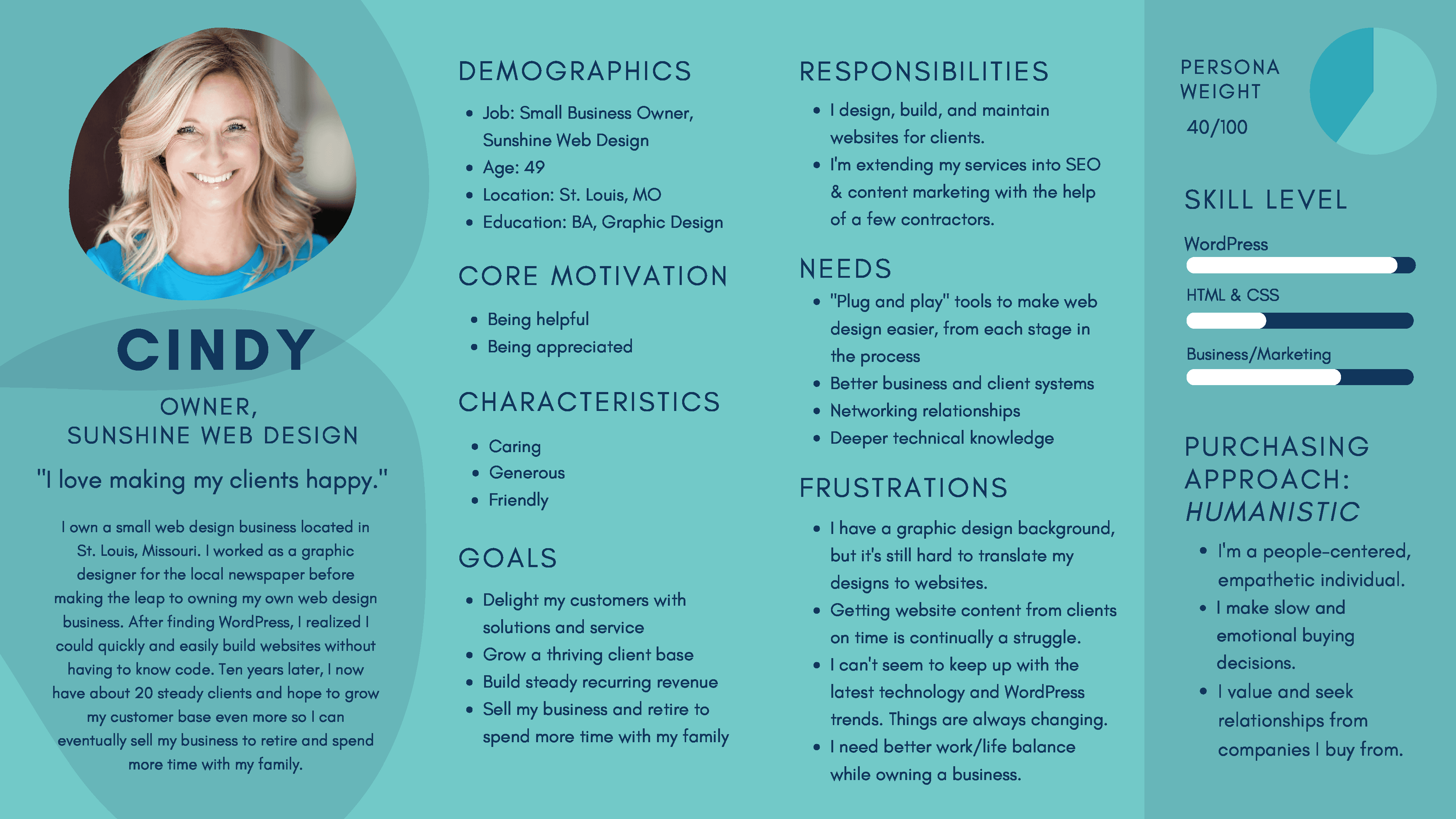
We aimed to base our designs on our primary user persona, “Cindy.”
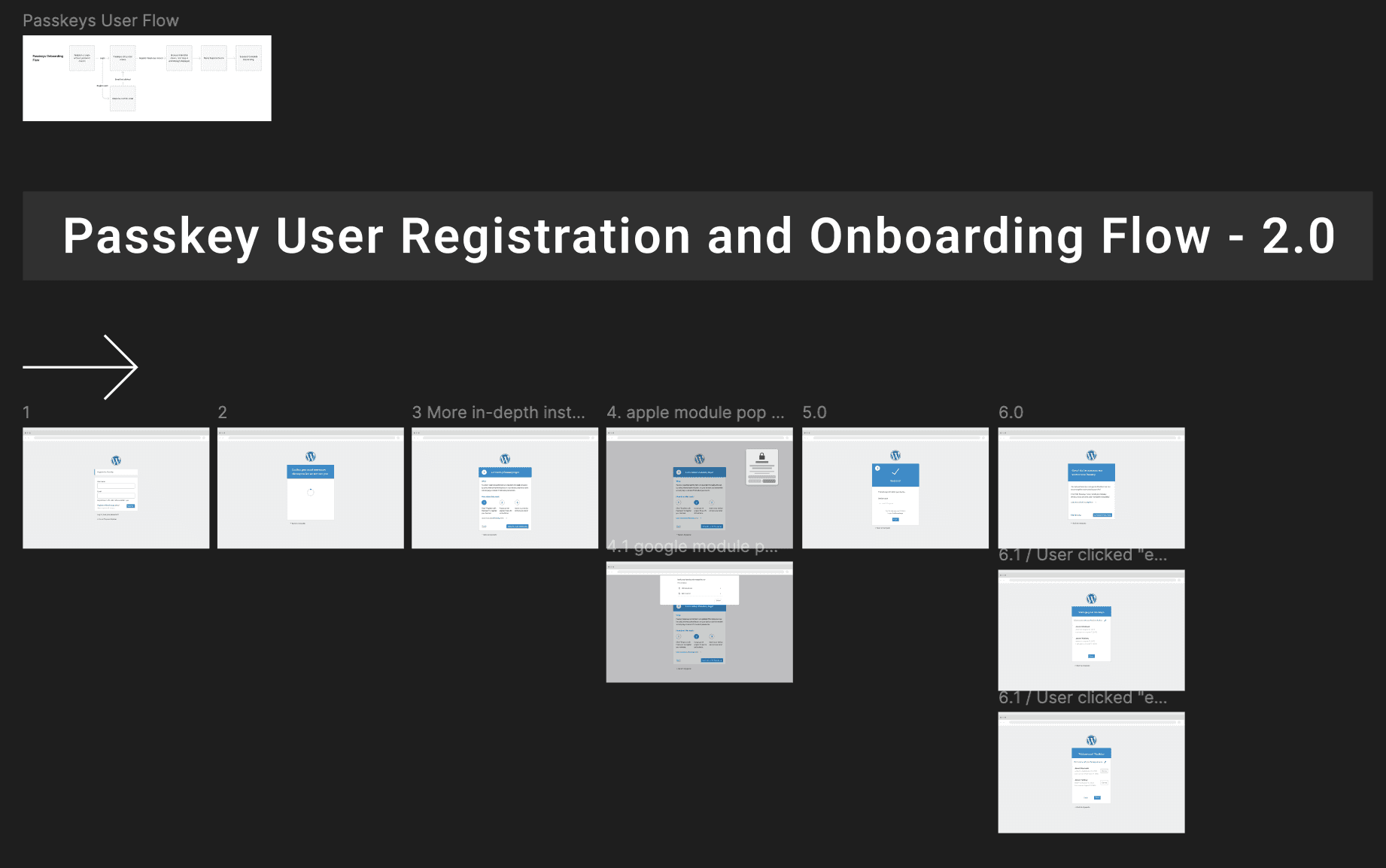
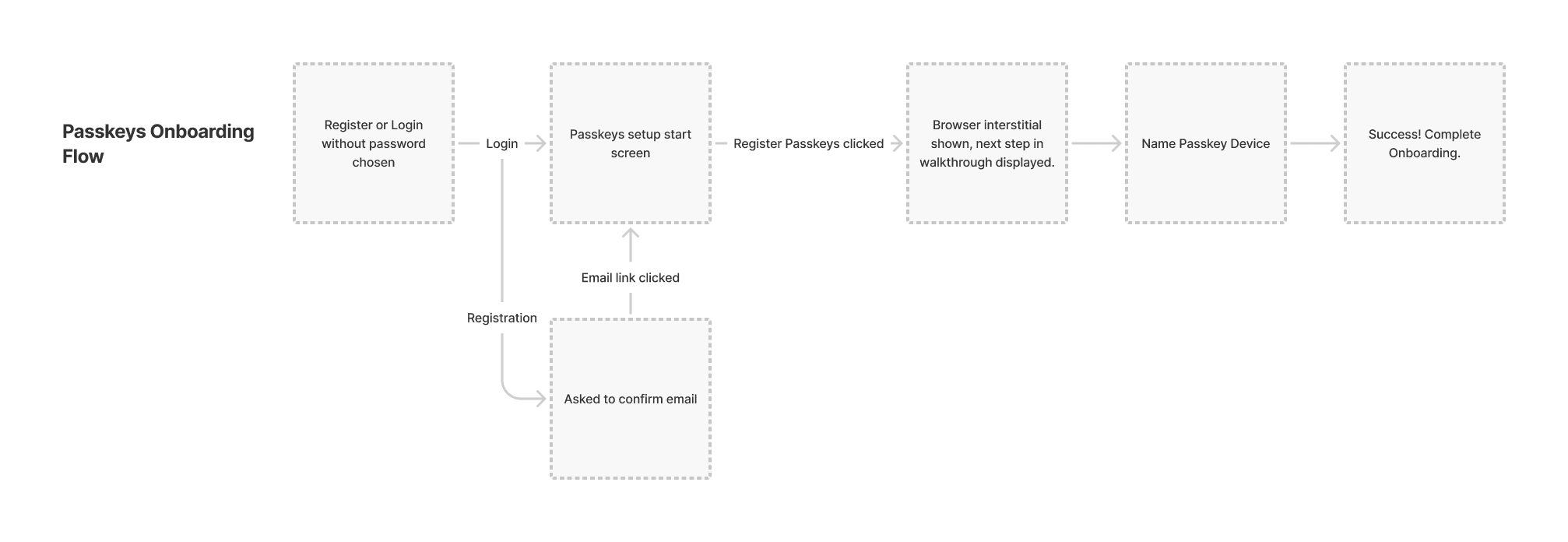
User Flow
Design, Testing, & Iteration
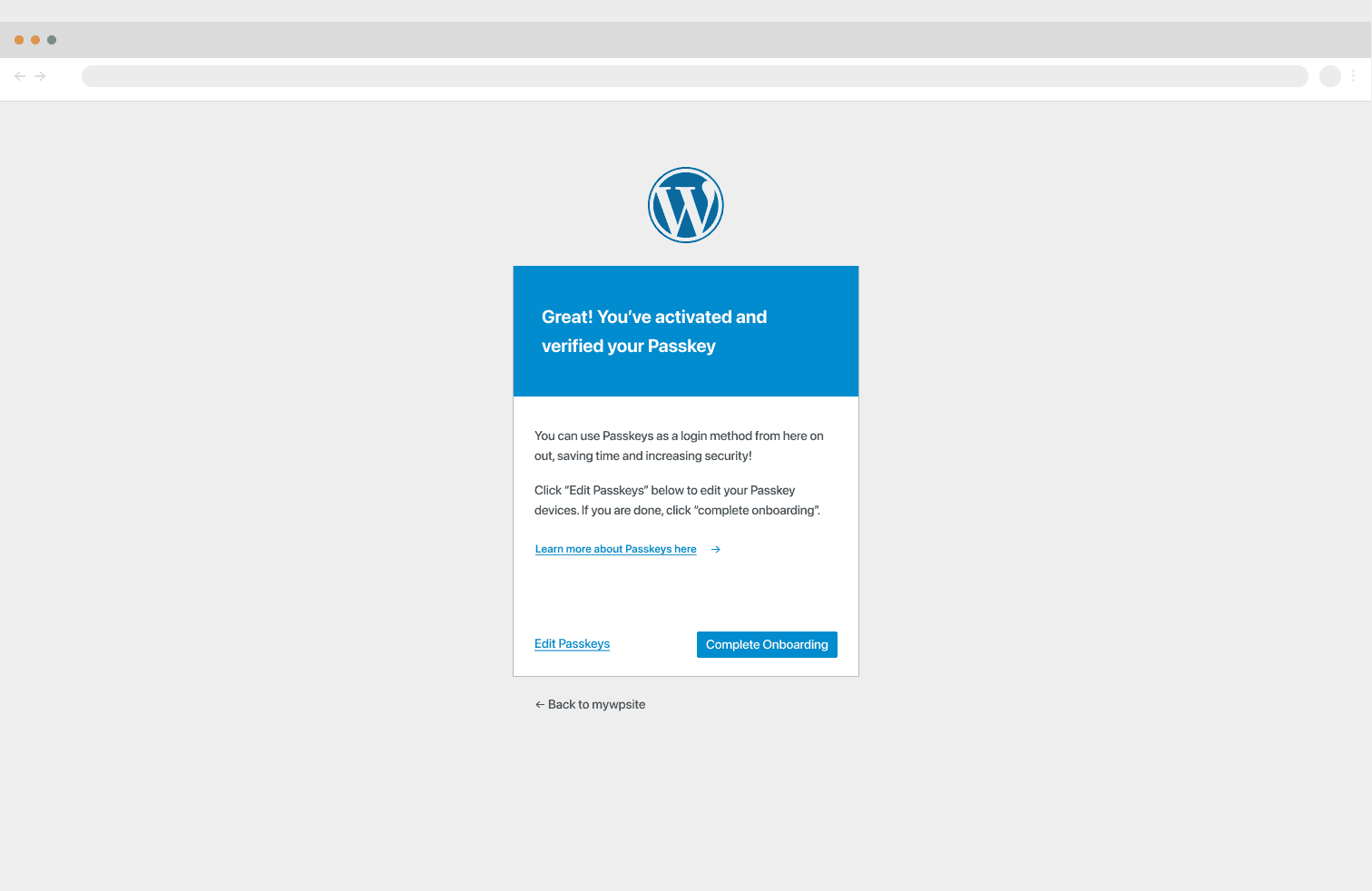
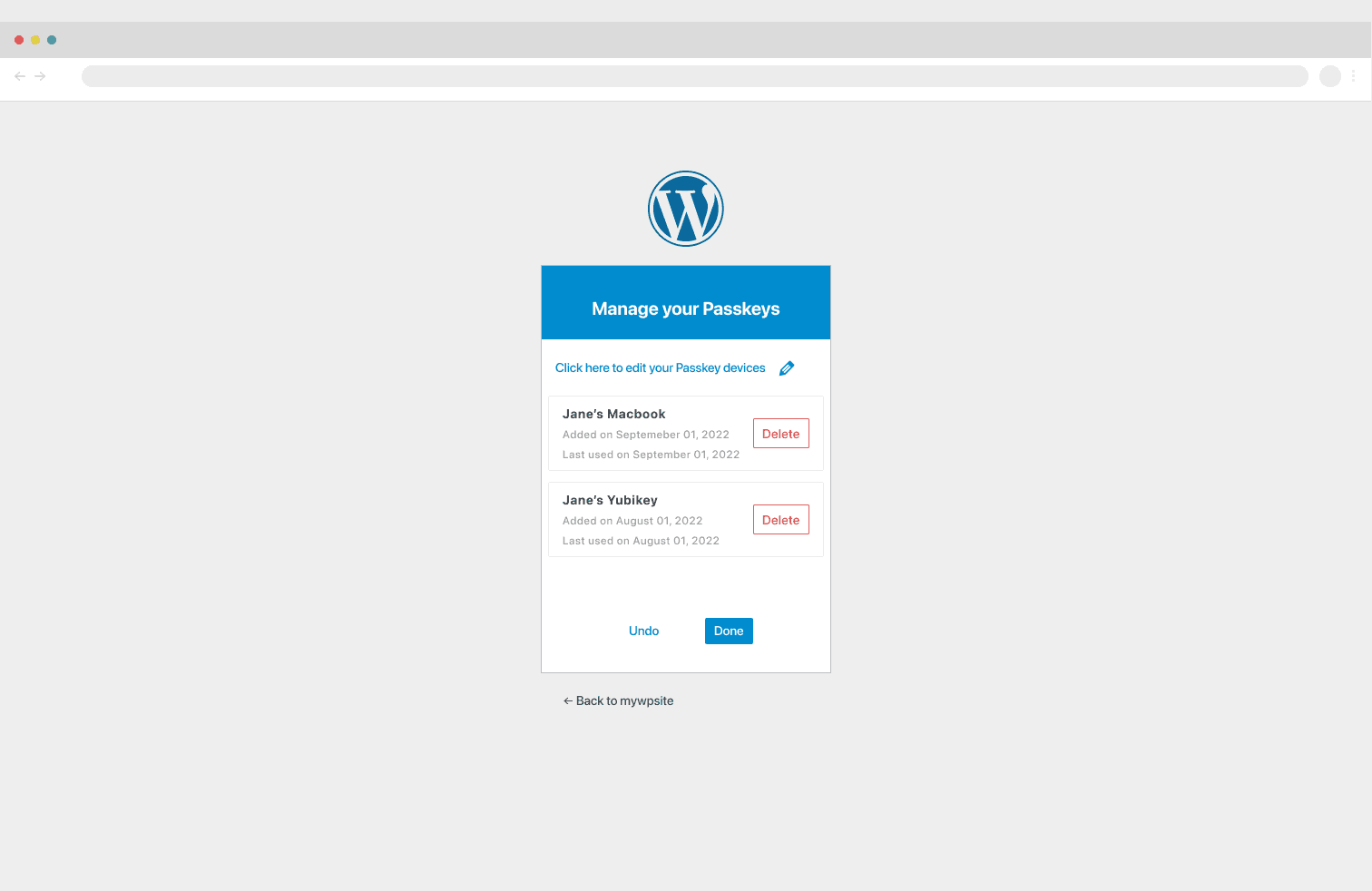
Once we had low-fidelity designs, I quickly translated a few screens into high-fidelity designs to enhance collaboration. I reviewed them with my lead developer to ensure they remained aligned with the technical application.
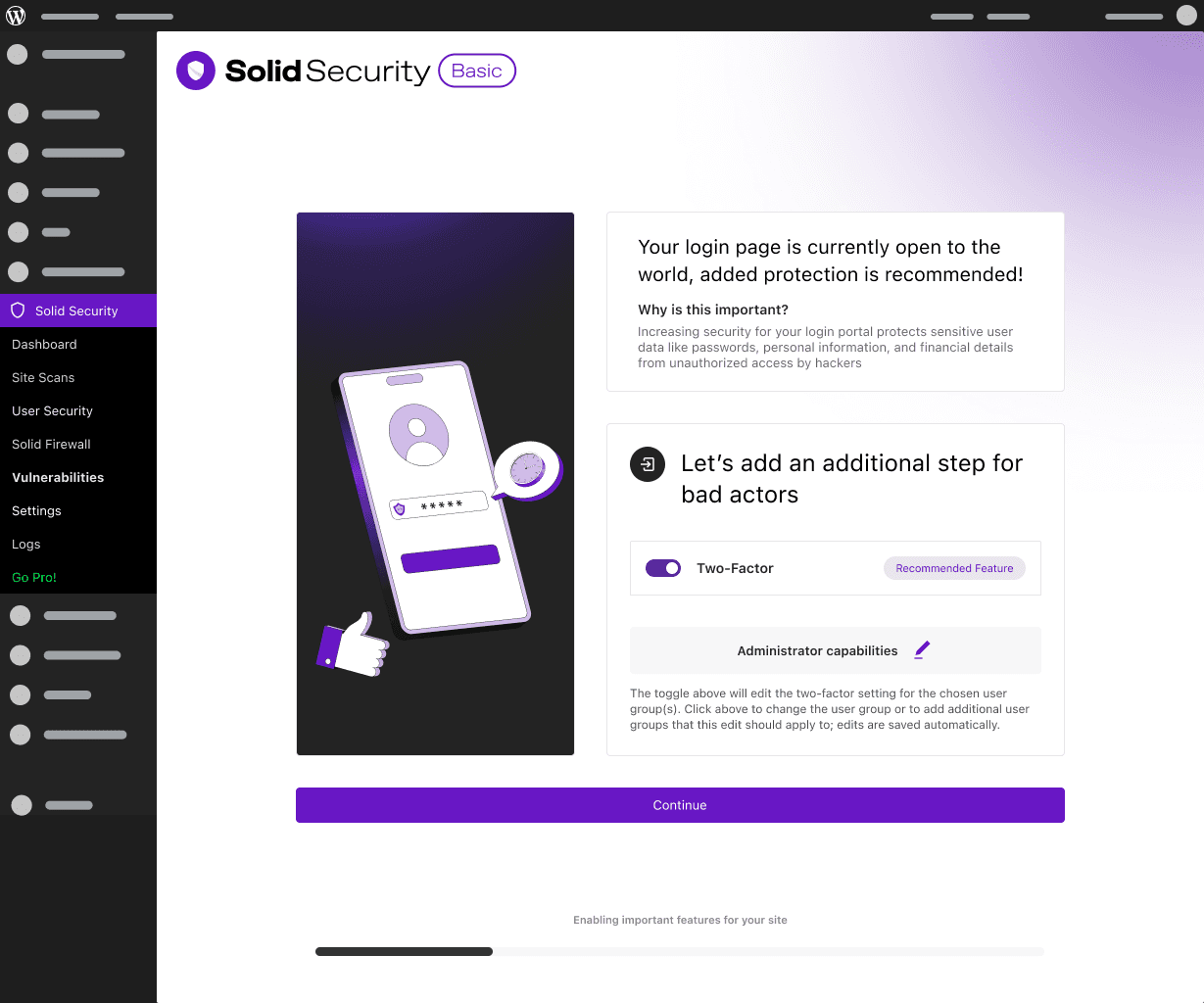
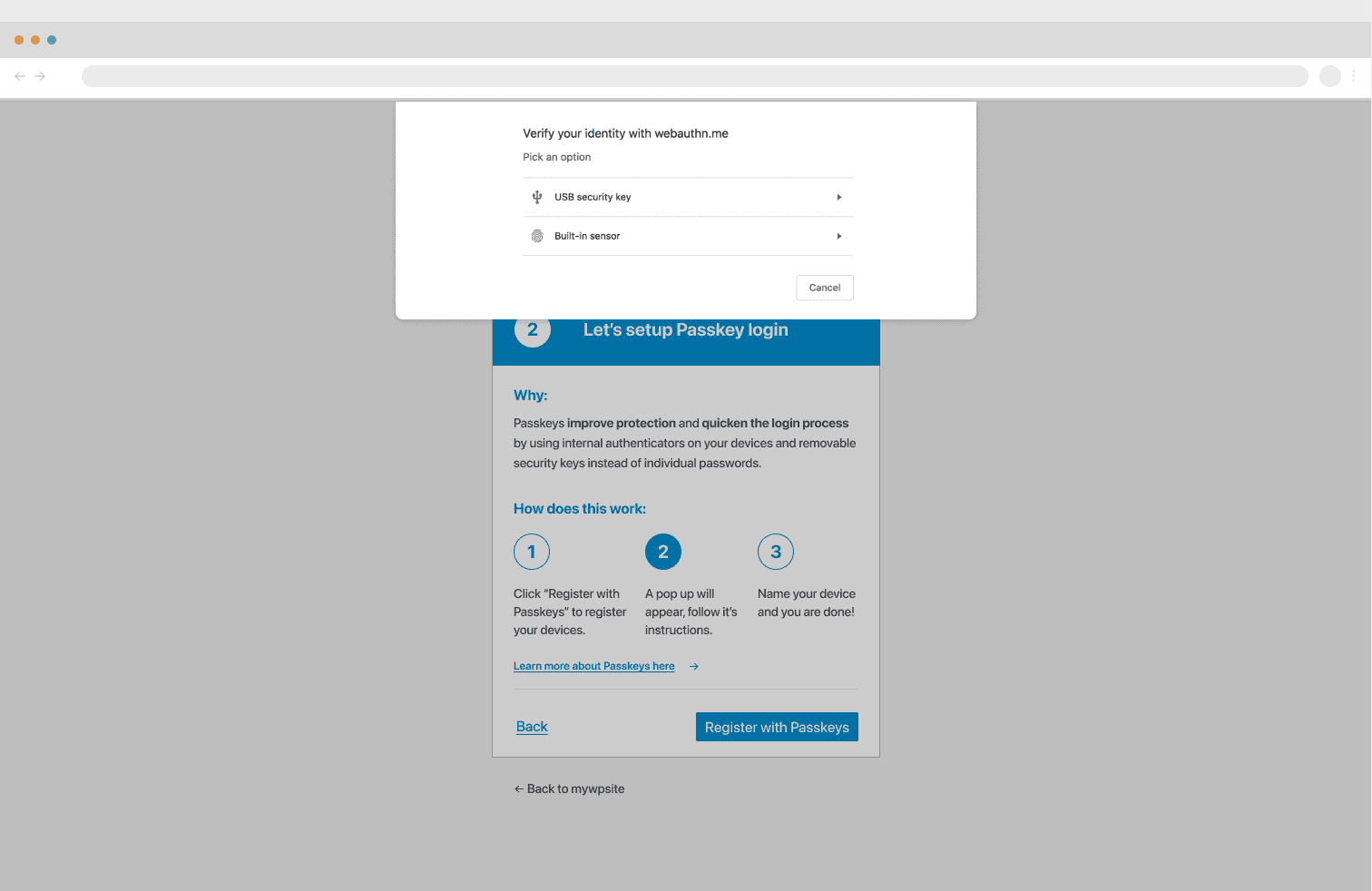
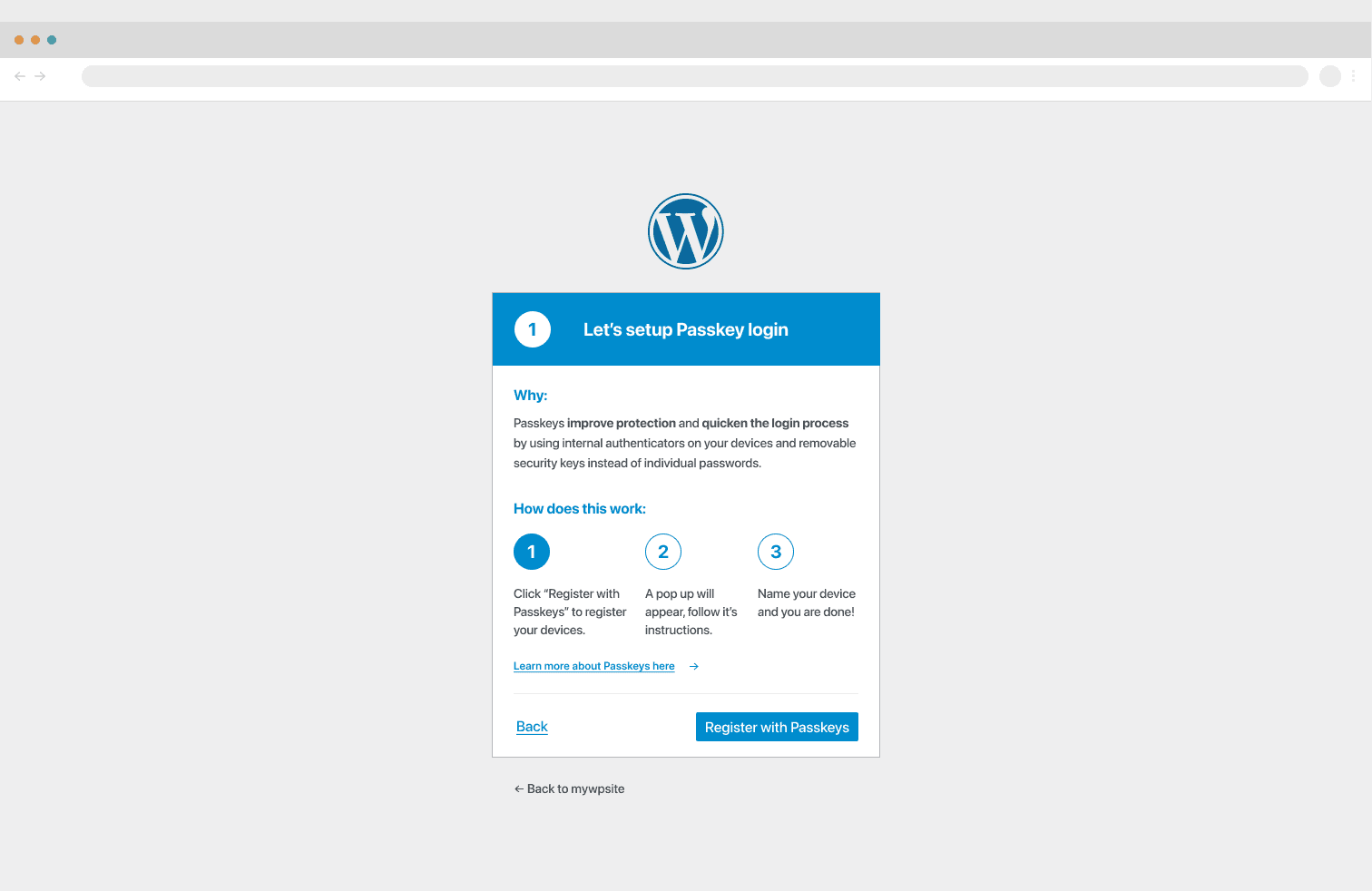
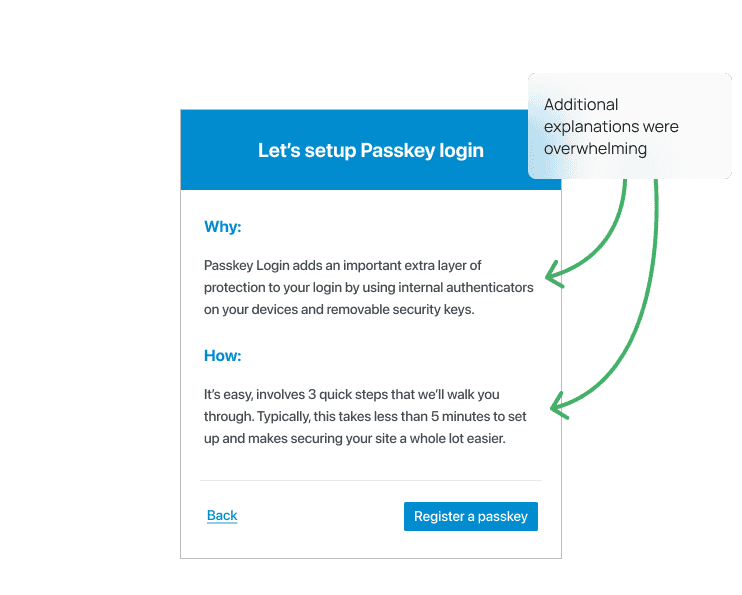
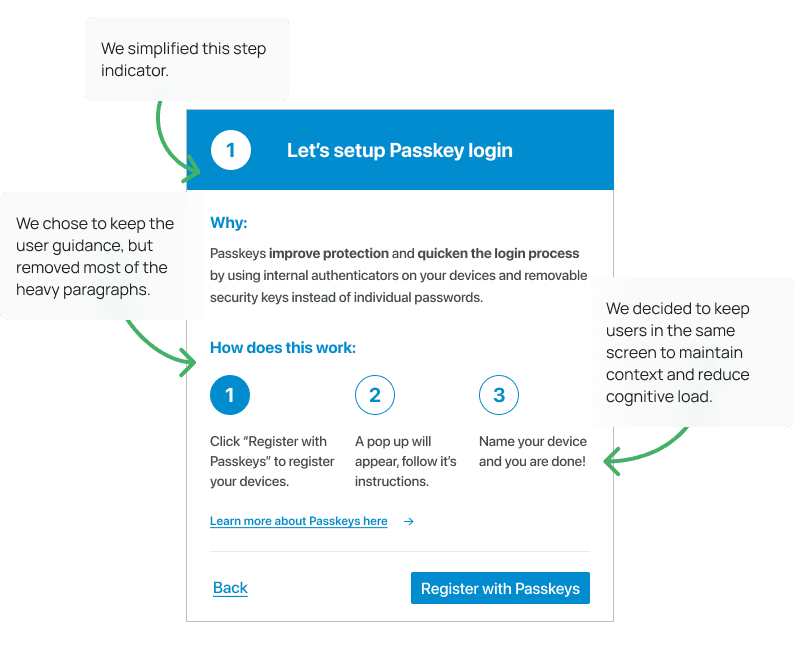
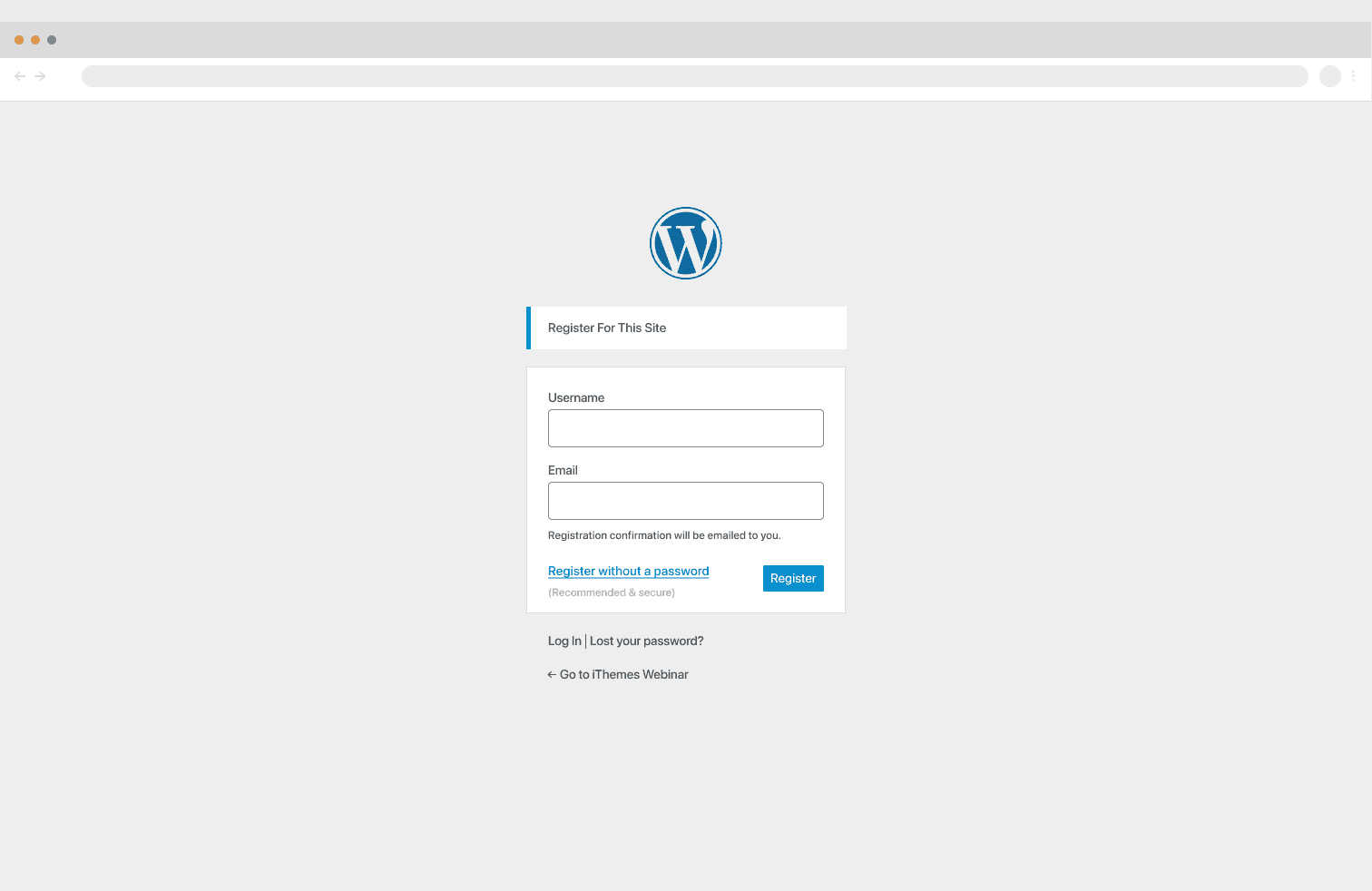
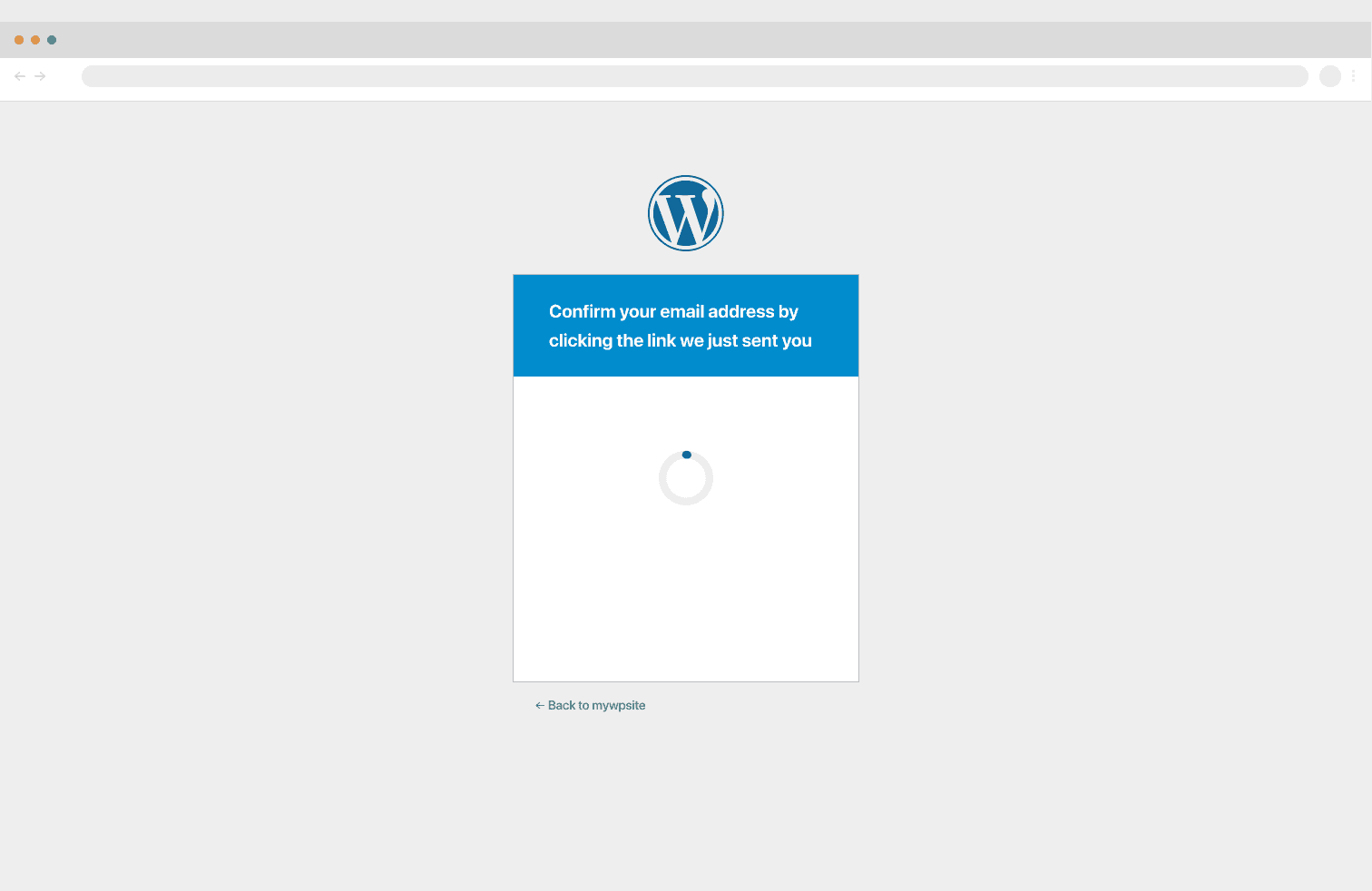
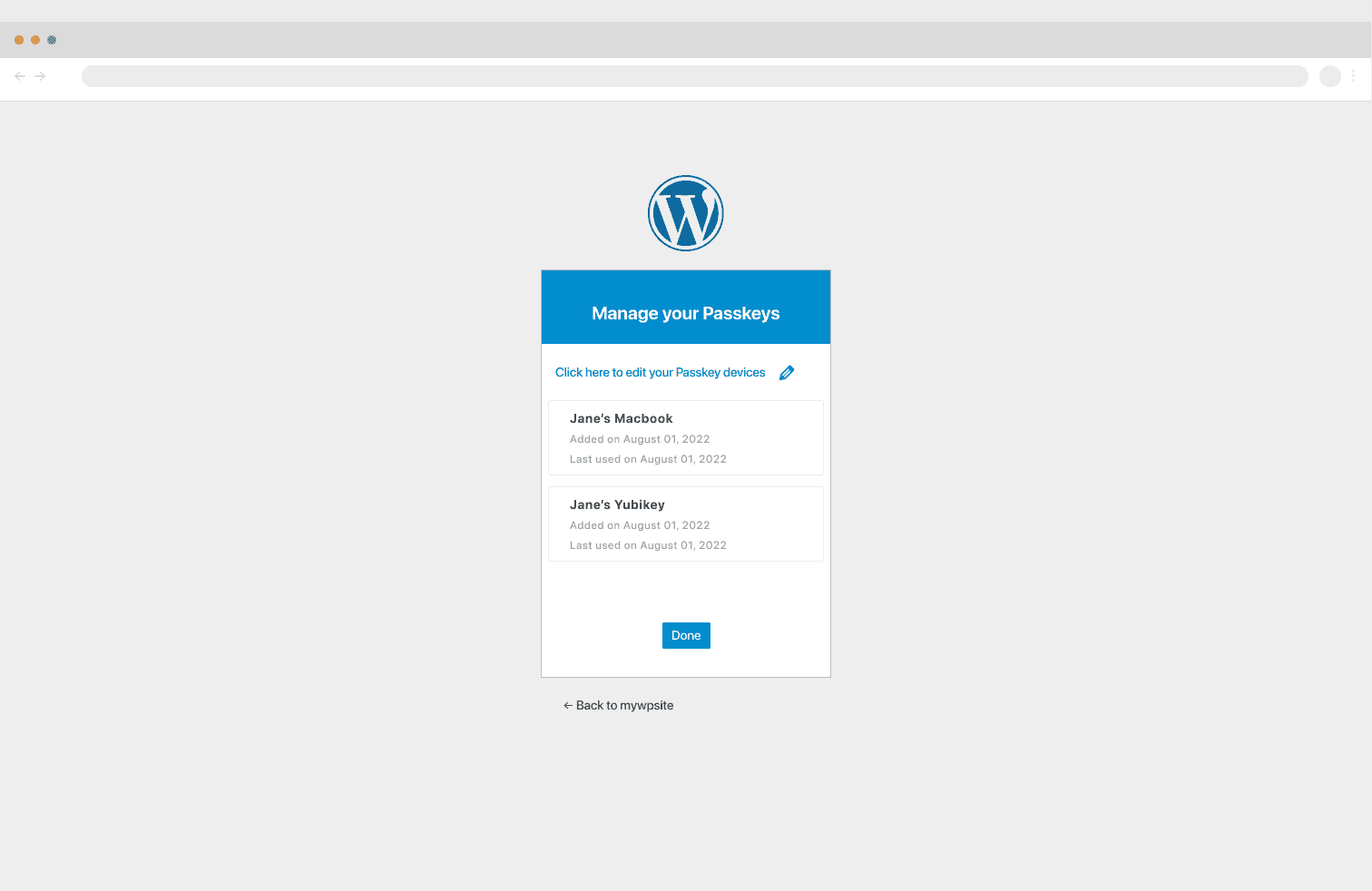
As I discussed earlier, we wanted to guide users through this experience, since it might be one of the first, if not the very first, experiences most of our users have with passkeys. The initial screen in the flow that we eventually improved is represented by the "how" and "why" UI shown below:
Usability Testing
Targeted User Interviews (iThemes Security Users)
30 Testers
52%
Percentage of participants rated the ease of use 9/10
63%
Percentage of participants said the UI was intuitive and 33% said “very intuitive”
90%
Task success rate, with a low click rate.
96%
Percentage of participants said the flow was “as expected”
“The design is quite easy to understand”

“I found the language was clear.”
“Very simple and intuitive.”
“Easy to understand, but too much text.”

Design Rationale
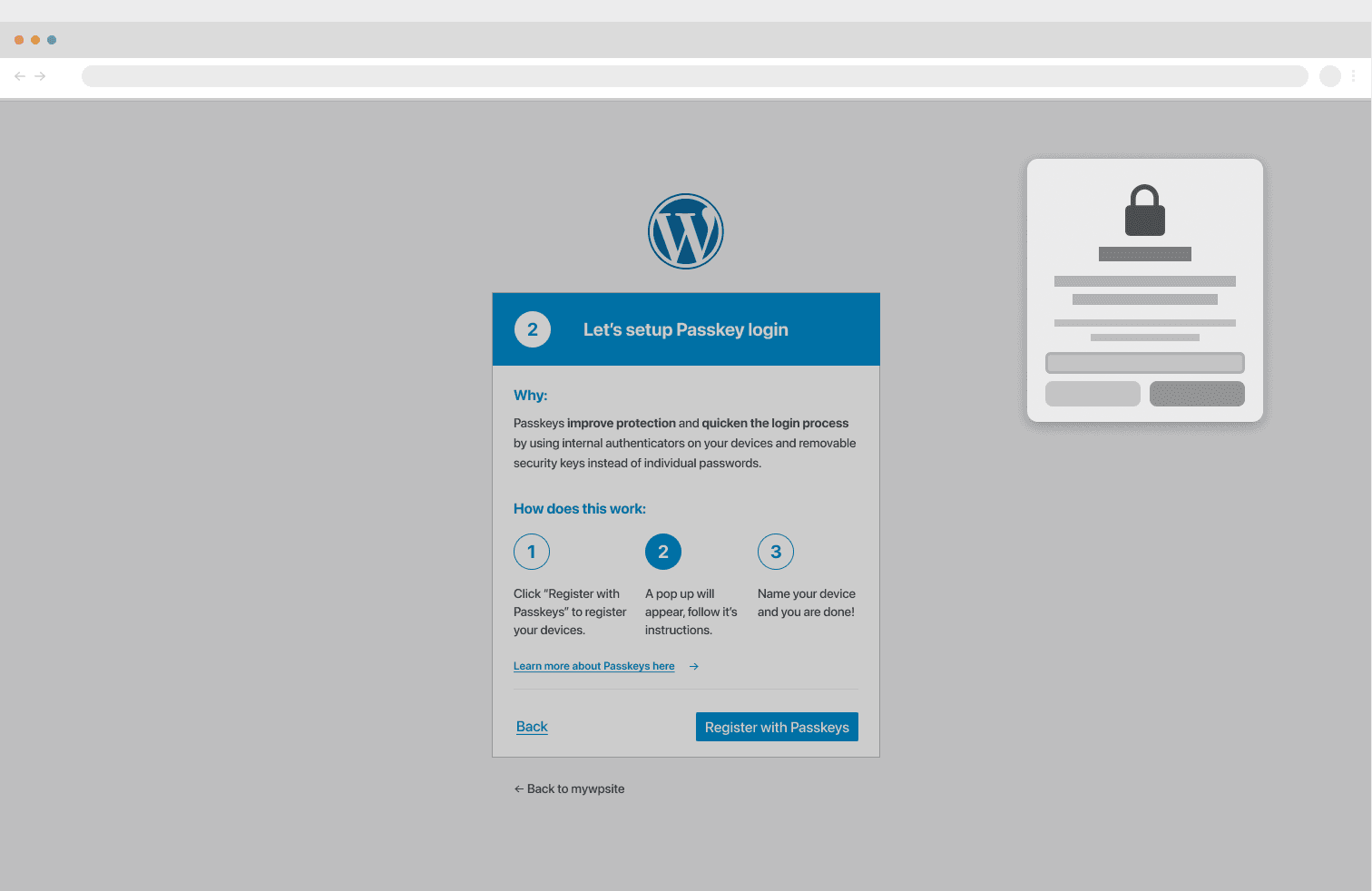
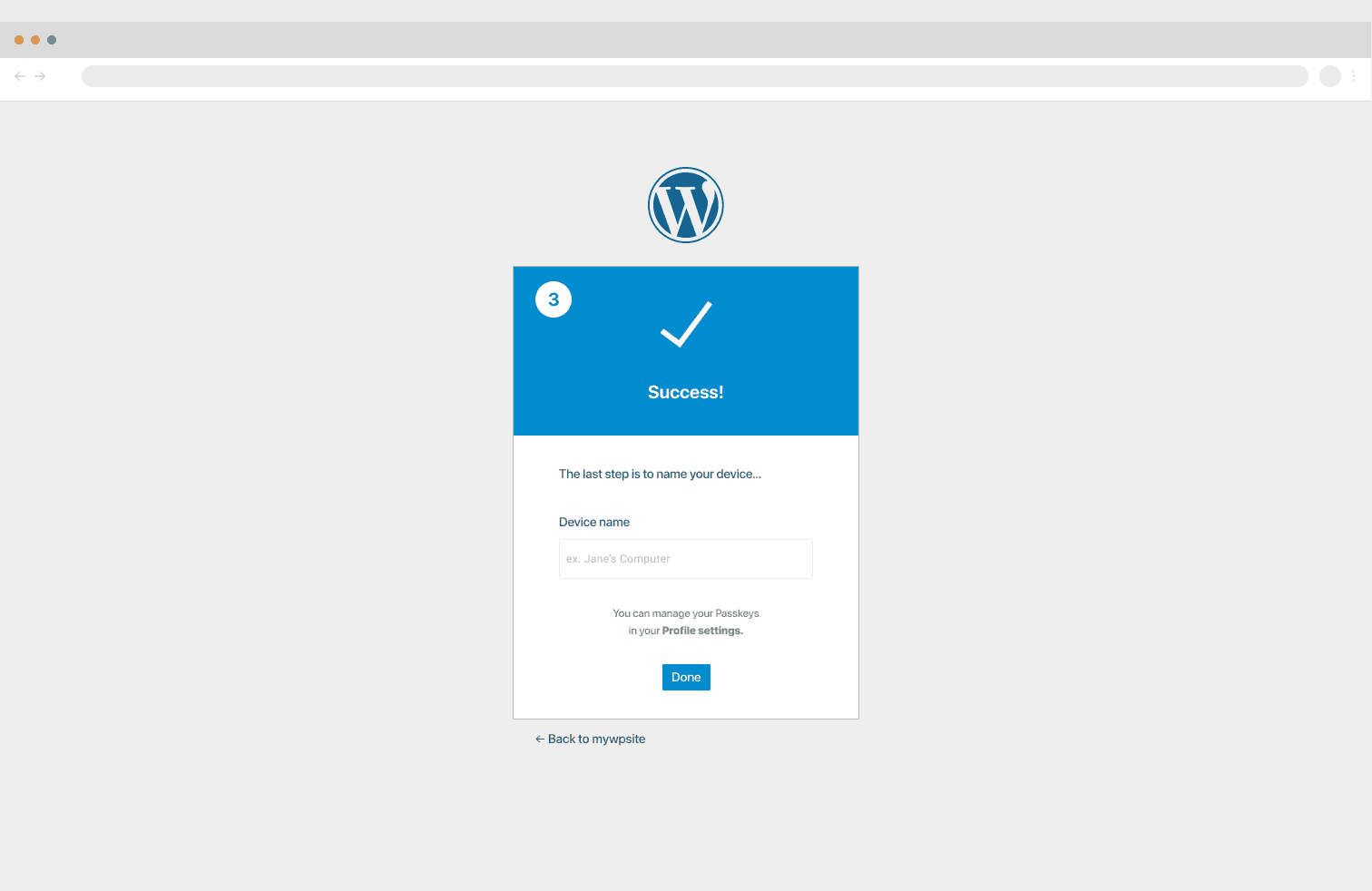
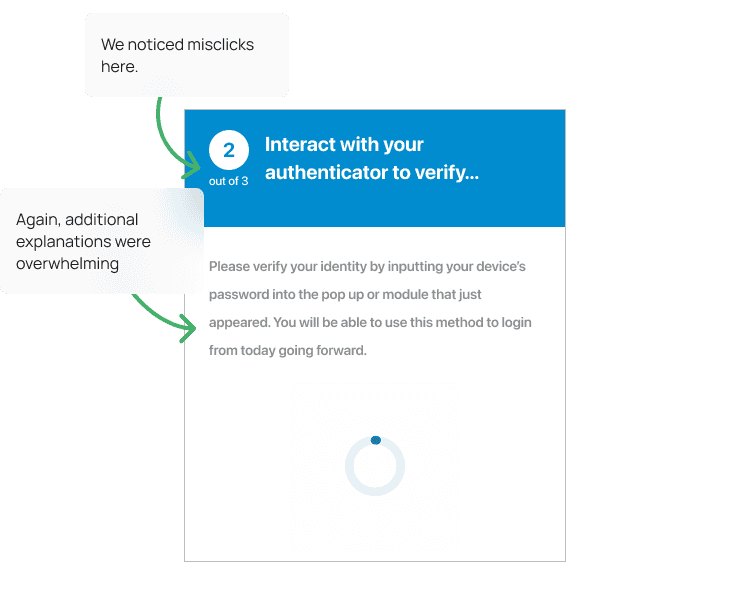
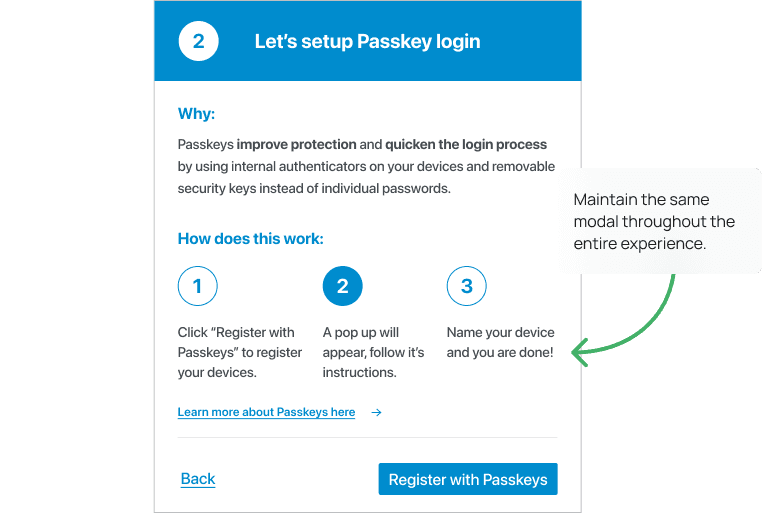
The step-by-step guide we pivoted to was designed to introduce users to and guide them through the process, even if the browser interstitial did not guide on its own. We knew users would still be able to see our guiding UI, even when the interstitial was displayed, so the UI would automatically update to show the next numbered step and hopefully offer helpful information if users were unsure of what to do next or were initially confused by a browser pop-up.
Tested Designs
Our initial data showed a massive trust and cognitive gap. We hypothesized that heavy educational copy would reassure users, but our research proved the exact opposite.
Shadow interviews and prototype testing revealed that long, jargon-filled paragraphs actually created information overload. Users felt overwhelmed and bogged down by 'support-text toil,' leading to high abandon rates and frequent misclicks during critical biometric prompts.
Outcome & Impact
Using basic telemetry data, we saw a reduction in login times by 55% compared to our initial user interviews and pre-passkeys telemetry observations.
55%
Reduction in login time
We were able to reach our first launch of passkeys in the WordPress security goal.
x2
Doubled login success rate compared to the password model.
27% Ticket Reduction
Reduction in login recovery requests.
Improved login security for our clients. We saw a reduction brute force issues with our users and their customers/clients from our support team.
Reduction in Brute Force-related support tickets.
Lessons Learned
Solving Complex Problems Requires Deep Collaboration
When starting at SolidWP, I was not a cybersecurity expert. Still, through in-depth, ongoing discussions with PMs, developers, and our users, I learned how to translate complex security protocols into a simple, intuitive UI.
Adding More Guiding Copy Does Not Simplify An Experience
Strong UX comes from a combination of factors that go beyond guiding copy. Understanding our users and their comfort with security topics was key to realizing that less copy created a better experience for Passkeys.