Project Type
End-to-end-product design, user research
Team
Product Designer and three developers
My Role
Product Designer
Duration
1 1/2 Months
Client
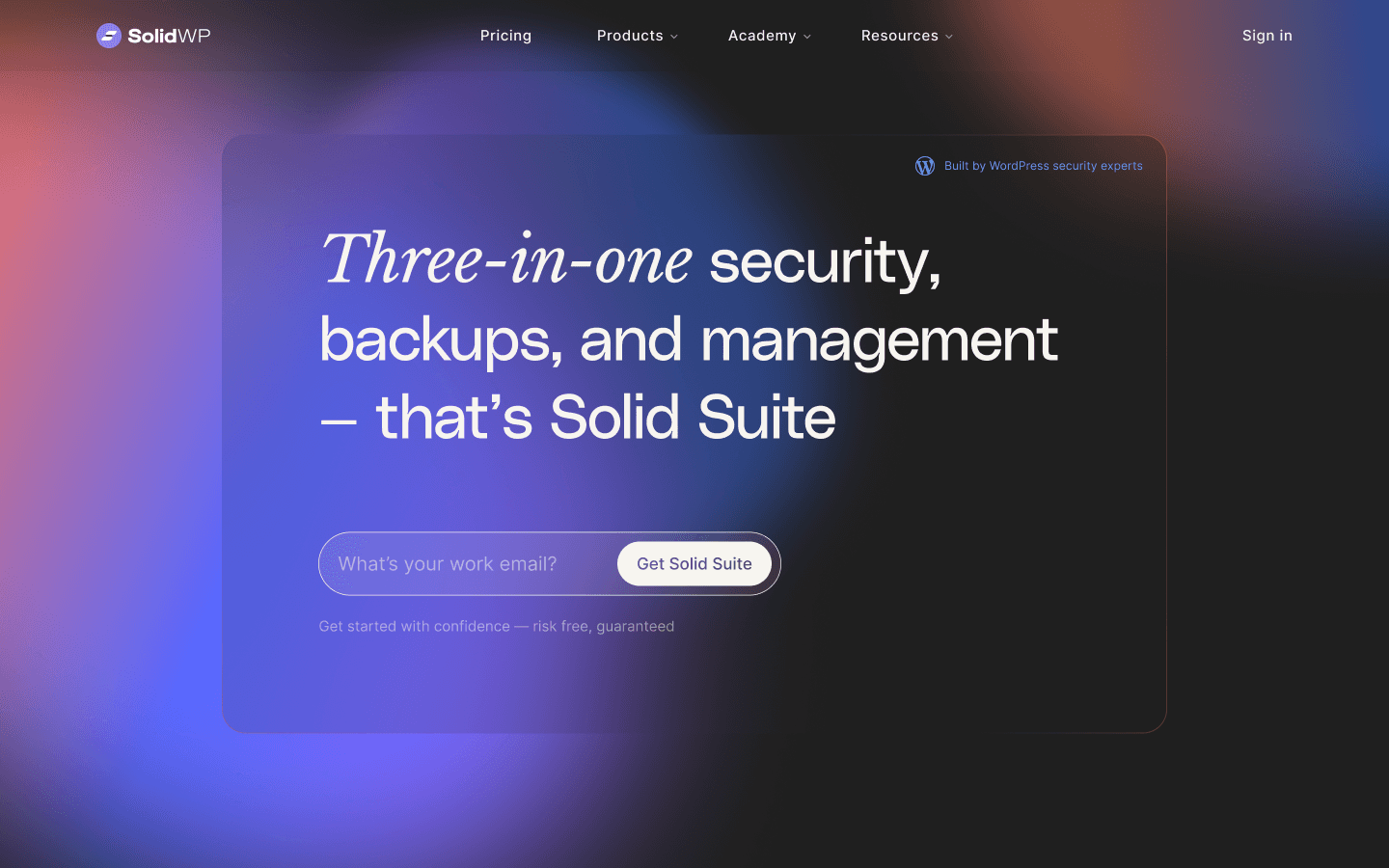
SolidWP / Solid Security
Redesigning the Solid Security Onboarding to bridge the value gap and reduce the confidence gap.
Context
Following the iThemes rebrand to Solid Security, research showed users felt overwhelmed and lacked confidence in which features were enabled during onboarding. I was tasked with redesigning the onboarding to improve our time-to-value while simplifying high-stakes security concepts to reduce user confusion.
The Problem
The onboarding was a lackluster experience that did a poor job of engaging users and making security topics relevant to everyday security. Previous improvements strengthened the existing structure but lacked the changes needed to make the experience pleasant and engaging.
The Process and What I Owned
The entire product design lifecycle, including user research synthesis, ideation, iterations, motion design, prototyping, DQA, and post-release review.
The Results
A streamlined, "Scan-First" onboarding flow that reduces setup friction and uses motion to communicate and visualize complex technical protections. The release reduced feature confusion and further reduced support tickets related to initial onboarding and feature enablement.
Additional 20% Reduction in Support Tickets
Slight Reduction in Onboarding-Related Support Tickets (Solid Security).
Feature Confusion Decreased
Additional feature confusion decreased. The first wave occurred during our redesign, and after phase 2 launched, we saw a further reduction, according to our support team's discussions with users.
Visual Overview
Team Size
Myself, a Senior Designer, a Lead Developer, and a Product Manager.
Project Type
End-to-End Product Design
My Role
Lead Product Designer
Duration
4 Weeks
Company
Solid Security
What Principles Did I Lean On?
How Did I Work With Developers and Stakeholders?
Tools I used:
Research was a highly collaborative effort that combined several internal discussions with the PM, Lead Developer, and Support team, as well as existing user research conducted during our company rebrand.
User Interviews and Conversations With Our Support Team
10 users Interviewed
Low Confidence: 5 users rated their security confidence at 5/10 or lower immediately after onboarding (a significant number).
Feature Confusion: 7 users found the User Groups concept confusing and lacked understanding of its value.
Support Tickets: I noticed that many support tickets focused on fixing settings configurations that users were unaware of.
Define
The Current User Flow
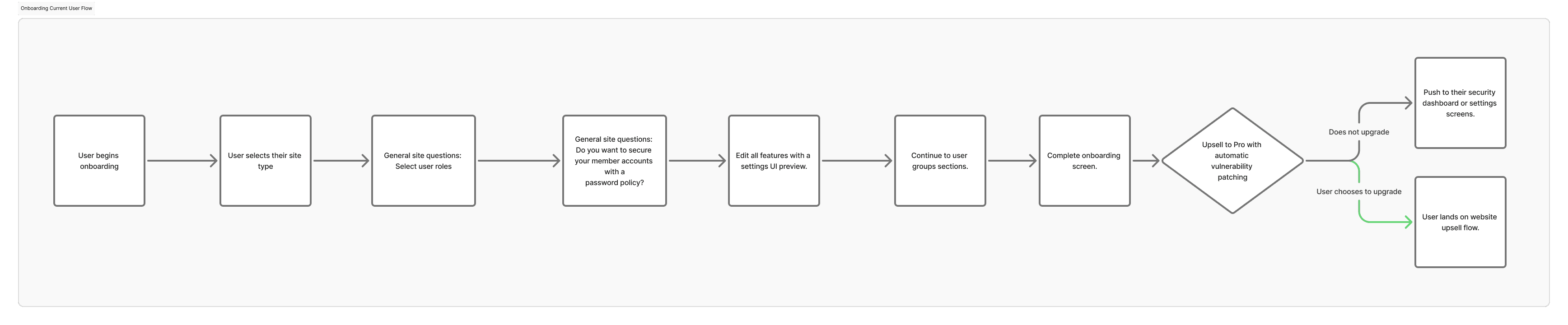
Key Takeaways
Unengaging "general site questions" kills momentum
The one-question-at-a-time format should provide a more engaging experience if kept.
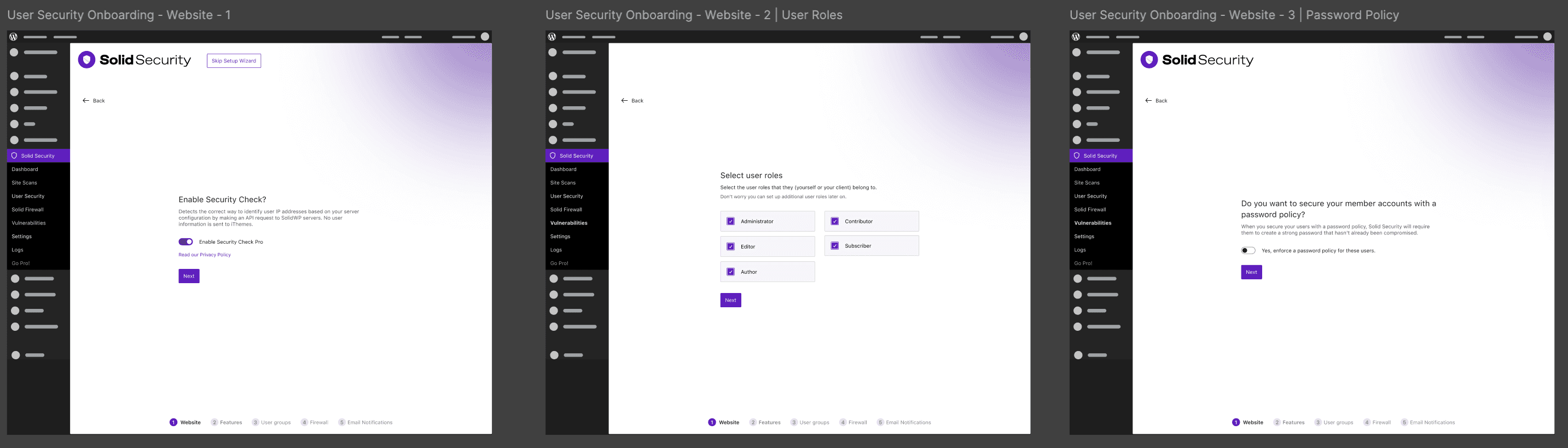
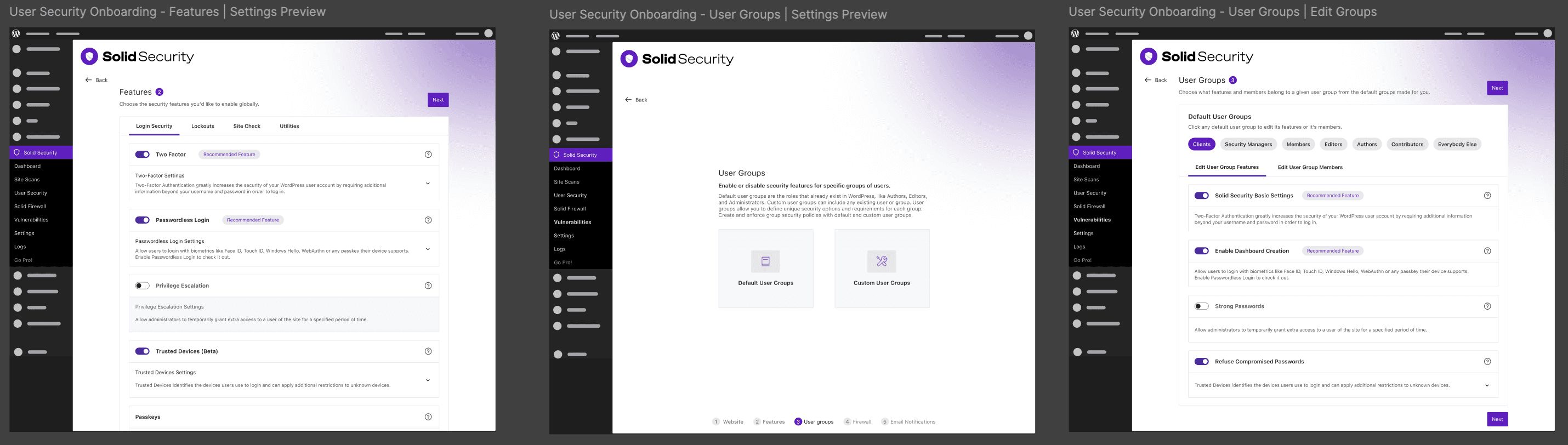
The early onboarding flow deeply lacks in immediate value
Users are only gaining the most perceived value from the features-enabling section, and that experience is a basic preview of the settings screen. Improvements were made during the rebrand project a few months earlier, but some still needed to be made.
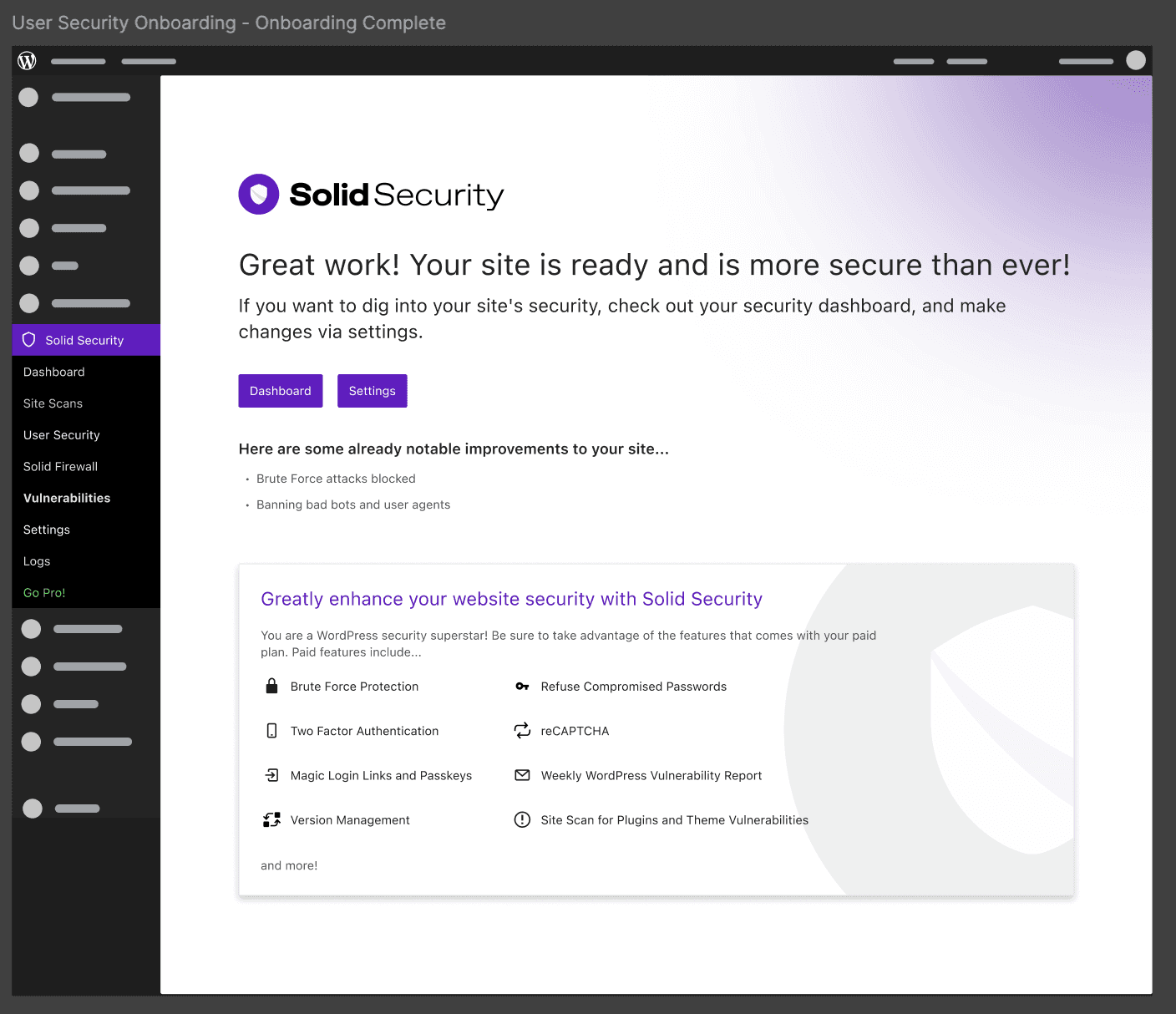
The onboarding complete screen does not emphasis actions
The user's actions during the onboarding experience are unclear and are quickly brushed over.
"How Might We?" statements
How might we increase engagement with the security topics covered?
How might we improve user confidence during onboarding?
How might we increase perceived value earlier in the user's experience?
Ideation
We decided to focus on the solutions below after using the crazy 8's technique and the MoSCOW method to prioritize our ideas.
Reduce unnecessary questions:
In collaboration with the Lead Developer, I audited the current onboarding flow to eliminate redundant data entry and low-value questions that could be assumed. By streamlining the path to completion, we reduce cognitive load and friction. This ensures users reach their "Aha!" moment faster, preventing drop-off and significantly boosting user confidence during the initial setup.
Perform a Site Scan within the onboarding experience:
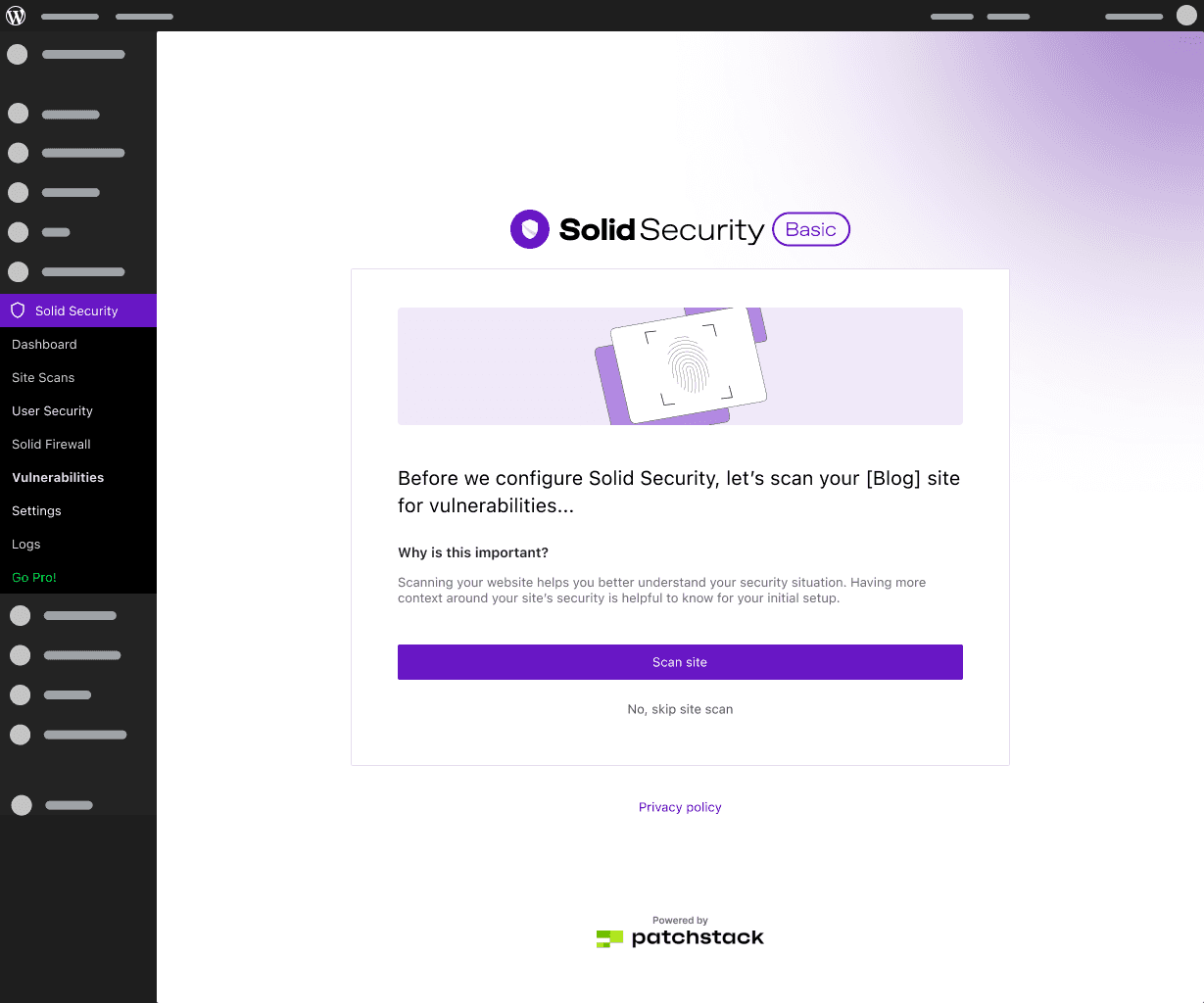
To deliver immediate value, I worked with our PM to propose a real-time "Site Scan" as one of the first onboarding steps. This gives the user an instant "health score" or status report of their security posture. Seeing tangible results before they even finish the setup increases the product's perceived value and establishes trust from the outset.
The proposed user flow:
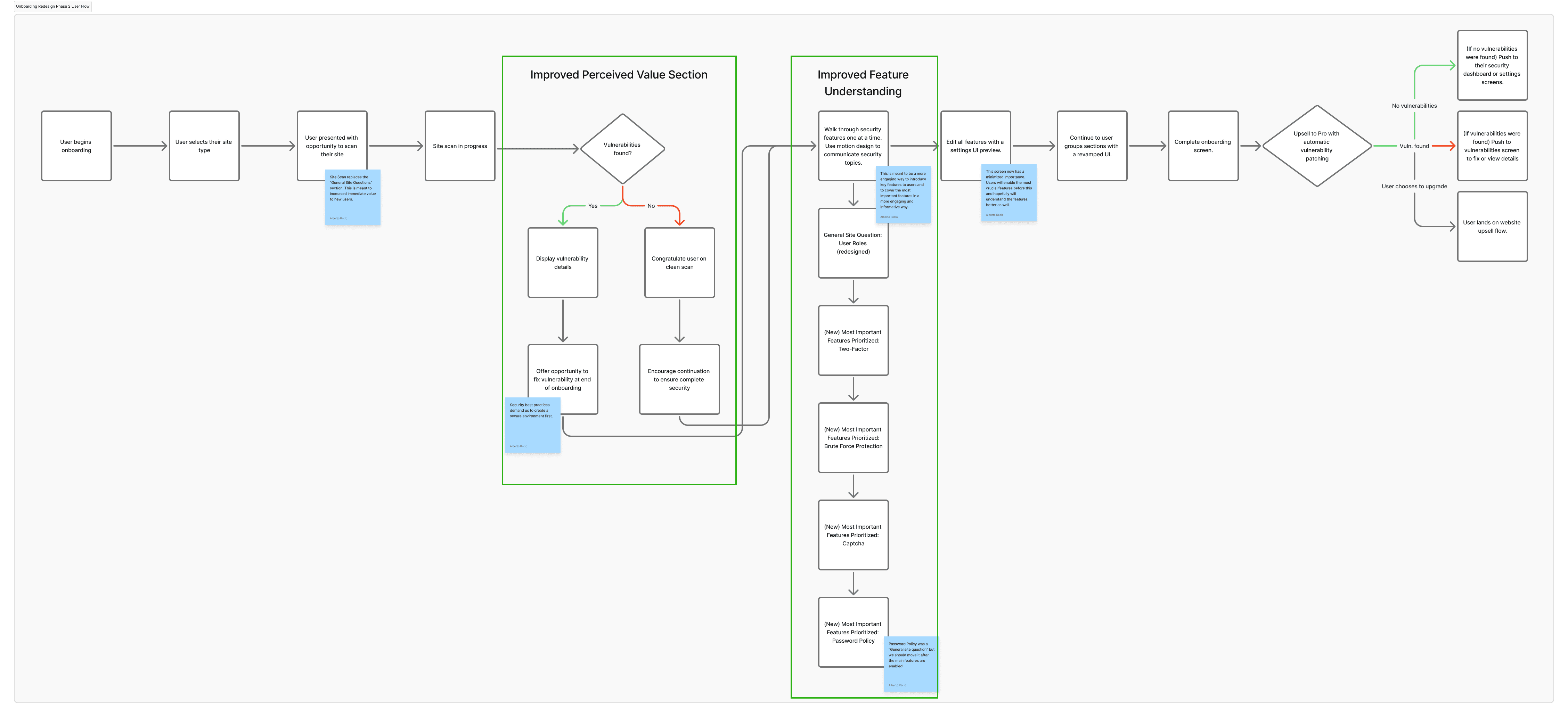
Include a stronger overview at the end of the onboarding experience:
I proposed ending the flow with a more comprehensive summary that confirms exactly what has been secured. Instead of a simple "Success" message, this overview reinforces the value provided by highlighting the specific vulnerabilities addressed, leaving the user feeling empowered and confident in their new security setup.
Pull out the most important features from the bulk feature section:
Working with the PM, I suggested prioritizing the most impactful security tools to guide users toward actions that deliver the highest protection with the least effort, preventing "feature overwhelm" when users land on the feature section without any introduction to more complex features.
This way, we were not overriding the work completed during the product redesign; instead, we were building on it.
Use motion graphics to improve user engagement:
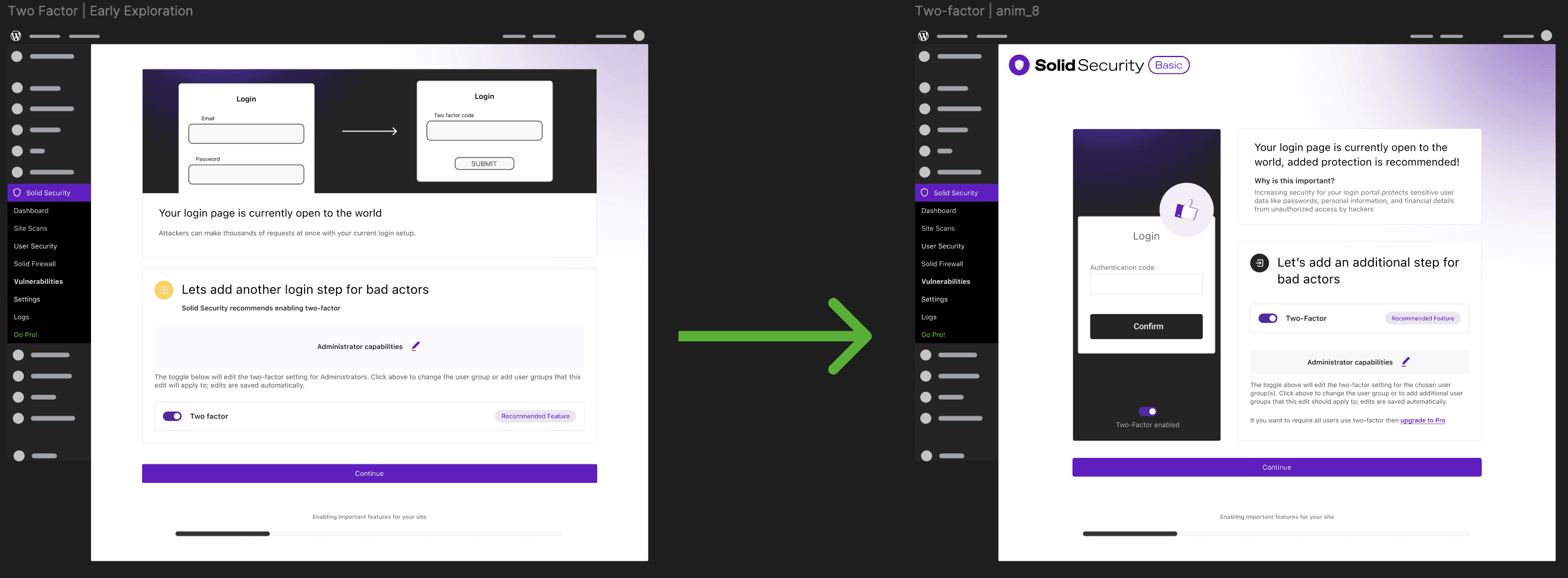
I proposed incorporating purposeful UI animations and motion graphics to make complex security concepts easier to understand and visualize. By visualizing two-factor authentication through an intuitive UI, we can transform a static, often intimidating experience into a dynamic, engaging one, directly keeping users focused on critical security topics. This would also help increase users' understanding and confidence in the onboarding experience.
Ideating on the Two - Factor
Finalized Designs
New Onboarding Screens

Site Scan Intro
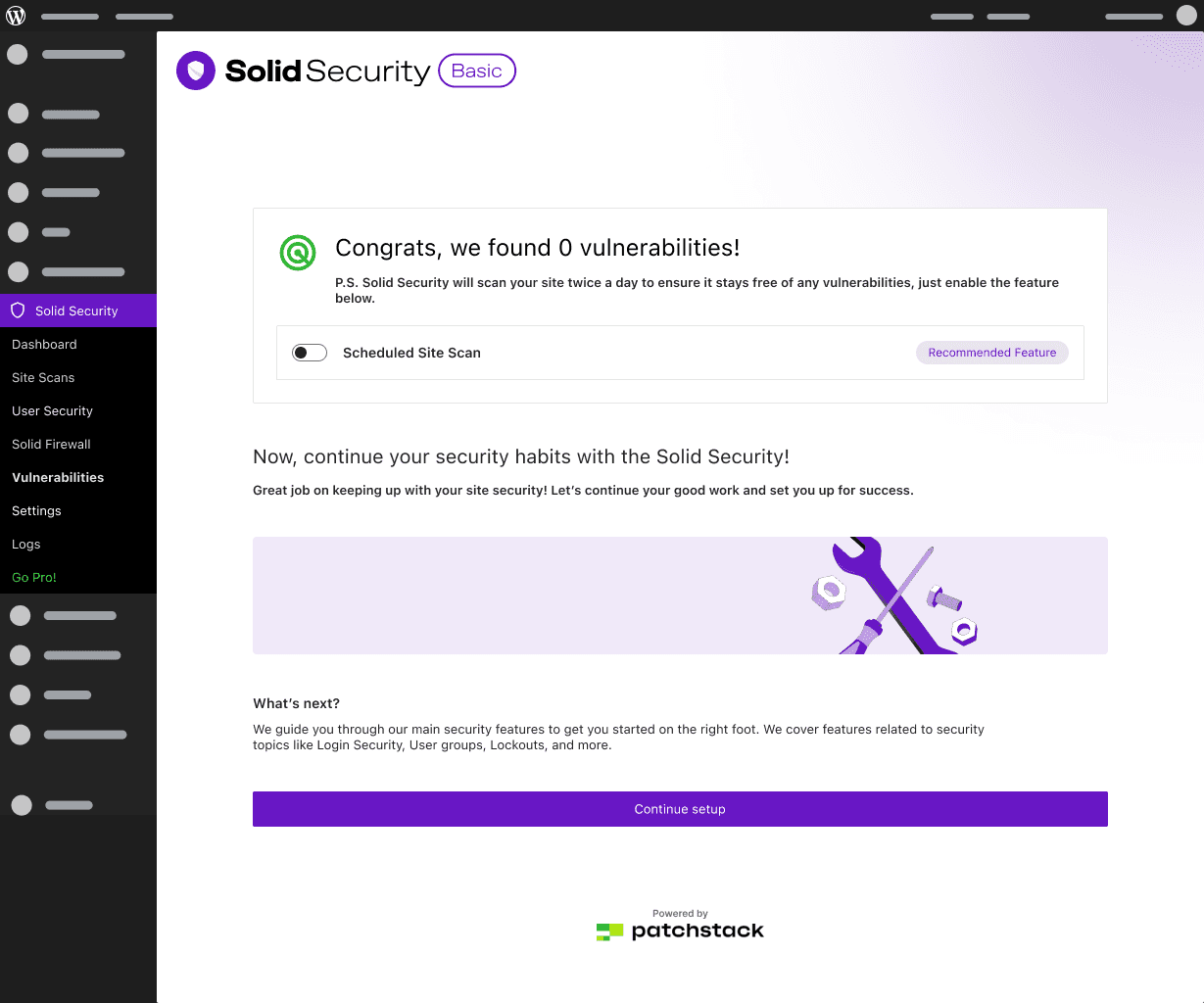
No Vulnerabilities Found
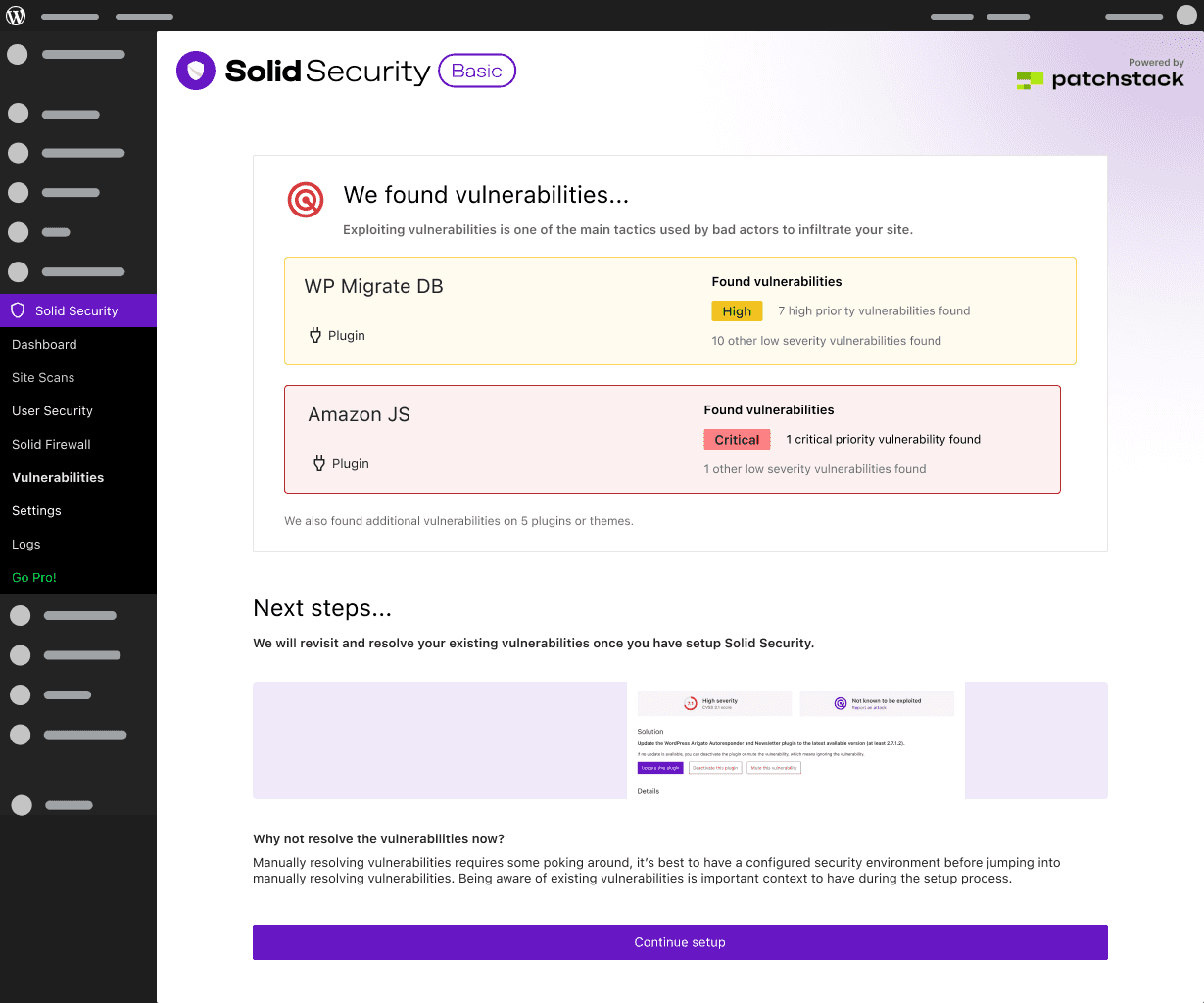
Vulnerabilities Found
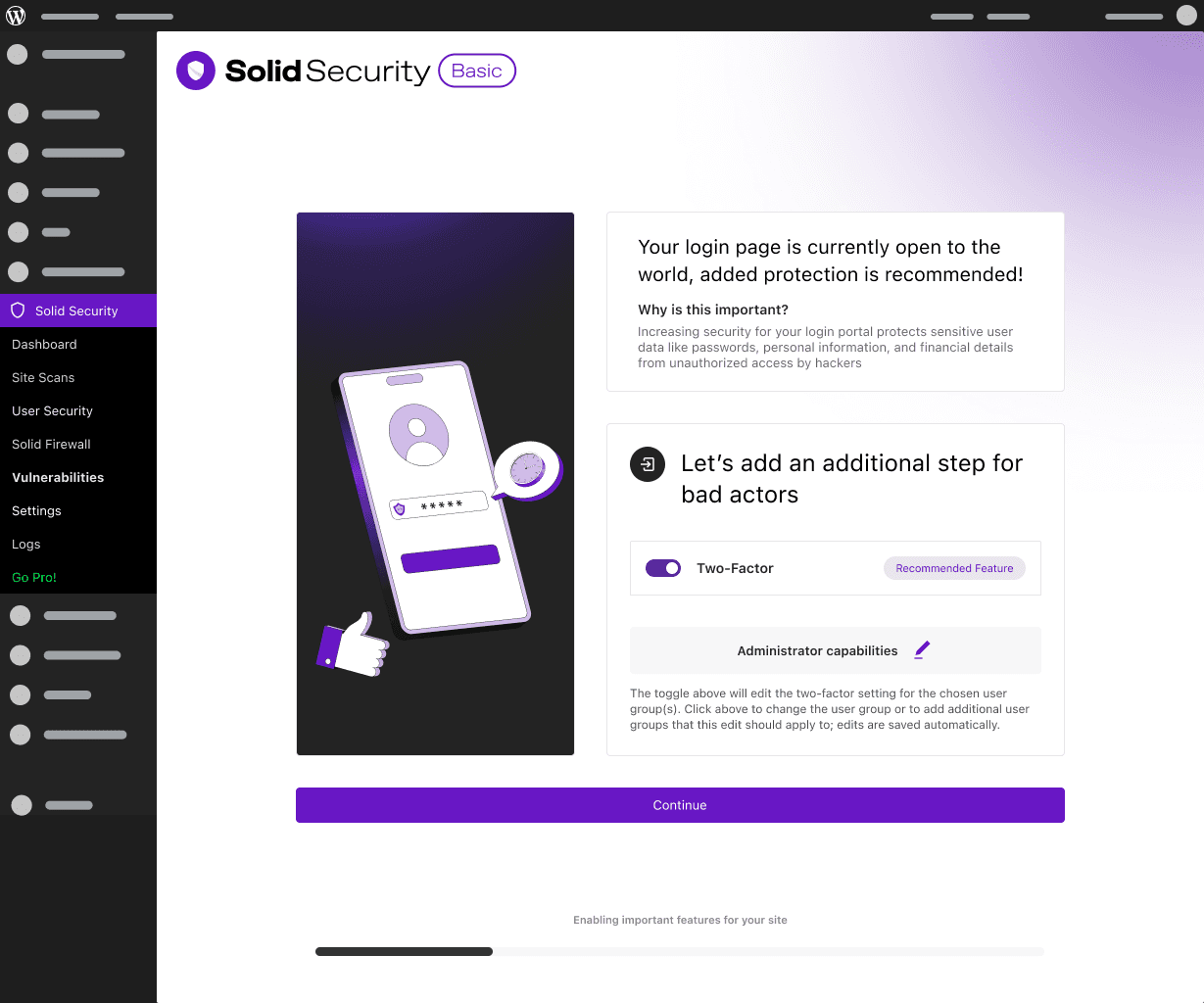
Features Section: Two Factor
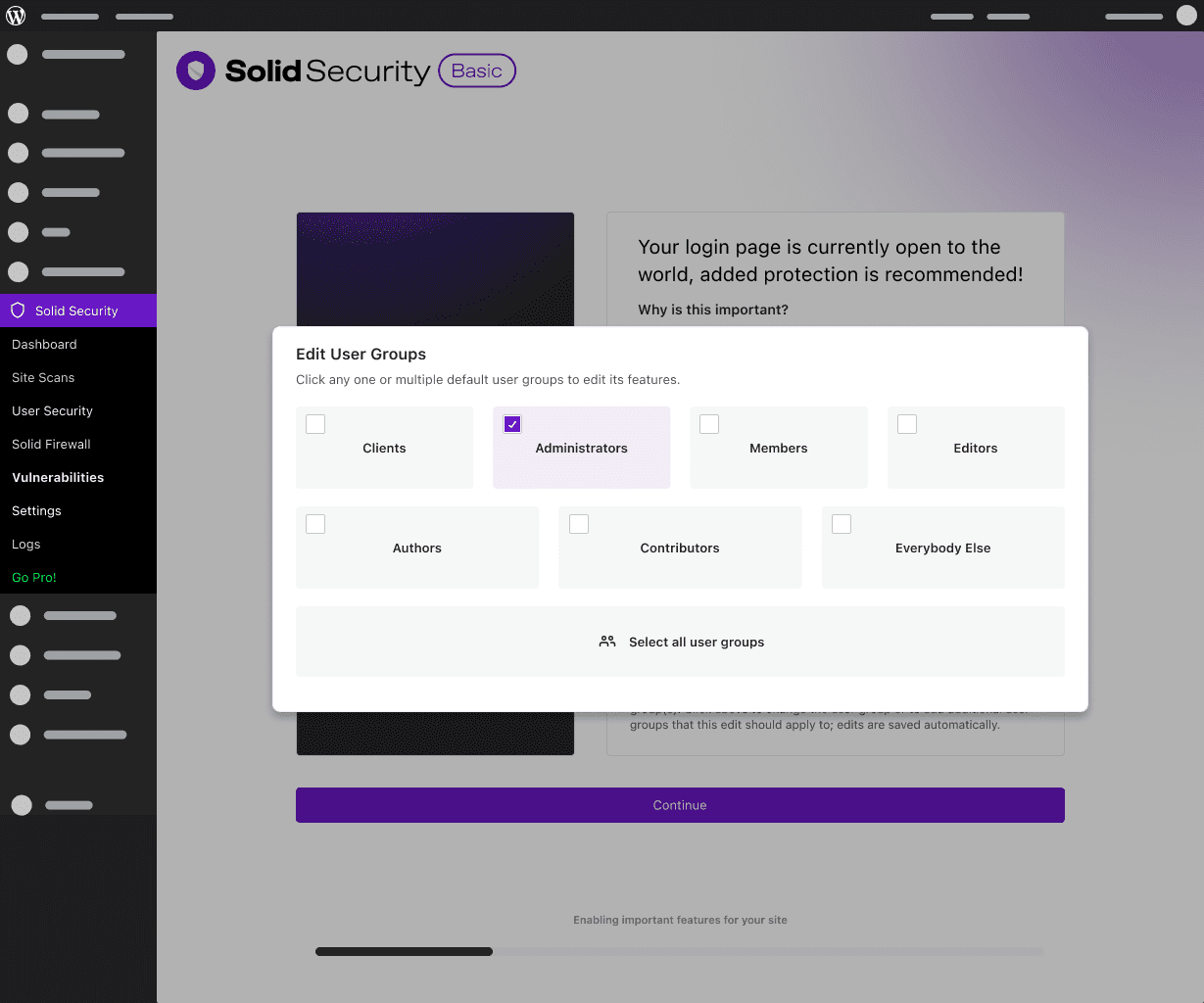
Features Section: A Different Approach to User Groups
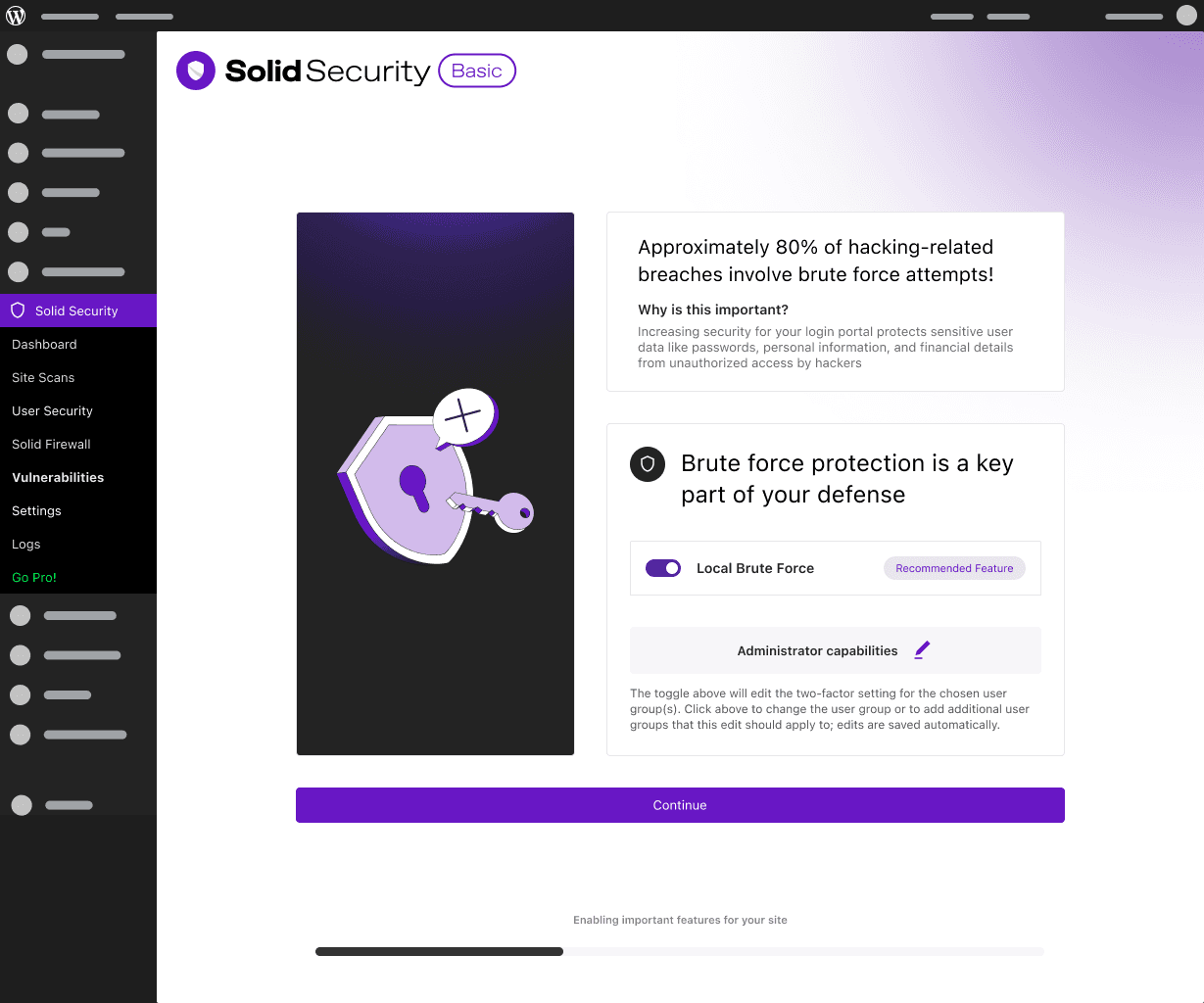
Features Section: Brute Force Protection
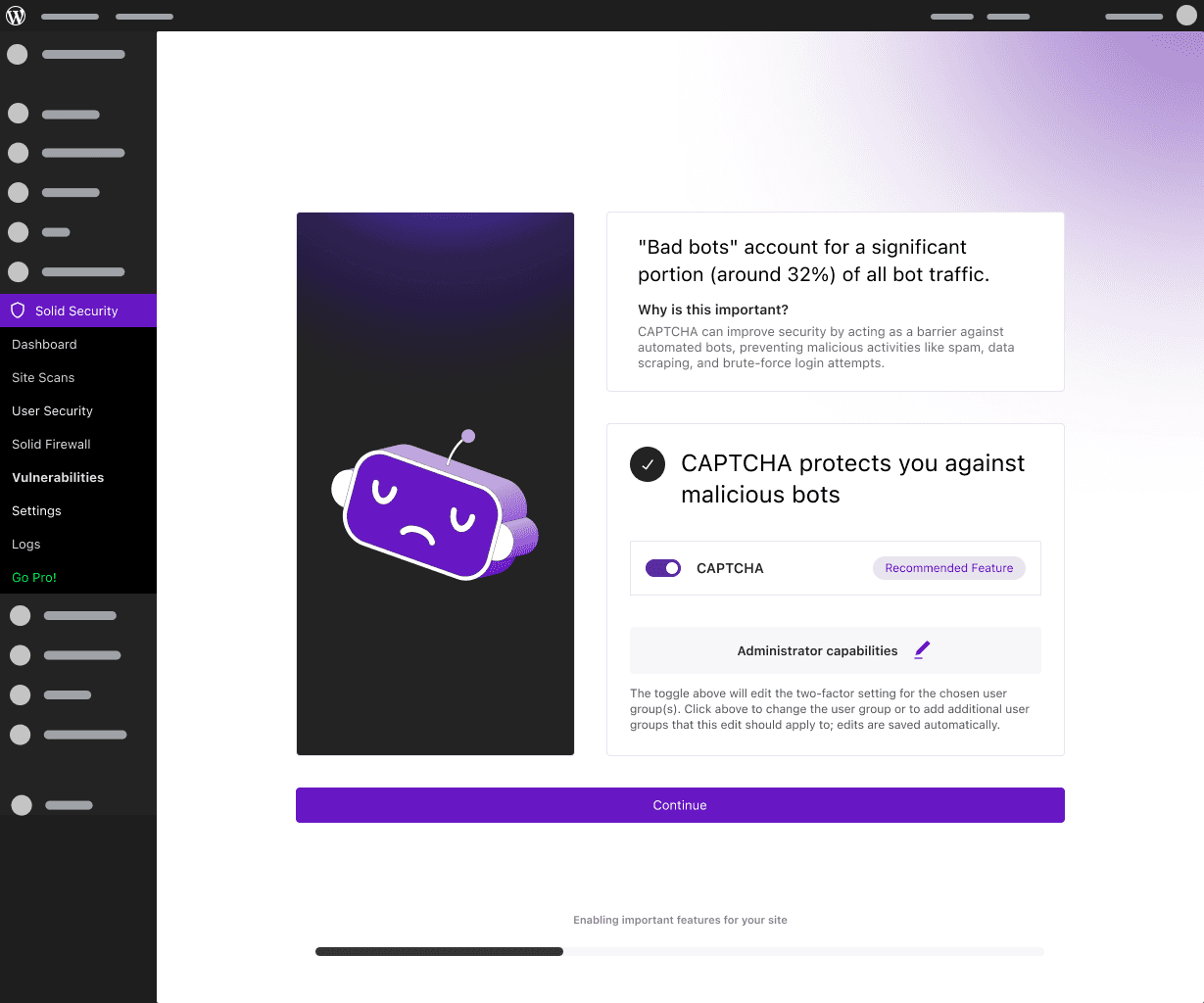
Features Section: CAPTCHA
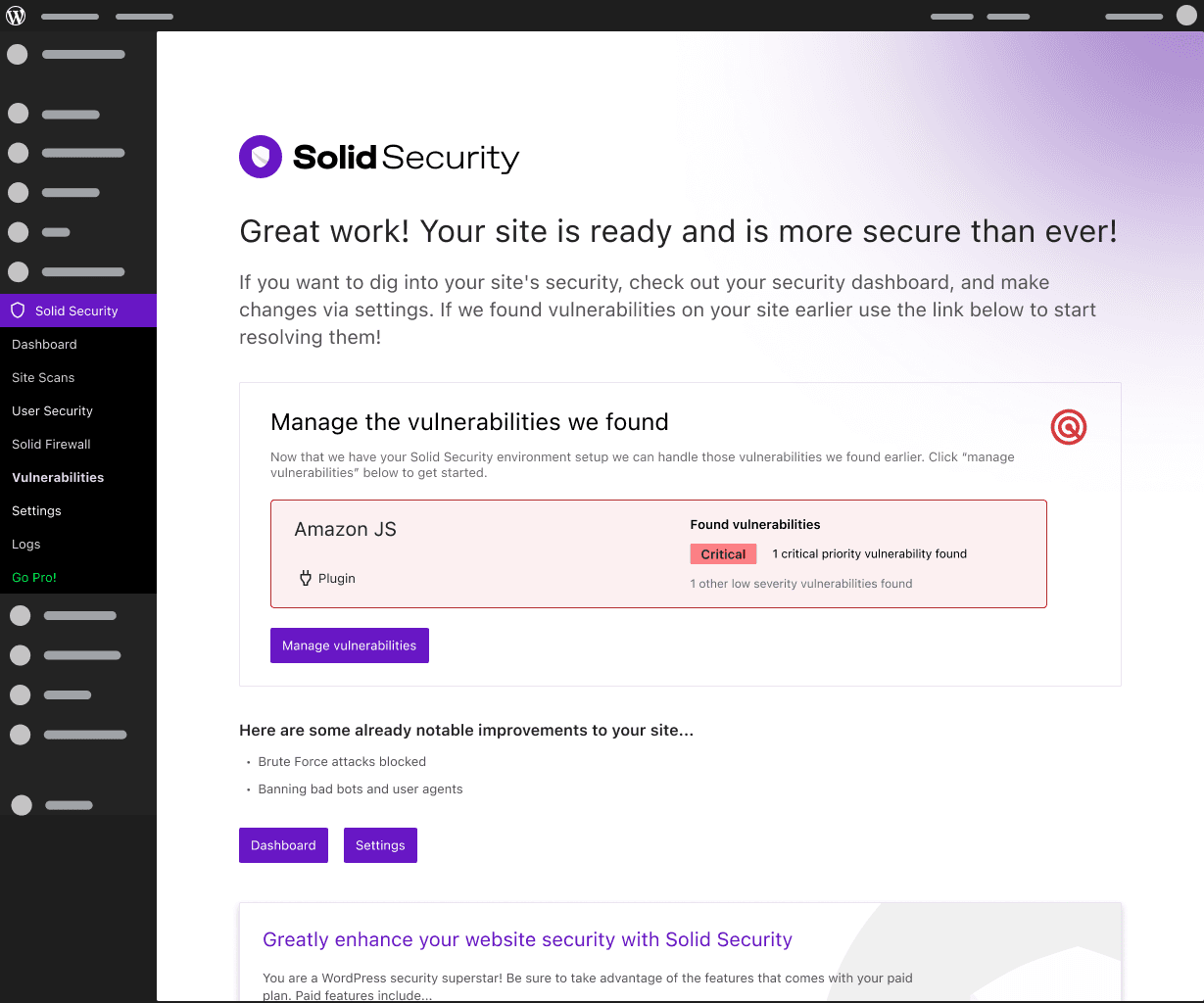
Onboarding Complete:
We added the "notable improvements" section to reduce confusion and included the vulnerability that we caught early in the onboarding flow to improve perceived value and value delivered.
Prototype
Basic animation in Figma before animating in RIVE for an easy handoff.
Test
We conducted a small testing round of 5 new-ish users with Maze Testing. My PM and I felt confident in the improved experience, considering that we had discussed with the problem at length multiple times before, so we kept the testing to a minimum, given the quick launch expectations
Key Takeaways
100% Task Completion Rate
Every participant successfully completed the onboarding without intervention.
4.8 / 5 Perceived Value Rating
Users cited the Site Scan as the primary reason for feeling the product was "immediately useful."
+65% Confidence Rating
A pre- and post-test survey showed a massive jump in user confidence regarding their site’s security status.
Less than 2 mins Average-Time-to-Value
The "Site Scan" provided a security baseline within the first 120 seconds of the experience.
Ready for Dev
We decided to move forward, and I began prepping the designs for development using Zeplin and Figma best practices.
Outcome & Impact
Unfortunetly, I was not able to run post-launch interviews but I was able to learn from our Support team.
Reduced burden on Support
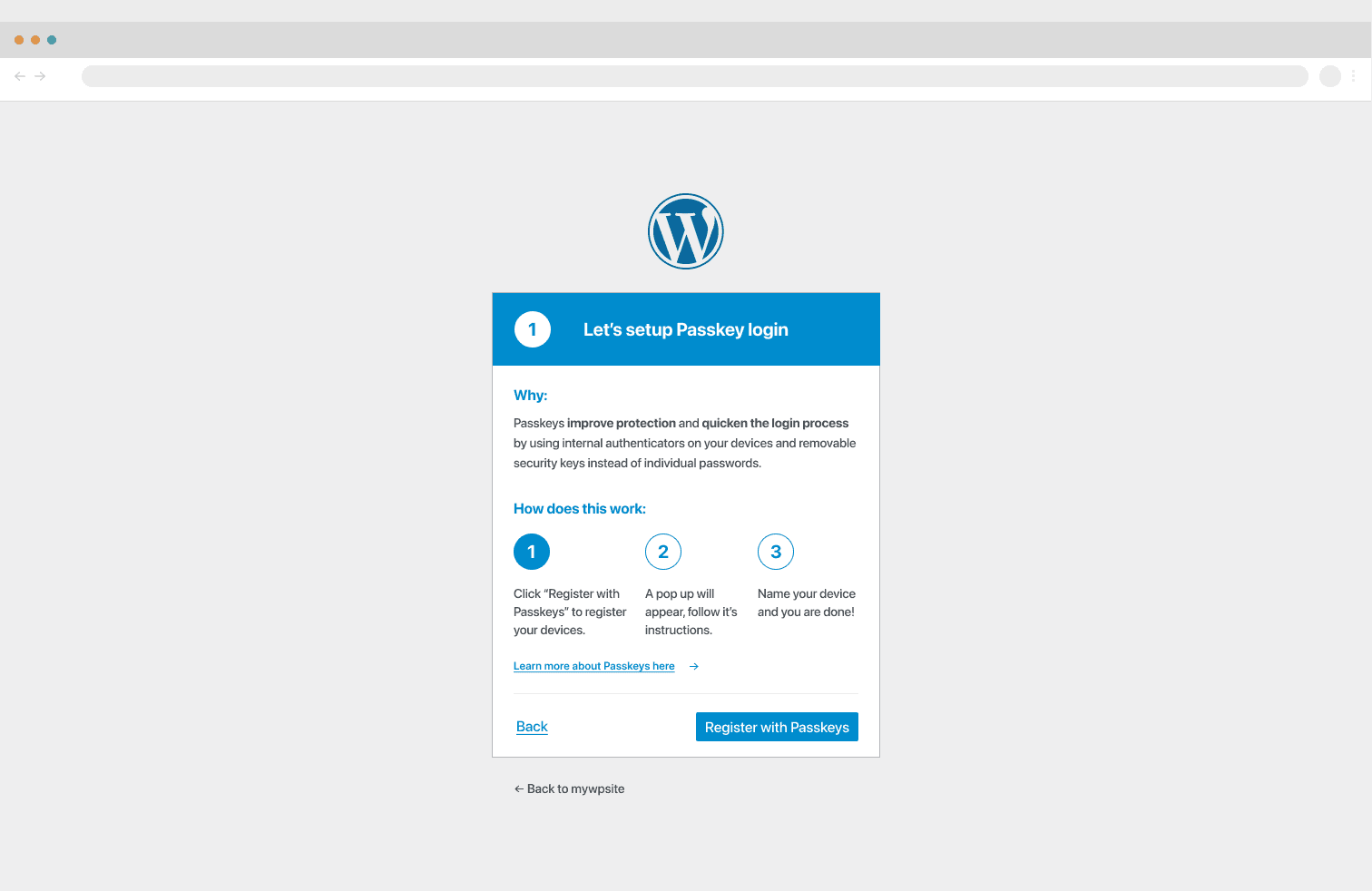
Before the redesign, the Passkeys/Security onboarding was the #1 driver for "How-to" support tickets. Users were confused by the technical jargon of web authentication.
The Intervention: I improved the Progressive Disclosure model by replacing the boring single-question screens with relatable applications and visualizers. I worked with the Lead Developer to strip "security-speak" and replace it with action-oriented UX copy.
The Result: Post-launch monitoring showed a 20% decrease in support tickets related to "post-onboarding confusion," freeing up the support team to handle higher-priority account security issues.
Feature confusion decreased
Additional feature confusion decreased. The first wave occurred during our redesign, and after phase 2 launched, we saw a further reduction, according to our support team's in-depth discussions with users.
Lessons Learned
Push Stakeholders More On User Analytics
If I had more time, I would have pushed for a deeper integration of user analytics earlier in the DQA process. While we reduced support tickets, we could have improved 'Time-to-Value' even further by A/B testing the initial biometric prompt against a hardware-key default.
Real World Application is King
When communicating complex topics like cybersecurity, presenting the real-world application of a given feature will help users understand it far more than simply defining the topic.
User Confidence is Key
Ensuring users are as confident as possible throughout onboarding will lead to a better overall product experience beyond the onboarding flow. The importance of the first few minutes of a user's interaction with your product cannot be overstated.
Redefining Call-to-Action Size and Priority
When I designed the onboarding flow, my instinct was to make the primary action unmissable. The "Continue" button needed to feel like the obvious next step, so I leaned into size as a signal of importance. In hindsight, I confused prominence with clarity. Looking back at this screen with fresher eyes and a deeper understanding of visual hierarchy, I can see that the button had crossed into "visual shout" territory: so dominant on the screen that it was pulling attention away from the configuration settings above it, like the CAPTCHA toggle, which was the whole point of the step. This is where a more nuanced reading of Fitts's Law became important to me: the principle supports making targets easy to acquire, but it doesn't mean bigger is always better. Past a certain threshold, an oversized button stops aiding usability and starts creating visual noise that disrupts hierarchy. The button had become the loudest thing on the page, and the actual decision the user needed to make was getting lost underneath it.
If I were rebuilding this screen today, I'd approach the button size as a hierarchy decision first and an accessibility decision second. A well-proportioned button, full-width, but with more restrained height and weight, would still be easy to tap and visually clear without competing with the content above it. The goal should be to guide the user's eye through the page: read the context, interact with the toggle, then continue.