Project Type
Product design, user research, design systems, rapid prototyping
Team
Myself and an internal Product Designer
My Role
UI Consultant
Duration
2 Months
Client
Papa Inc.
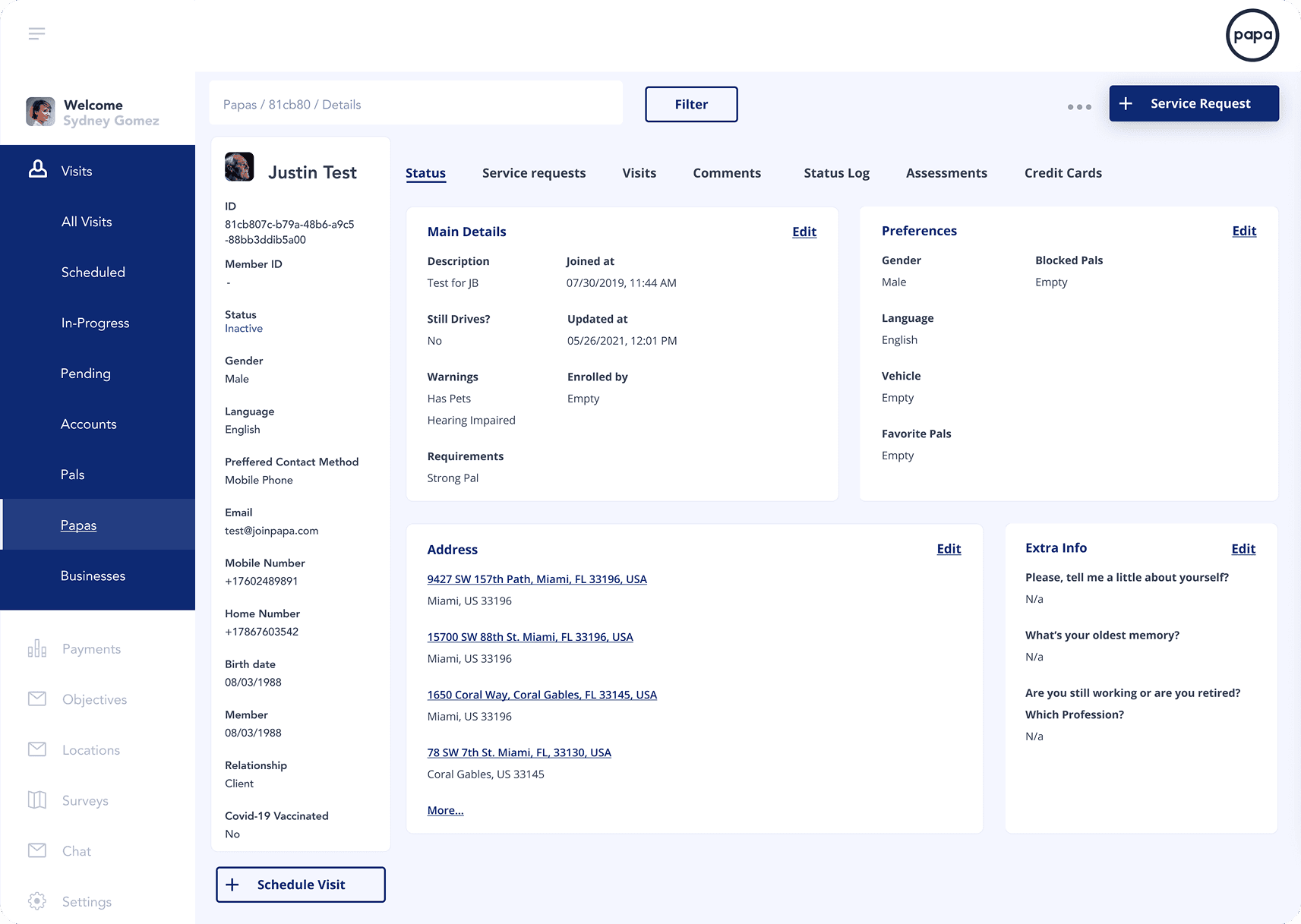
Researched and designed Papa's new care coordinator dashboard and key patient routing flows.
Results
37%
Reduction in time-on-task for patient routing
3 Flows
Mission-critical flows redesigned and shipped
Design-Dev Parity, and Matured Design Library
Reduction in login recovery requests from users.
Context
Care coordinators at Papa Inc. operate in a high-stakes, high-volume environment, routing patient service requests, tracking urgent needs, and managing care pipelines in real time. The existing internal dashboard was functionally adequate, but architecturally fragmented. Every decision required navigating away from the task at hand. The platform was slowing down the people responsible for patient care.
The Problem
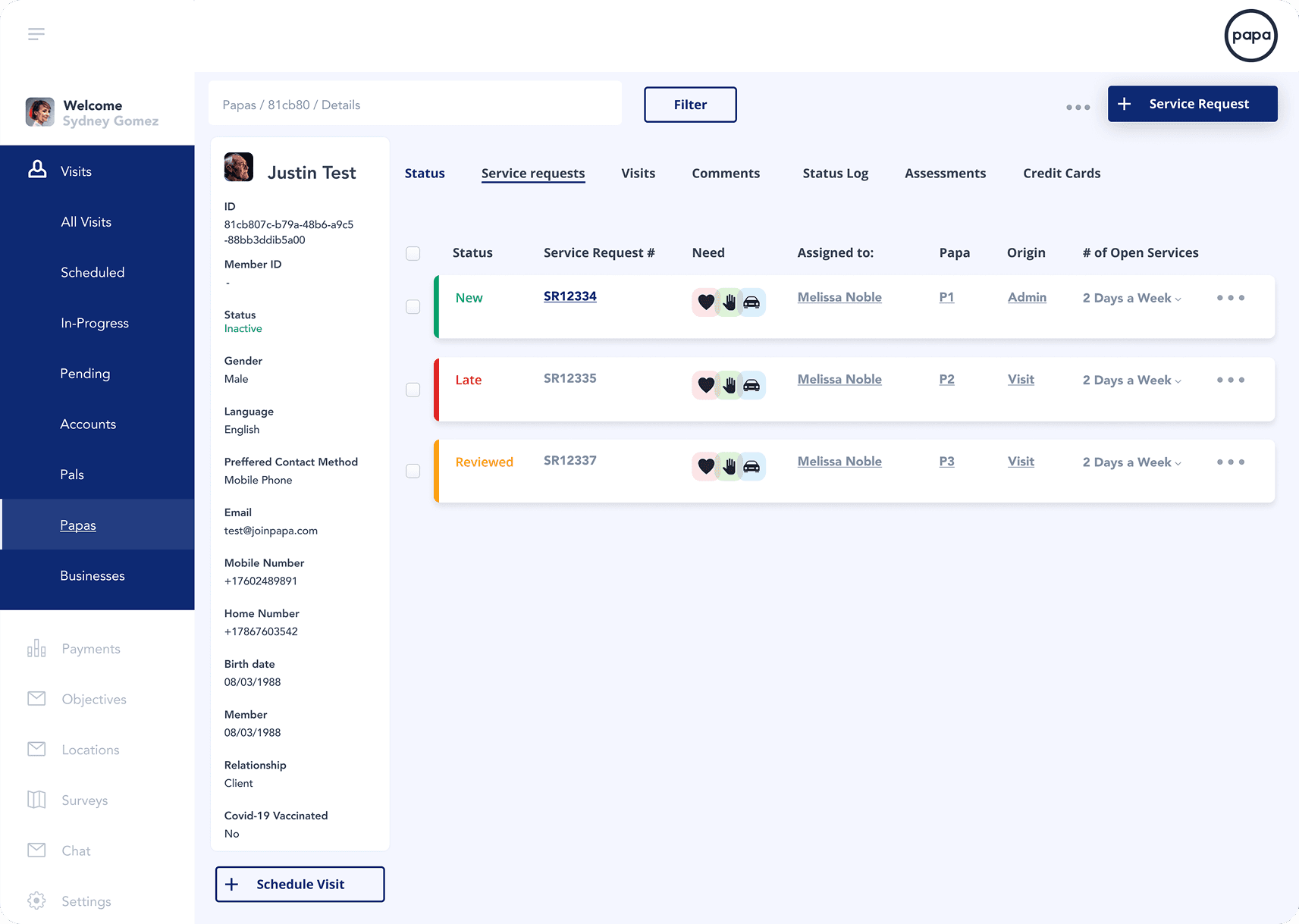
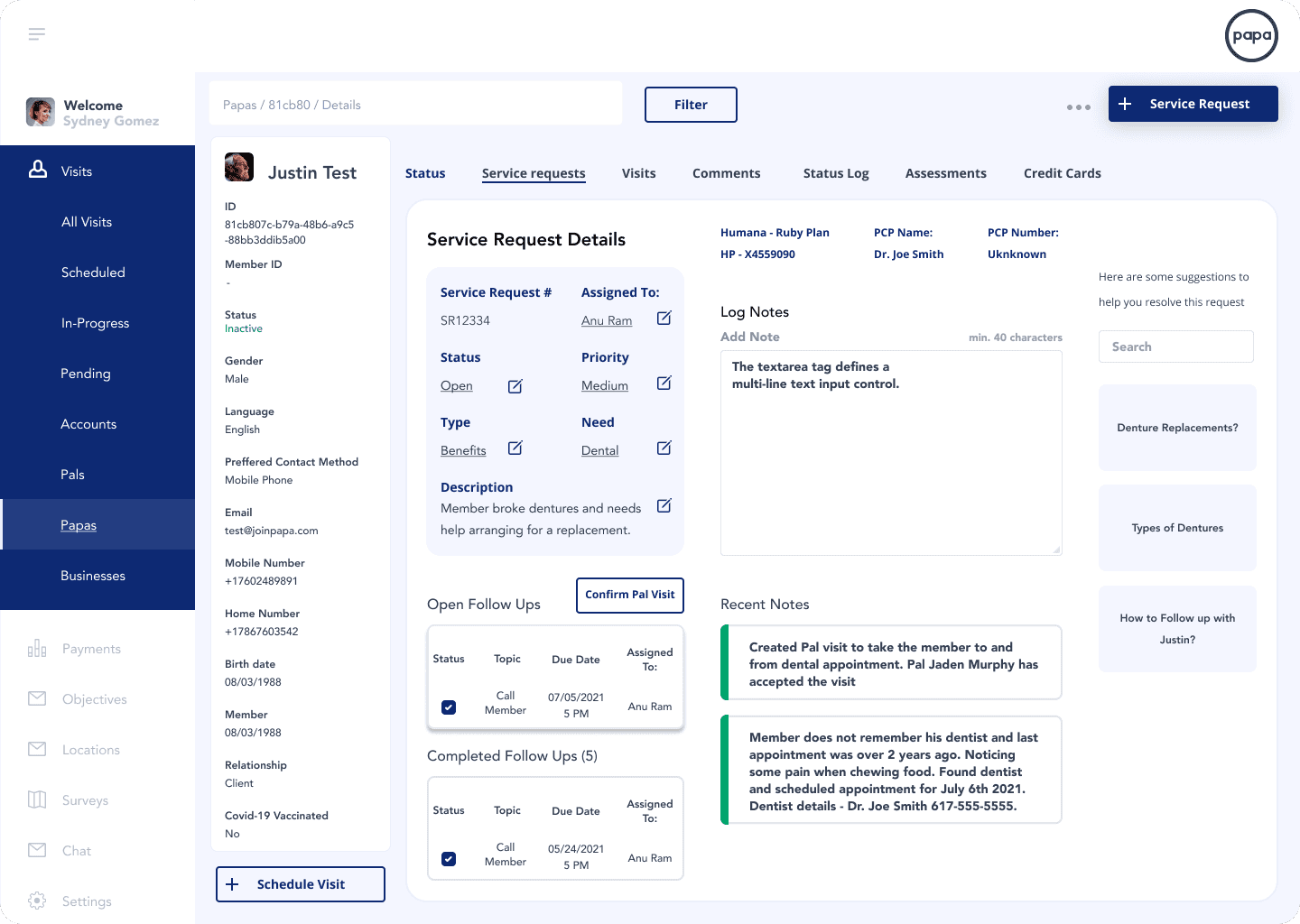
The legacy interface forced coordinators to treat a single workflow as five separate tasks. To route one service request, a coordinator had to visit multiple sub-pages to retrieve a patient ID, confirm their health plan, check their care history, and verify availability, all before taking any action. Mission-critical context was never in the same place twice. Urgent requests were buried. The interface was costing coordinators time they simply didn't have.
The Process and What I Owned
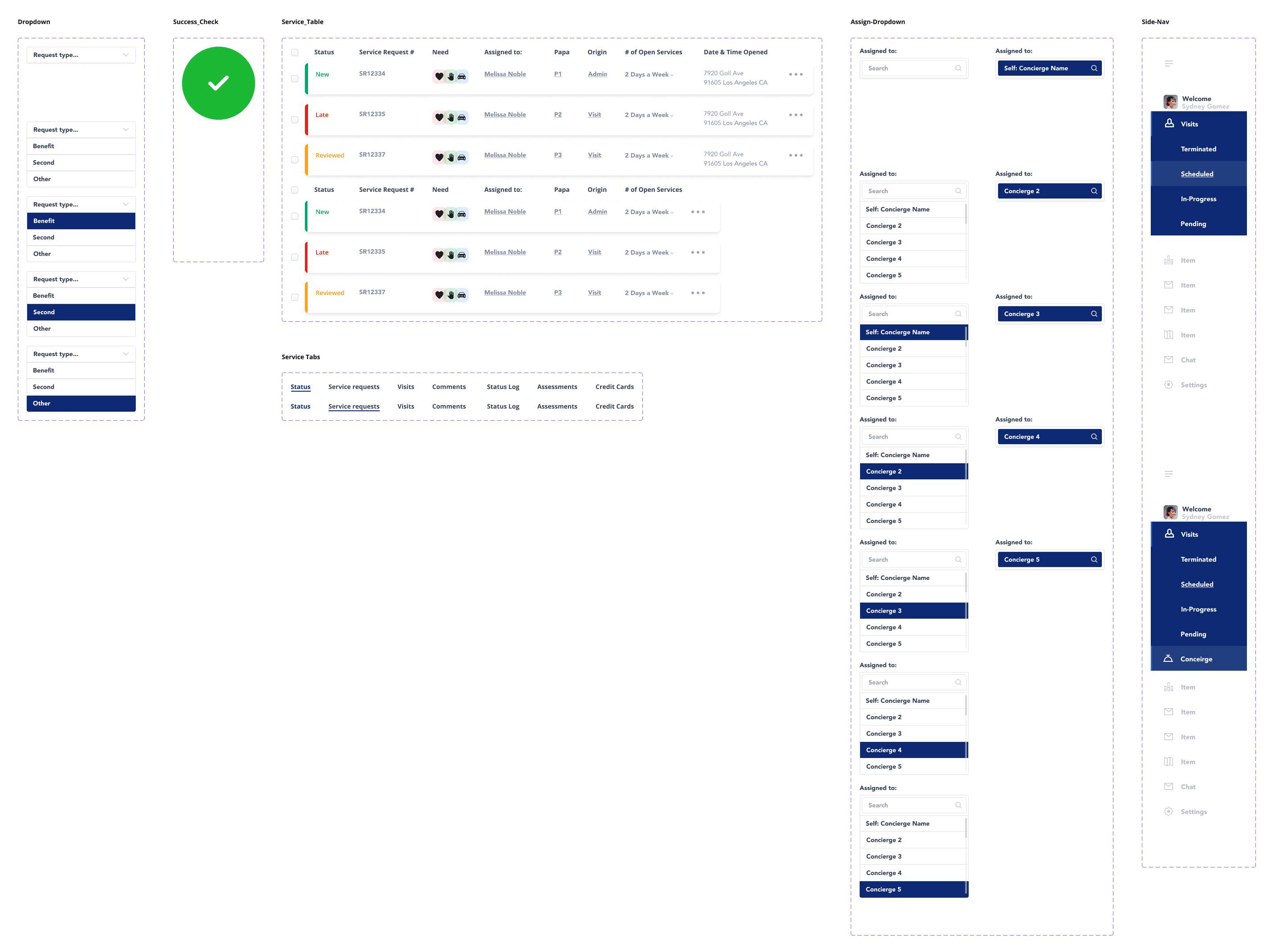
I partnered with the internal team's Product Designer to redesign three mission-critical coordinator flows from the ground up: Service Request creation, Service Request management, and Concierge assignment. I led rapid ideation, wireframing, and high-fidelity prototyping. In parallel, I matured the existing UI component library — prototyping full variant sets for Priority indicators, Status labels, and dropdown interaction states, and aligning component naming conventions directly with the engineering codebase to enable a friction-free design-to-development handoff.
Detailed Background
The Papa platform supports an internal team of care coordinators whose work directly influences patient outcomes. The dashboard they relied on was built for functionality, not for the cognitive demands of their workflow. As the volume and complexity of service requests grew, so did the invisible tax the interface placed on the people using it.
The redesign wasn't about aesthetics. It was about acknowledging that an interface which creates cognitive friction in a healthcare environment isn't just inconvenient — it's a risk. Slower routing means delayed care. Missed urgency signals mean unmet needs. The design system holding the product together needed to grow up alongside the product itself.
Tools I Used
What Principles Did I Lean On?
Discovery & Research
Initial Understanding Of The Problem
Early conversations with the product team and a quick shadow session with a care coordinator surfaced a clear behavioral pattern: coordinators were using the platform in a way it wasn't designed to support. They were treating the browser's back button as a navigation tool, moving forward to act, backward to retrieve context, forward again to complete the action. This pogo-sticking behavior wasn't a user error. It was a rational response to an irrational information architecture.
Key Findings
What This Told Us
Strategy, Ideation, & Prioritization
Defining the Scope & Vision
Vision:
Scope:
Trade-offs & Constraints
Design & Iterations
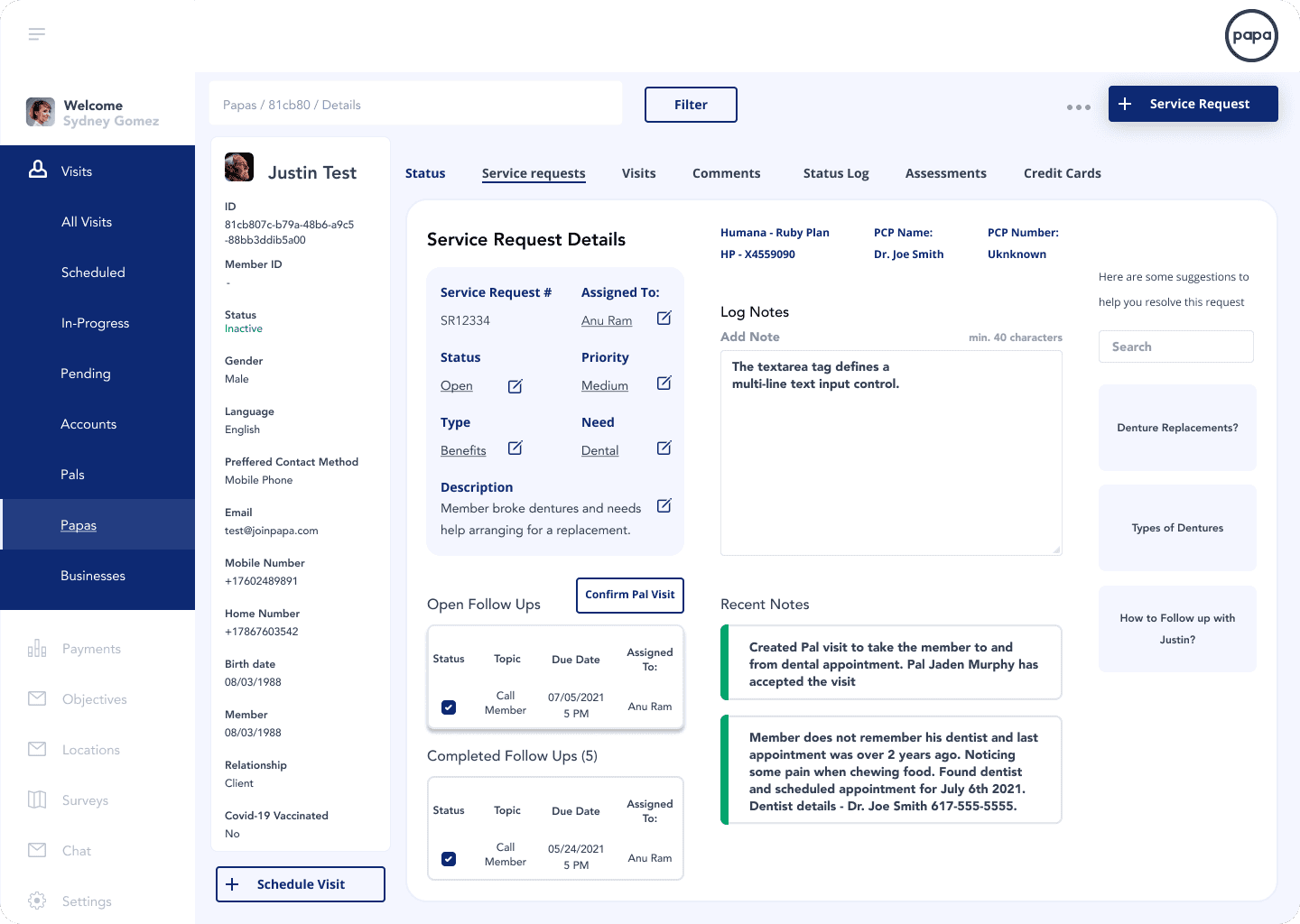
The Split-View Architecture
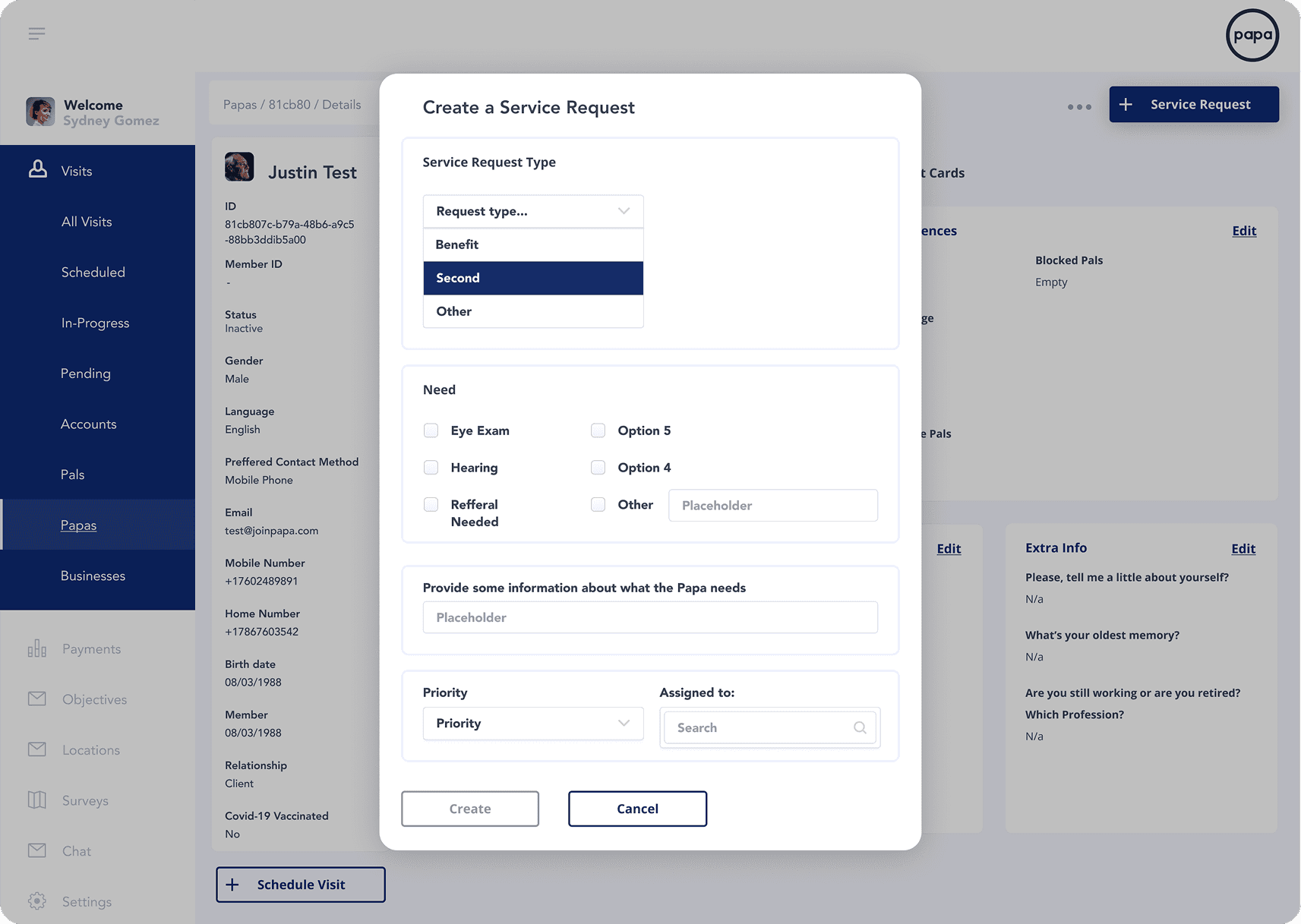
Status Encoding
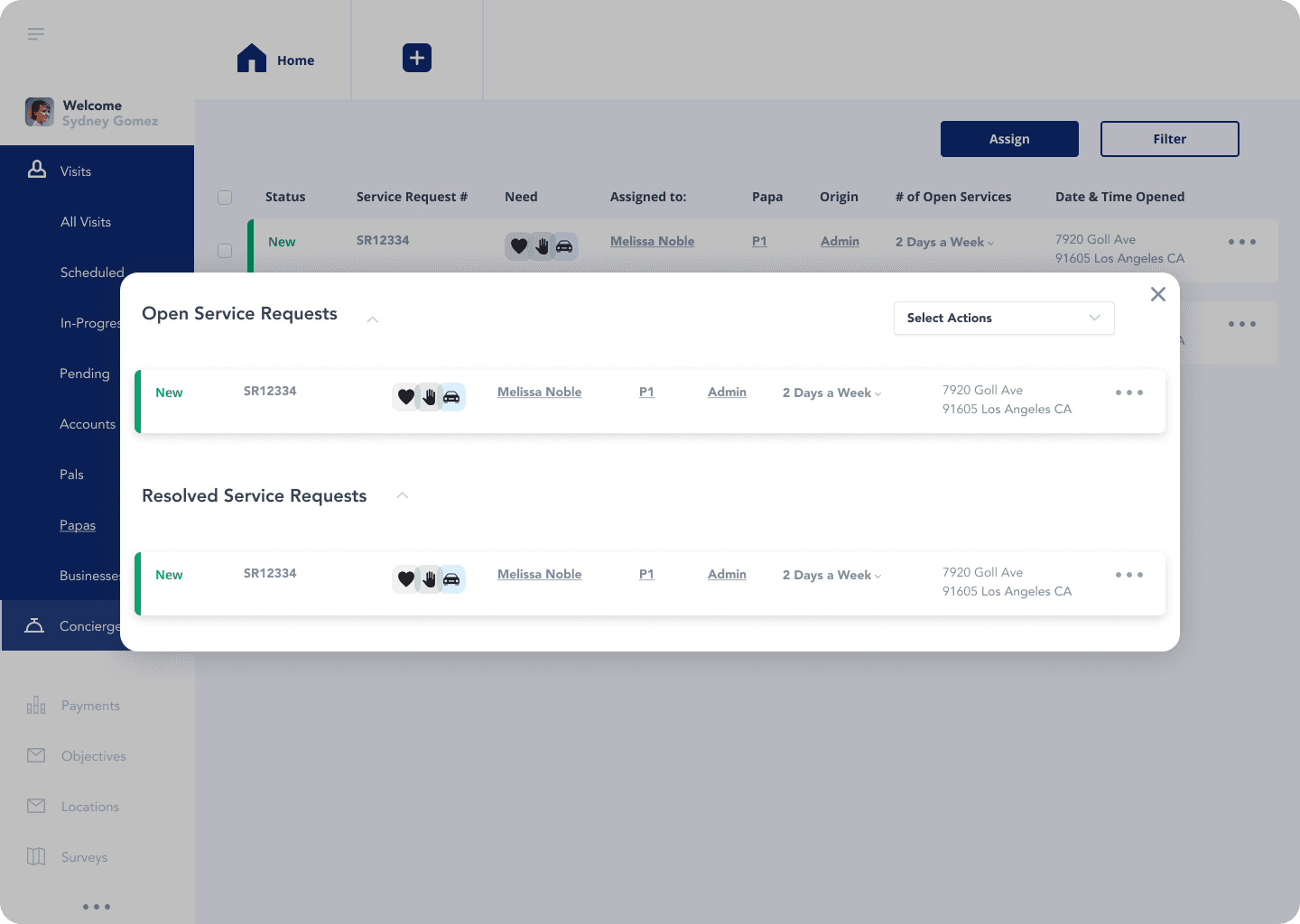
We established a three-tier urgency system with consistent visual encoding across all table views:
New — Green left border, green text. Active, unaddressed.
Late — Red left border, red text. Requires immediate attention.
Reviewed — Orange/amber left border, amber text. Actioned but open.
This encoding makes the most urgent row in any table immediately visible without reading. It's pre-attentive processing put to work — coordinators triage with their eyes before they engage with their hands.
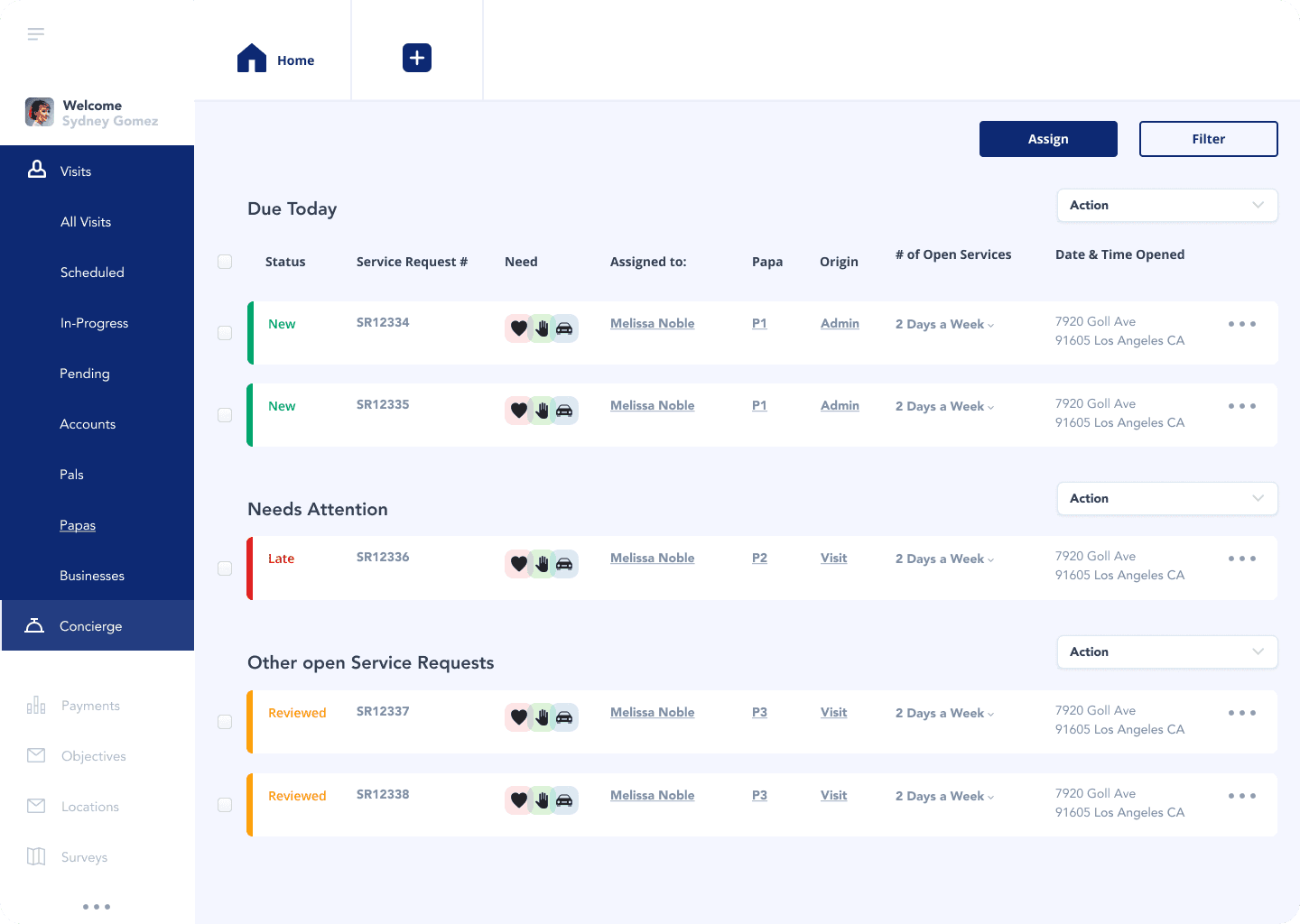
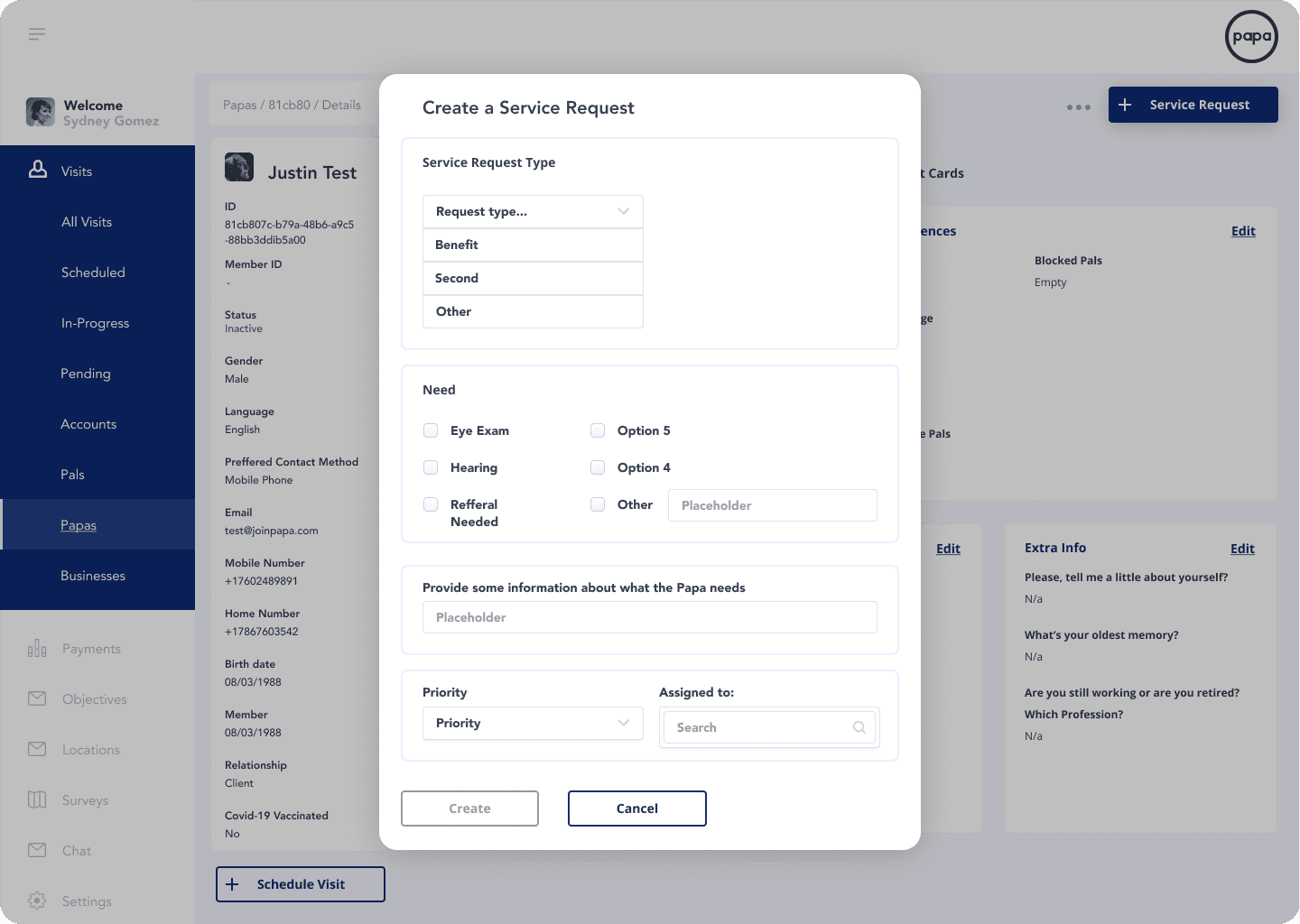
The Service Request Creation Form
The creation modal follows a strict top-to-bottom decision hierarchy: type, then need, then description, then priority, then assignment. Each field gates the next conceptually, reducing decision paralysis. The "Assigned to" field uses a live-search dropdown — matching the concierge assignment interaction established elsewhere in the system for pattern consistency.
UI Kit Maturation
Outcome & Impact
After the launch, we saw Passkeys meet all of our set KPIs.
37%
Reduction in time-on-task for patient routing. Measured against the legacy workflow
Eliminated pogo-sticking
Improved Triags
Design-dev naming parity meant zero component translation errors during implementation. What shipped matched what was designed.
Cleaner handoff
Qualitative feedback from the care team reflected a consistent theme: the new interface felt like it was built for the job. Fewer errors, less re-work, greater trust in the tool. When an interface behaves predictably and surfaces the right information at the right moment, it doesn't just save time — it builds the kind of quiet confidence that makes high-stakes work feel manageable.
Coordinator confidence
Lessons Learned
Persistent Context Is a Feature, Not a Layout Choice
The split-view wasn't a stylistic preference — it was a direct response to a measurable workflow problem. Every architectural decision should trace back to a user behavior. When it does, the rationale is self-evident and the solution is defensible.
The Design System Is Part of the Product
Shipping polished screens without a mature component library is a short-term win with long-term debt. Investing in variant architecture, naming parity, and interaction logic at the component level compounds over every subsequent sprint. Quality at the system level builds trust at the product level.
Information Density Requires Editorial Discipline
The coordinator persona needs rich data, but richness without hierarchy is noise. The most important design decisions on this project weren't about what to add. They were about what to surface first, what to keep one click away, and what to trust the user to find when they need it. Contextual understanding of each screen within the user journey is key to finding success with data-rich interfaces.